

Opal
Opal is a visual workspace that organizes all your projects and notes on one screen, eliminating the need for time-consuming searches.
tool Details
Explore More
Alternatives

About Opal
Opal is an innovative visual knowledge and project management workspace tailored for individuals who think spatially. It seeks to eliminate the frustration of losing valuable notes in complex folder structures or forgetting important ideas concealed within traditional applications. By offering an infinite digital canvas, Opal allows users to intuitively organize notes, documents, files, and links in a manner reminiscent of a physical desk. This spatial memory approach means users can easily recall the location of information, facilitating instant retrieval without the hassle of searching. Targeted primarily at solopreneurs, consultants, agency owners, and writers, Opal is built for anyone whose work depends on ongoing conversations, intricate details, and unwavering commitments. By keeping active projects, client details, and creative ideas visible and accessible, Opal empowers users to stop searching and start focusing on their best work without interruptions.
Features
Infinite Digital Canvas
Opal provides an expansive, visually-driven workspace where users can freely drag and drop various elements, such as notes, documents, and files. This flexible layout mimics a physical desk, enabling dynamic organization that adapts to individual workflows.
Spatial Memory Organization
With Opal's unique approach to information management, users can rely on memory cues based on the spatial arrangement of items. Users can place information where it makes the most sense to them, enhancing recall and reducing time spent searching for documents.
Seamless Integration
Opal allows for seamless integration with other tools and platforms, ensuring that users can bring in data from their existing systems without hassle. This feature streamlines workflows and ensures that everything remains within easy reach.
Collaborative Functionality
Designed for teams and individuals alike, Opal offers collaborative features that allow multiple users to interact within the same workspace. This functionality is vital for projects that require input from various stakeholders, ensuring everyone stays on the same page.
Use Cases
Freelance Project Management
Freelancers can utilize Opal to manage multiple projects simultaneously, organizing client notes, deadlines, and deliverables all in one visual workspace. This ensures that nothing falls through the cracks, allowing for efficient project execution.
Marketing Campaign Planning
Marketing professionals can leverage Opal to visualize their campaign strategies, including ad concepts, timelines, and performance metrics. The visual layout helps in brainstorming and refining ideas collaboratively with team members.
Content Creation Workflow
Writers and content creators can use Opal to map out their ideas, drafts, and revisions. The ability to see all related content in one place streamlines the writing process and enhances creativity.
Client Management for Consultants
Consultants can manage client relationships and project details effectively by using Opal to keep track of notes, deliverables, and action items. This visual approach helps maintain clarity and organization, ultimately leading to better client outcomes.
Frequently Asked Questions
How does Opal enhance productivity?
Opal enhances productivity by providing a visual workspace that keeps all relevant information easily accessible. Users no longer waste time searching for notes or documents, allowing them to focus on their tasks.
Can I collaborate with others in Opal?
Yes, Opal is designed for collaboration. Multiple users can work within the same workspace, enabling effective communication and project management among team members.
Is there a limit to the number of projects I can manage in Opal?
No, Opal offers an infinite digital canvas, allowing users to manage as many projects as they need without any restrictions on space or organization.
How does Opal differ from traditional project management tools?
Unlike traditional tools that rely on folders and hierarchical structures, Opal focuses on spatial organization, allowing users to place information visually. This approach aligns more closely with how our brains naturally work, facilitating better retention and recall.
Similar to Opal

Panzoe
Panzoe is an all-in-one AI platform for personal productivity, business automation, AI assistants, content creation, and custom AI solutions.
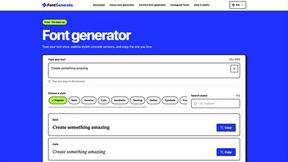
FontGenerate
Stylish Font Generator: 150+ Stylish Fonts to Copy & Paste (Free)
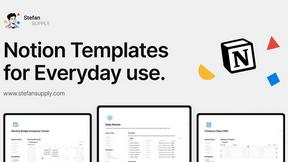
Stefan Supply
Ready-to-use Notion templates for personal planning and small business workflows, with realistic example data.
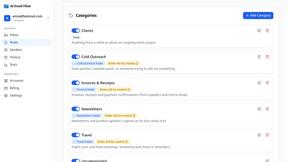
AI Email Filter
AI Email Filter sorts incoming mail into folders using plain-language prompts you write. Works with any IMAP mailbox; bring your own LLM if you want.
Egmatic
No-code 2D game editor: visual node logic, drag-and-drop scenes, live preview. Exports to Windows, macOS, Linux, Android, iOS, Web.
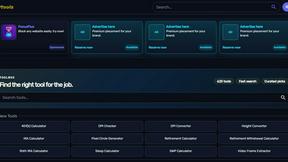
Kody Tools
Free collection of online developer utilities, code formatters, and digital converters designed to streamline your daily workflow.
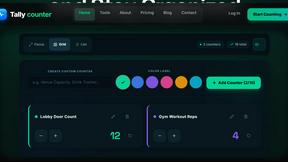
Tally Counter
Online tally counter for tracking attendance, workouts, inventory, visitors, sports scores, habits, and everyday counting tasks.
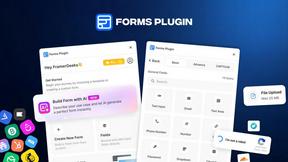
Forms Plugin
The #1 Native Form Builder Plugin for Framer - No Code, No Embeds, No External Platforms.