

Alternatives to Seedream 40
Seedream 40 covers AI image models, prompting, and creative workflows, with practical guidance for teams reviewing and delivering generated imagery.
Explore 20 alternatives to Seedream 40. Compare features, pricing, and find the best fit for your needs.
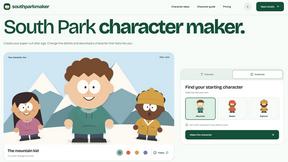
southparkmaker
Make a South Park-inspired character with editable presets, live previews, and PNG or SVG downloads in a browser-based builder.
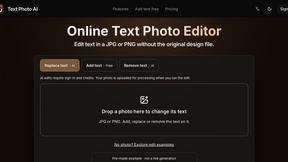
Text Photo AI
Edit wording in JPG and PNG images with AI, or add a caption free in your browser and export a PNG.

Goshortsai
Goshortsai provides AI image and video workflows, from prompt-based clips to image animation, motion control, and reusable effects.
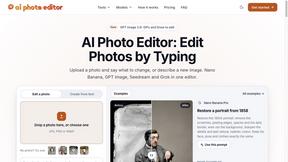
AI Photo Editor
A prompt driven photo editor for cleanup, background changes, restoration, and creative image variations across AI models.

PhotoboothFree
PhotoboothFree is an online photo booth for themed strips, with browser capture, optional uploads and print-ready PNG exports.
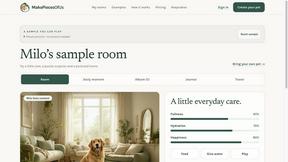
MakePiecesOfUs
MakePiecesOfUs turns a real pet photo into a virtual room with free photo puzzles, an album, a journal and optional daily stories.
LayerSplit
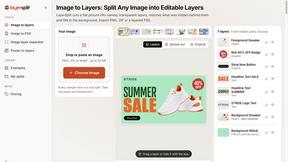
LayerSplit converts flat posters, banners, and other images into editable layers, with a filled background and layered PSD export.
Drawcil
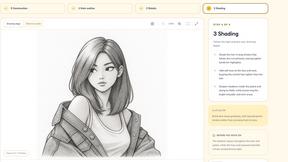
Drawcil guides pencil practice from a photo through four stages, from basic shapes to shading, with checkpoints for each step.
RenderPixels
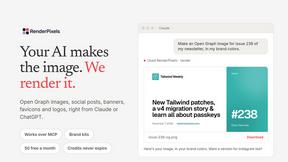
RenderPixels lets an AI assistant create exact-size image files through browser rendering, with issue checks, previews, and permanent links.
MenuCapture
Improve restaurant dish photos with text-directed edits, saved versions, and exports sized for menus, delivery apps, and social media.
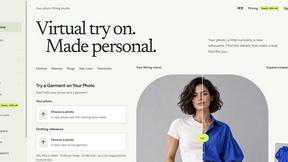
VirtualTryOn
AI photo try-on tools let you compare clothing, glasses, rings and hair ideas with your original image for visual exploration.

Vikas Editor AI
Turn a photo or prompt into cinematic portraits, festive edits and five-second videos in a browser-based studio.
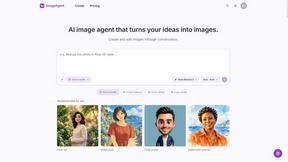
ImageAgent
ImageAgent turns text prompts and reference images into editable visuals, with conversational revisions and several image models to choose from.
AI Age Filter
AI Age Filter turns an adult portrait into an editable age progression, with four aging increments and a labelled PNG download for creative use.
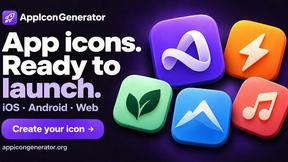
AppIconGenerator
Create app icons from an image and export platform-sized assets for iOS, Android, web, and Chrome, with optional credit-based AI logo generation.
FreeCreate
FreeCreate combines AI video and image tools, including text-to-video, motion control and presets, with guest and daily credits to get started.

AI Rap Video Maker
Make a vertical rap performance from a portrait, choosing between silent stage motion and an original clip with generated vocals and beat.
Nano AI
Nano AI lets visual creators generate and edit images with multiple models, compare up to four variations, and see credit costs upfront.
Screen Issues
Screen Issues pairs a free browser-based screen test with practical guides for diagnosing defects on phones, tablets, laptops, and monitors.

Tip Toe AI
Turn two photos into a short AI barn-dance video timed to the original clip, with portrait or landscape output and no watermark.
About Seedream 40 Alternatives
If you need to create or edit images directly, compare image-generation tools by their output controls, editing workflow, and delivery options. For teams focused on production process, compare editorial guides by the specific review, rights, or handoff decisions they help address.
FAQs about Seedream 40 Alternatives
What should I compare if I need an image generator?
Check the tool's generation and editing controls, output options, and workflow against your project needs.
What should a studio compare when choosing workflow guidance?
Look for coverage of the decisions you need to manage, such as review, reference handling, or delivery records.