

Alternatives to Sprite-AI
Sprite-AI generates pixel-perfect game sprites from text prompts in seconds, with adjustable sizes from 16x16 to 128x128 and direct export to Unity.
Explore 20 alternatives to Sprite-AI. Compare features, pricing, and find the best fit for your needs.
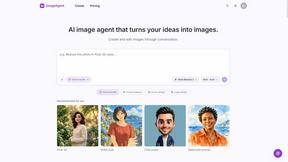
ImageAgent
Create and edit AI images through conversation, using text or reference images and refining results in chat.

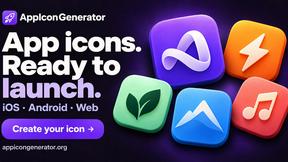
AppIconGenerator
Generate iOS and Android app icons from any image and export all platform sizes for free.
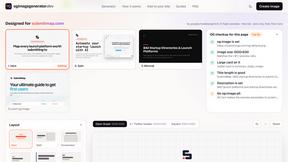
ogimagegenerator.dev
Paste a URL and AI designs on-brand Open Graph images from your page's colours, fonts and logo. Free, no sign-up.
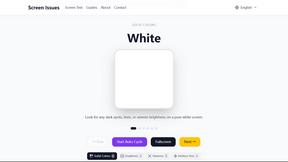
Screen Issues
Free Online Screen Test Tool - Instantly diagnose dead pixels, lines, color issues, and flickering. Multiple test modes, no download needed.
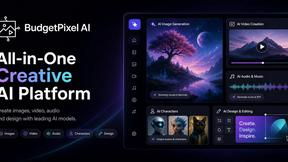
Budgetpixel AI
Create and edit AI images, videos, music, and designs in one workspace, with multiple models, reusable characters, and API access.
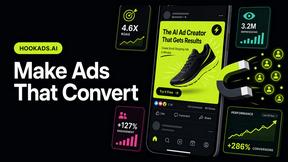
HookAds
Free ad creative hub: 1,750+ prompts behind viral AI ads, 118 hook frameworks, teardowns, swipe files and 27 free AI tools.
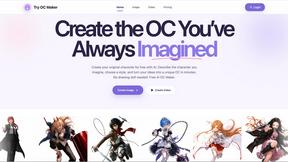
Try OC Maker
Create OCs from text or images, customize their look, and turn them into animated videos with AI.
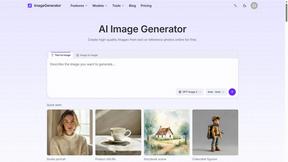
ImageGenerator
Create and edit AI images online with multiple models, text-to-image, image-to-image, background removal, and upscaling.
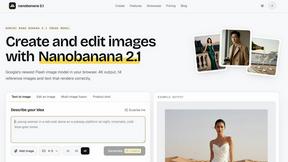
nanobanana 2.1
A fast, simple image studio powered by Nano Banana 2.1. Create and edit high-quality images with accurate details and readable text.

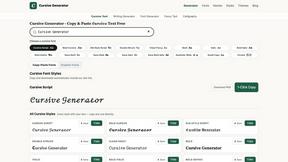
Cursive Text Generator
Cursive Text Generator is a free browser-based tool that converts regular text into beautiful cursive and stylish Unicode fonts. Users can instantly p
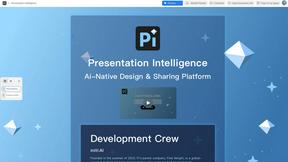
Presentation Intelligence
AI-native presentation and visual content platform that turns prompts, documents, images, videos, and data into polished, shareable decks.

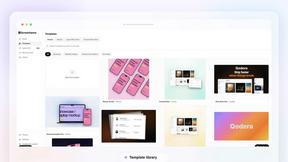
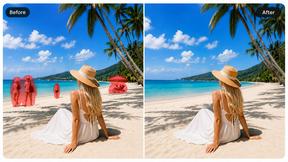
Magic Eraser
AI-powered photo editor for removing objects, replacing backgrounds, enhancing images, and creating visuals.


About Sprite-AI Alternatives
Sprite-AI is an AI-powered pixel art generator that occupies the design tools category, specifically tailored for indie game developers, hobbyists, and prototypers who need to produce 2D assets rapidly without manual drawing skills. By interpreting plain English descriptions, the tool outputs clean, game-ready pixel art in standardized sizes of 32x32, 64x64, or 128x128 pixels, with roles ranging from icons and items to characters and hero or boss art. Users commonly look for alternatives due to concerns over token-based pricing models that can become costly with high-volume generation, platform-specific integration requirements that may not align with their preferred engines, or a desire for more granular control over output styles beyond the provided presets. When evaluating an alternative, key considerations include the fidelity of the generated pixel art to user prompts, the availability of a built-in pixel editor for post-generation tweaks, export compatibility with game engines like Unity, Godot, or Unreal, and whether the pricing structure supports unlimited or subscription-based usage instead of per-generation tokens. The search for alternatives often stems from a need for different feature sets, such as support for larger sprite sheets, batch generation capabilities, or offline functionality that avoids cloud dependency. Additionally, users may prioritize tools that offer more robust community galleries, advanced prompt engineering guides, or lower latency in generation times. When choosing an alternative, it is critical to assess the resolution range offered, the flexibility of the editing tools (including paint, erase, fill, and color-pick functions), and the transparency of the export process, particularly for PNG files with alpha channels. The ideal alternative should balance ease of use with technical depth, ensuring that both novice prototypers and experienced developers can iterate quickly without sacrificing pixel-level precision.
FAQs about Sprite-AI Alternatives
What is Sprite-AI?
Sprite-AI is an AI-powered pixel art generator designed to produce game-ready 2D assets from plain English text descriptions. It eliminates the need for manual drawing by generating clean pixel art in fixed resolutions of 32x32, 64x64, or 128x128 pixels, with support for roles such as icons, items, characters, and hero or boss art. The platform includes a built-in pixel editor with paint, erase, fill, and color-pick tools for fine-tuning, and exports transparent PNG files compatible with engines like Unity, Godot, GameMaker, and Unreal.
Who is Sprite-AI for?
Sprite-AI is built for indie game developers, hobbyists, and prototypers who need to rapidly create 2D pixel art assets without prior drawing experience. It is also suitable for designers working on tight deadlines who require consistent, role-specific sprites for icons, items, characters, or boss art. The tool's token-based pricing model makes it accessible for small teams and solo developers who only pay for the generations they use.
Is Sprite-AI free?
Sprite-AI operates on a token-based pricing model rather than a free tier, meaning users purchase tokens that are consumed each time a sprite is generated. While there is no permanent free version, the platform may offer a limited number of introductory tokens for new users to test the service. The exact token cost per generation depends on the selected resolution and role, allowing users to pay only for the assets they create.
What are the main features of Sprite-AI?
The core features of Sprite-AI include AI-driven generation from plain English prompts, output in 32x32, 64x64, and 128x128 pixel resolutions, and role-specific presets for icons, items, characters, and hero or boss art. A built-in pixel editor provides paint, erase, fill, and color-pick functionality for post-generation adjustments, and the tool exports transparent PNG files directly compatible with Unity, Godot, GameMaker, and Unreal. Additional features include a community gallery for sharing sprites, prompt guides for improving generation quality, and a token-based pricing system.