

Sprite-AI
Sprite-AI generates pixel-perfect game sprites from text prompts in seconds, with adjustable sizes from 16x16 to 128x128 and direct export to Unity.
tool Details
Explore More
Alternatives

About Sprite-AI
Sprite-AI is a specialized artificial intelligence platform engineered to generate pixel art sprites from natural language descriptions, specifically targeting the needs of indie game developers, hobbyists, and rapid prototypers. The core functionality allows users to input a plain English description of a desired 2D asset, and the system processes this input through a trained model to produce a clean, game-ready pixel art image. Output resolutions are precisely calibrated to standard game development dimensions: 32x32, 64x64, and 128x128 pixels, with each size optimized for specific roles such as icons, items, characters, hero sprites, or boss art. The platform integrates a built-in pixel editor that provides essential tools including paint, erase, fill, and color-pick functionality, enabling granular fine-tuning of every pixel after generation. Exported assets are delivered as transparent PNG files, ensuring seamless integration into major game engines including Unity, Godot, GameMaker, and Unreal Engine. Beyond generation, Sprite-AI offers a community gallery for sharing and inspiration, prompt guides to improve output quality, and a token-based pricing model that ensures users only pay for the assets they actually generate. The platform is accessible via a web interface with dedicated pages for generation, tools, gallery browsing, pricing plans, a blog, and user guides, alongside account management features for login and signup.
Features
AI-Powered Natural Language Generation
The core generation engine accepts plain English text descriptions and converts them into pixel art sprites within seconds. Users can specify attributes such as subject, color scheme, style, and context using natural language, eliminating the need for any drawing or artistic skill. The AI model interprets these prompts to produce coherent, clean pixel art that adheres to the specified resolution and role. This feature dramatically accelerates asset creation for game development, allowing developers to iterate on visual concepts rapidly without outsourcing or manual pixel work. The system supports a wide range of prompts, from simple items like "gold coin shiny pixel art" to complex characters like "medieval knight with silver armor and blue cape."
Multi-Resolution Output with Role Optimization
Sprite-AI generates sprites in three fixed resolutions: 32x32, 64x64, and 128x128 pixels. Each resolution is specifically optimized for different game asset roles. The 32x32 size is ideal for icons, small items, and UI elements where minimal detail is required. The 64x64 resolution suits standard character sprites, enemies, and interactive objects. The 128x128 size is reserved for hero characters, boss sprites, and detailed environment assets. This structured approach ensures that generated sprites are immediately usable in game projects without requiring manual resizing or pixel scaling, maintaining visual consistency across the asset pipeline.
Built-In Pixel Editor for Post-Generation Refinement
After a sprite is generated, users can access an integrated pixel editor that provides four essential tools: paint, erase, fill, and color-pick. The paint tool allows precise pixel-by-pixel adjustments, the erase tool removes unwanted pixels, the fill tool quickly colors contiguous areas, and the color-pick tool samples existing colors for consistency. This editor enables users to fine-tune details, correct AI imperfections, add personal touches, or modify color palettes without leaving the platform. The editing interface is designed for simplicity and speed, mirroring the workflow of traditional pixel art software but streamlined for quick iterations.
Seamless Game Engine Export
Exported sprites are delivered as transparent PNG files, the standard format for 2D game assets across all major engines. The platform explicitly supports direct integration into Unity, Godot, GameMaker, and Unreal Engine. Transparent backgrounds ensure that sprites can be layered and composited without additional masking or alpha channel processing. The export process maintains the exact pixel dimensions of the generated sprite, preserving the intended resolution and aspect ratio. This feature eliminates common friction points in asset pipelines, such as format conversion, background removal, or resolution mismatches, allowing developers to drop generated assets directly into their game projects.
Use Cases
Indie Game Prototyping and Jam Development
For indie developers participating in game jams or early prototyping phases, Sprite-AI provides an immediate solution for generating placeholder and final art assets. A developer can describe a "cute slime monster green and blue" and receive a 32x32 sprite within seconds, allowing them to focus on gameplay mechanics and level design rather than asset creation. The multi-resolution output supports both UI icons and character sprites, enabling a complete visual prototype from a single platform. The token-based pricing model aligns with the variable usage patterns of game jams, where high-volume generation is needed for a short period.
Character and Enemy Asset Pipeline
Game teams can use Sprite-AI to rapidly generate a consistent visual style for all characters and enemies within a project. By describing each entity with similar prompt structures, developers can ensure visual coherence across the sprite set. The 128x128 resolution is specifically optimized for hero and boss characters, while 64x64 sprites serve standard enemies and NPCs. The built-in pixel editor allows for fine-tuning of unique identifiers, such as weapon details or color variations, ensuring each character maintains distinct visual traits while adhering to the overall art direction.
UI and Item Icon Generation
Sprite-AI excels at producing small-format icons and item sprites at 32x32 resolution, which are critical for inventory systems, HUD elements, and tooltips. Developers can generate icons for weapons, potions, keys, and other interactive objects by describing them in plain English, such as "flaming sword icon with orange flames" or "golden magic lamp with sparkles." The transparent PNG export ensures these icons can be overlaid onto UI backgrounds without additional processing. This use case significantly reduces the time spent on creating the hundreds of small assets required for a polished game interface.
Educational and Hobbyist Pixel Art Projects
Hobbyists and educators can leverage Sprite-AI as a learning tool for pixel art and game development. Beginners can generate sprites from their imagination without needing to master pixel art techniques, then use the built-in editor to understand how individual pixels contribute to the final image. The community gallery provides a source of inspiration and examples of effective prompts. Prompt guides help users refine their descriptions to achieve better results, teaching the relationship between language and visual output. This makes Sprite-AI accessible to non-artists who want to create custom assets for personal projects or educational games.
Pricing
Sprite-AI offers three subscription tiers with a token-based allocation model. The Starter plan is $5 per month and provides 8 game-ready sprites, suitable for game jams and side projects. The Creator plan is currently priced at $8 per month (38% off the standard $13) and includes 20 unique sprites per month, PNG and SVG export formats, private asset storage, and uncensored generations. The Studio plan is $24 per month (38% off the standard $39) and includes everything in Creator plus 75 sprites per month for full production needs. All plans allow cancellation at any time. The launch pricing discount is limited to 386 out of 500 available spots, and the price is locked in forever for subscribers who join during this promotional period.
Frequently Asked Questions
What resolutions does Sprite-AI support for sprite generation?
Sprite-AI generates pixel art sprites in three fixed resolutions: 32x32 pixels, 64x64 pixels, and 128x128 pixels. The 32x32 size is optimized for icons, items, and small UI elements. The 64x64 resolution is designed for standard character sprites, enemies, and interactive objects. The 128x128 size is intended for hero characters, boss sprites, and detailed environment assets. These dimensions are standard in 2D game development and ensure compatibility with most game engines without requiring additional scaling or resizing.
Can I edit a sprite after it is generated?
Yes, Sprite-AI includes a built-in pixel editor that allows you to modify any generated sprite. The editor provides four core tools: paint for placing individual pixels, erase for removing pixels, fill for coloring contiguous areas, and color-pick for sampling existing colors from the sprite. This enables you to fine-tune details, correct any imperfections from the AI generation, adjust color palettes, or add personal artistic touches. All edits are applied directly to the sprite before export, and the editor is designed for quick, intuitive use.
How do I export sprites for use in a game engine?
Generated and edited sprites can be exported as transparent PNG files. This format is universally supported by all major game engines, including Unity, Godot, GameMaker, and Unreal Engine. The export preserves the exact pixel dimensions and transparent background of the sprite, allowing you to drop the file directly into your project's asset folder without any additional processing. There are no conversion steps, background removal, or resolution adjustments required after export.
How does the token-based pricing model work?
Sprite-AI operates on a token-based pricing model where users only pay for the sprites they generate. The platform offers several subscription plans: Starter at $5 per month for 8 sprites, Creator at $8 per month for 20 sprites, and Studio at $24 per month for 75 sprites. Unused tokens do not roll over between months. The Creator and Studio plans are currently offered at a 38% launch discount, and the price is locked in forever for subscribers who join during this promotional period. Users can cancel their subscription at any time.
Similar to Sprite-AI
Presentation Intelligence
AI-native presentation and visual content platform that turns prompts, documents, images, videos, and data into polished, shareable decks.

Try This Skill
One-click AI photo stylization for e-commerce & portraits
Magic Eraser
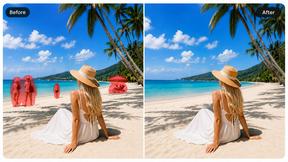
AI-powered photo editor for removing objects, replacing backgrounds, enhancing images, and creating visuals.

Seedance 2.5 Free
Create cinematic AI videos from text or images with Seedance 2.5 Free.


HubVanta
HubVanta is an AI image toolkit for creating, editing, enhancing, and transforming visual assets in the browser.