

Alternatives to Subclip
Subclip is an AI-driven video editor that streamlines editing, captioning, and dubbing, saving creators time while enhancing global reach.
Explore 10 alternatives to Subclip. Compare features, pricing, and find the best fit for your needs.


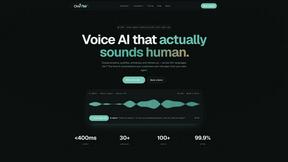
Oravaa
Oravaa is an enterprise-grade Voice AI platform that automates repetitive phone tasks with natural conversations across 30+ languages and 100+ voices.
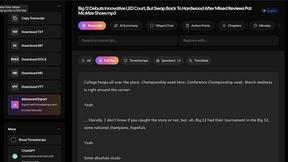
Wisprs
Wisprs offers accurate AI transcription for audio and video in 100+ languages with editable transcripts, speaker labels, and versatile export options.

Hush Touch | Voice-to-Text for MacOS
Hush Touch offers offline voice-to-text dictation for Mac, learning your vocabulary with a one-time $20 license.

Glossa
Glossa delivers real-time AI translation of sermons into 100+ languages, breaking language barriers effortlessly.

Bantr: Offline & Unlimited TTS for Mac
Bantr is an offline, unlimited text-to-speech app for Mac that ensures privacy and delivers natural-sounding voices.

KaiCalls
KaiCalls is an AI voice agent that answers calls, qualifies leads, and books appointments 24/7 for your business.

Vowen
Vowen is a private offline voice app that streamlines dictation and voice commands for seamless desktop workflows.

Bargou One
Bargou One is an all-in-one AI suite for chat, content creation, writing, and translation.
About Subclip Alternatives
Subclip is an innovative AI-powered video editor designed to simplify the video production process for creators, marketers, and educators. As a tool that falls under the Speech & Voice category, it offers a range of features such as voice cloning, automatic subtitle generation, and multi-language dubbing, all aimed at enhancing the efficiency of video editing. Users appreciate the ease of editing videos as if they were working with text documents, which significantly streamlines workflows. Despite its robust offerings, users often seek alternatives to Subclip due to various reasons such as pricing concerns, specific feature requirements, or compatibility with their preferred platforms. When exploring alternatives, it is crucial to consider aspects like the range of features available, user interface intuitiveness, pricing models, and whether the tool can seamlessly integrate into existing workflows. Additionally, understanding the level of customer support and community resources can greatly impact user satisfaction and productivity.
FAQs about Subclip Alternatives
What is Subclip?
Subclip is an AI-powered video editing platform that allows users to edit videos with the ease of manipulating text documents. It is designed for creators, marketers, and educators, providing advanced features such as voice cloning, auto-subtitles, and multi-language dubbing. Subclip streamlines the video production process, enabling users to focus on content creation rather than technical complexities.
Who is Subclip for?
Subclip is ideal for a diverse range of users including YouTubers, podcasters, online course creators, and content teams. It caters to anyone looking to enhance their video content creation process by offering intuitive, AI-driven features that save time and improve productivity. Whether you are a seasoned professional or a novice, Subclip provides tools that can elevate your video editing capabilities.
Is Subclip free?
Subclip operates on a freemium pricing model, which means it offers a free tier for users to explore its basic functionalities. Additionally, there are affordable paid plans that unlock more advanced features and capabilities. This pricing structure allows users to choose a plan that best fits their needs and budget.
What are the main features of Subclip?
The main features of Subclip include voice cloning, automatic subtitle generation, silence removal, and multi-language dubbing, all designed to simplify the video editing process. Users can easily edit videos by manipulating transcripts, remove filler words and silences with a single click, and maintain background music while dubbing into multiple languages. These capabilities make Subclip a comprehensive tool for modern video production.