

Alternatives to YouTube to Transcript
Easily convert any YouTube video to accurate transcripts for free, instantly and without registration, in over 100.
Explore 20 alternatives to YouTube to Transcript. Compare features, pricing, and find the best fit for your needs.
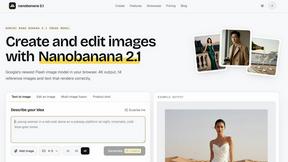
nanobanana 2.1
A fast, simple image studio powered by Nano Banana 2.1. Create and edit high-quality images with accurate details and readable text.
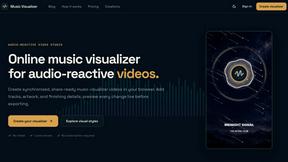
Music Visualizer
Turn music into stunning beat-synced visuals in a browser-based studio for releases, social content, live sets, and campaigns.

Raindance AI Video Generator
Turn two photos into the Raindance AI pier video with the soundtrack included

Panzoe
Panzoe is an all-in-one AI platform for personal productivity, business automation, AI assistants, content creation, and custom AI solutions.
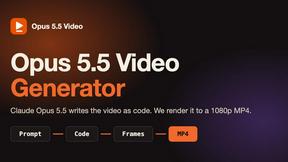
Opus 5.5 Video Generator
Turn a prompt into a 1080p motion-graphics MP4 planned and coded by Claude Opus 5.5

Rumpelstiltskin AI Video Generator
Make the viral Rumpelstiltskin tiptoe dance meme video from two photos

DanseAI - Alors on Danse AI Video Genera
Make the Alors on Danse AI meme video from two photos, soundtrack included

AIPetGen
AIPetGen turns a photo of your dog, cat, or other pet, or a written description, into a new picture or a short animation.

Hotel Lobby AI Video Generator
Turn two photos into a Hotel Lobby dance video in the orange A COLORS SHOW booth
Stefan Supply
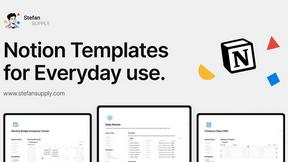
Ready-to-use Notion templates for personal planning and small business workflows, with realistic example data.

Slide-Easy
A Mac app that turns your App Store link into a week of Instagram Reels and carousels, written from your real reviews.

hotel-lobby
Two-person AI video concept in a warm orange recording booth, with two performers sharing one microphone.
AI Email Filter
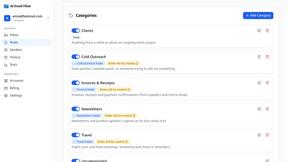
AI Email Filter sorts incoming mail into folders using plain-language prompts you write. Works with any IMAP mailbox; bring your own LLM if you want.
MeeLang
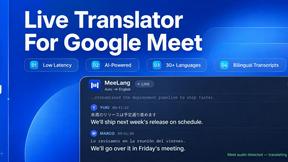
Chrome extension for real-time AI translation in Google Meet. MeeLang delivers low-latency bilingual subtitles, AI summaries, and meeting transcripts.

Egmatic
No-code 2D game editor: visual node logic, drag-and-drop scenes, live preview. Exports to Windows, macOS, Linux, Android, iOS, Web.

Kody Tools
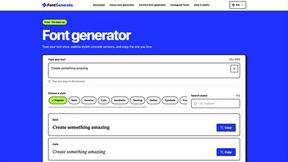
Free collection of online developer utilities, code formatters, and digital converters designed to streamline your daily workflow.
Tally Counter
Online tally counter for tracking attendance, workouts, inventory, visitors, sports scores, habits, and everyday counting tasks.

Forms Plugin
The #1 Native Form Builder Plugin for Framer - No Code, No Embeds, No External Platforms.
About YouTube to Transcript Alternatives
YouTube to Transcript is an innovative web-based tool designed to extract high-quality transcripts and subtitles from YouTube videos effortlessly. It falls under the categories of Education & Learning, Productivity & Management, and Video, making it a versatile resource for content creators, students, and researchers alike. Users often seek alternatives to YouTube to Transcript due to various reasons, including pricing structures, feature limitations, or specific platform requirements that better suit their needs. When selecting an alternative, it's essential to consider aspects such as cost, the number of languages supported, ease of use, and any unique features that may enhance the transcription process. Additionally, ensure that the alternative tool maintains a user-friendly interface and meets your specific transcription needs without imposing restrictions on video length or requiring complex registrations.
FAQs about YouTube to Transcript Alternatives
What is YouTube to Transcript?
YouTube to Transcript is a free web-based utility that allows users to extract transcripts and subtitles from YouTube videos by pasting the video's URL.
Who is YouTube to Transcript for?
YouTube to Transcript is designed for content creators, students, and researchers who need quick access to high-quality video transcripts.
Is YouTube to Transcript free?
Yes, YouTube to Transcript is completely free to use, without any hidden costs or premium tiers.