
3D AI Maker vs LLMWise
Side-by-side comparison to help you choose the right tool.

3D AI Maker
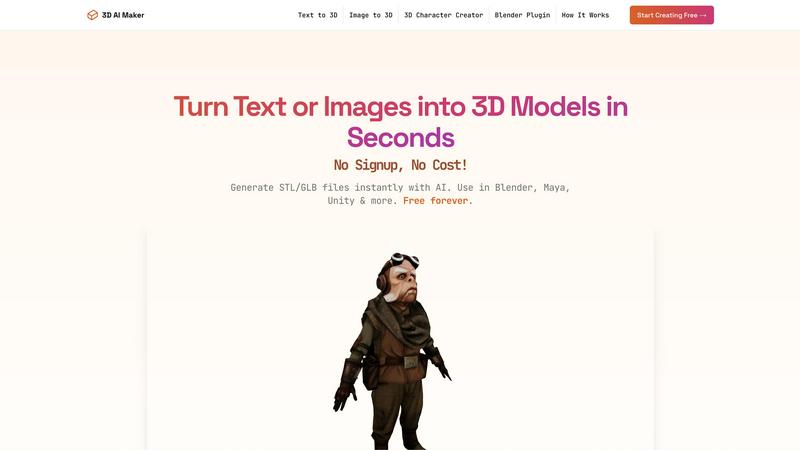
3D AI Maker transforms text or images into free, production-ready 3D models for seamless use in Blender and beyond.
Last updated: March 1, 2026

LLMWise
LLMWise offers a single API to access and compare 62 AI models, optimizing prompts with pay-per-use pricing.
Last updated: February 26, 2026
Visual Comparison
3D AI Maker
LLMWise

Feature Comparison
3D AI Maker
AI-Powered 3D Generation
Utilizing advanced AI algorithms, 3D AI Maker transforms text prompts or 2D images into detailed and fully textured 3D models. This feature allows users to quickly create assets that meet specific design requirements without needing extensive 3D modeling knowledge.
Direct Blender Integration
The dedicated plugin for Blender enables users to generate 3D models directly within the software, enhancing productivity for 3D artists. This integration streamlines the creative workflow, making it easier for users to incorporate AI-generated models into their projects seamlessly.
Export GLB & STL Files
3D AI Maker allows users to download generated models in both GLB format for animation and STL format for 3D printing. This versatility ensures that the models can be utilized across various applications, from game development to physical product creation, depending on user needs.
Free Forever, No Strings Attached
The platform operates with a commitment to accessibility, providing full functionality without requiring registration or payment. This model empowers users to explore and produce high-quality 3D content without financial constraints, fostering creativity and innovation.
LLMWise
Smart Routing
Smart routing is a pivotal feature of LLMWise that intelligently directs each prompt to the most appropriate LLM. For instance, coding-related requests can be sent to GPT, while creative writing tasks may be better suited for Claude. This dynamic selection process optimizes performance and accuracy, allowing users to achieve the best results based on the nature of their inquiries.
Compare & Blend
The Compare & Blend feature enables users to run prompts across different models simultaneously. Users can analyze responses side-by-side to determine which model performs best for their specific needs. The blending capability further enhances output quality by synthesizing the most effective parts of each model's response into a single, cohesive answer, thus elevating the overall quality.
Circuit-Breaker Failover
LLMWise ensures resilience through its circuit-breaker failover mechanism. In the event that a primary model provider experiences downtime, LLMWise automatically reroutes requests to backup models. This feature guarantees that applications remain operational, preventing disruptions and maintaining service continuity even in unpredictable circumstances.
Test & Optimize
LLMWise offers comprehensive testing and optimization tools that allow developers to benchmark model performance, conduct batch tests, and implement optimization policies tailored for speed, cost, or reliability. Automated regression checks ensure that updates do not negatively impact existing functionalities, providing peace of mind to developers who rely on stable AI integrations.
Use Cases
3D AI Maker
Custom 3D Characters
Game developers and animators can use 3D AI Maker to create unique 3D characters tailored to their specific project needs. This capability accelerates the character design process and allows for rapid prototyping.
3D Printing Models
Hobbyists and professionals alike can convert JPG images into STL files ready for 3D printing. This function streamlines the workflow of turning digital designs into tangible products, making it ideal for personalized gifts or specialized projects.
Rapid Prototyping for VR/AR
VR and AR creators can benefit from the quick generation of 3D assets needed for immersive experiences. With 3D AI Maker, users can swiftly test concepts and iterate designs without the lengthy processes typically associated with 3D modeling.
Educational Purposes
Educators in design and technology can utilize 3D AI Maker to teach students about 3D modeling concepts. The tool's ease of use makes it suitable for beginners, allowing students to focus on creativity rather than technical complexities.
LLMWise
Multi-Model AI Development
Developers can leverage LLMWise to streamline the process of developing AI applications that require different capabilities. For instance, a project might need sophisticated language understanding for chatbots, high-quality translation for internationalization, and creative writing for marketing content. LLMWise allows developers to access the best tool for each job without juggling multiple subscriptions.
Cost-Effective Prototyping
Businesses can utilize the 30 free models available through LLMWise to prototype and test various AI solutions without incurring initial costs. This enables teams to experiment with different models and determine the best fit for their applications before committing to premium services, significantly lowering the barrier to entry for AI adoption.
Enhanced AI Quality Assurance
Quality assurance teams can use the Compare mode to evaluate how different models respond to the same input. This process helps identify edge cases and ensures that the selected model performs reliably across a range of scenarios, ultimately leading to more robust and dependable AI applications.
Flexible Integration for Startups
Startups can benefit from LLMWise's BYOK (Bring Your Own Keys) feature, allowing them to integrate their existing API keys for various models. This flexibility not only reduces costs by eliminating the need for multiple subscriptions but also provides access to failover routing, ensuring that their applications remain resilient while managing expenses effectively.
Overview
About 3D AI Maker
3D AI Maker is an innovative, AI-driven software tool that revolutionizes the process of 3D content creation by enabling users to generate fully textured 3D models from simple text prompts or 2D image uploads. This completely free, web-based platform requires no signup or payment, thus removing the traditional barriers associated with 3D modeling. Users can convert their written descriptions or JPG/PNG images into production-ready 3D assets in approximately 20 seconds. The core outputs are available in the industry-standard GLB format, suitable for use in popular software such as Blender, Maya, and Unity, as well as STL format for immediate 3D printing. With its dedicated Blender plugin, 3D AI Maker seamlessly integrates AI model generation into the workflows of professional 3D artists. This tool caters to a diverse audience, including game developers, VR/AR creators, 3D printing enthusiasts, and novices, offering a robust, no-cost alternative to conventional paid 3D generation services.
About LLMWise
LLMWise is an innovative API solution designed to simplify the integration and utilization of multiple large language models (LLMs) from leading AI providers. By consolidating access to models from OpenAI, Anthropic, Google, Meta, xAI, and DeepSeek, LLMWise provides a unified interface that eliminates the need for developers to manage numerous subscriptions and APIs. The core functionality of LLMWise revolves around intelligent routing, which automatically selects the most suitable model for each specific task, whether it is coding, creative writing, or translation. This seamless orchestration allows developers to focus on their applications without worrying about the intricacies of individual API implementations. LLMWise is particularly valuable for developers and businesses seeking to leverage the best AI capabilities available, with flexible payment options that adapt to usage, ensuring cost efficiency and scalability.
Frequently Asked Questions
3D AI Maker FAQ
Is 3D AI Maker really free?
Yes, 3D AI Maker is completely free to use. There are no hidden costs or signup requirements, allowing users to generate 3D models without any financial commitment.
How does this compare to Meshy or other tools?
3D AI Maker offers unlimited free exports, making it an attractive alternative to paid services like Meshy. Its dedicated Blender plugin provides seamless integration for professionals, enhancing the overall user experience.
Can I use models commercially?
Yes, users can utilize the models generated with 3D AI Maker for commercial purposes. However, it is advisable to review the terms of use to ensure compliance with any specific guidelines.
How do I install the Blender plugin?
To install the Blender plugin, users can download it directly from the 3D AI Maker website. Detailed installation instructions are provided to help users integrate it smoothly into their Blender software.
LLMWise FAQ
How does LLMWise optimize model selection?
LLMWise employs an intelligent routing mechanism that analyzes the nature of each prompt and directs it to the most suitable LLM. This ensures that users receive the best possible response based on the specific capabilities of each model.
Can I use my existing API keys with LLMWise?
Yes, LLMWise supports the Bring Your Own Keys (BYOK) feature, allowing you to integrate your existing API keys from different providers. This flexibility enables you to take advantage of failover routing while managing costs effectively.
What happens if a model provider goes down?
LLMWise has a circuit-breaker failover mechanism that automatically reroutes requests to backup models when a primary provider is unavailable. This ensures that your applications continue to function without interruption.
Are there any subscription fees associated with LLMWise?
LLMWise operates on a pay-as-you-go model, which means you only pay for what you use with no monthly subscription fees. New users receive 20 trial credits that never expire, and there are 30 models available at zero charge for ongoing use.
Alternatives
3D AI Maker Alternatives
3D AI Maker is an innovative AI-powered tool that falls under the category of 3D content creation software. It enables users to instantly generate production-ready 3D models from simple text descriptions or 2D image inputs. Given its free and user-friendly nature, it appeals to a diverse audience, including game developers, VR/AR creators, and those involved in 3D printing. Users often seek alternatives to 3D AI Maker for various reasons, including the need for specific features, compatibility with different platforms, or the desire for more advanced customization options. When exploring alternatives, it is essential to consider factors such as pricing, ease of use, the types of input supported, file export capabilities, and the overall quality of the generated 3D models.
LLMWise Alternatives
LLMWise is a cutting-edge API designed to streamline access to various large language models (LLMs) including GPT, Claude, and Gemini among others. It belongs to the AI Assistants category, catering to developers who seek to leverage the best AI capabilities without the hassle of managing multiple providers. Users often seek alternatives due to factors such as varying pricing structures, feature sets, and specific platform requirements that may better suit their unique applications. When searching for alternatives, it is crucial to consider several key attributes. Look for options that offer intelligent routing to optimize model usage, ensure reliability through features like failover mechanisms, and provide flexibility in pricing, such as pay-per-use models. Additionally, assess the ease of integration and the ability to benchmark and optimize performance, ensuring that the chosen solution aligns with your development goals.