3D AI Maker vs Prompt Builder
Side-by-side comparison to help you choose the right tool.

3D AI Maker
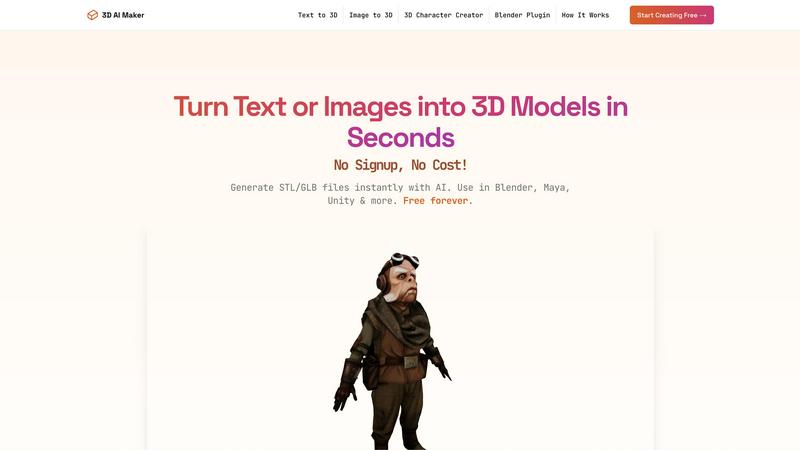
3D AI Maker transforms text or images into free, production-ready 3D models for seamless use in Blender and beyond.
Last updated: March 1, 2026

Prompt Builder
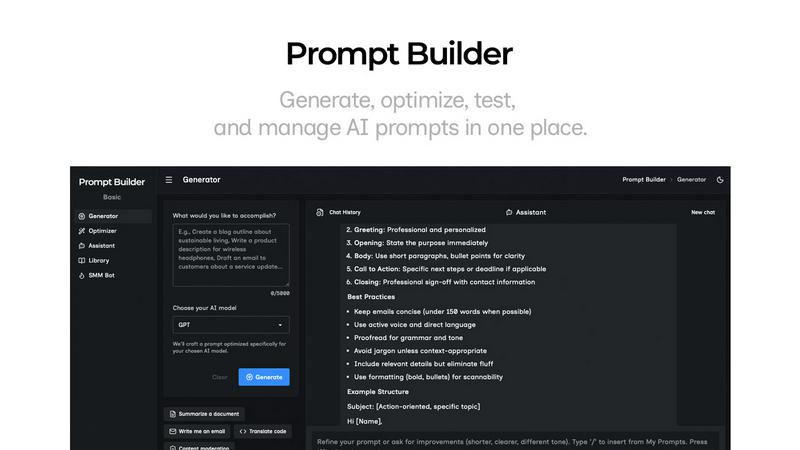
Generate, optimize, test, and manage AI prompts in one place. Turn an idea into a ready-to-use prompt in seconds.
Visual Comparison
3D AI Maker
Prompt Builder
Overview
About 3D AI Maker
3D AI Maker is an innovative, AI-driven software tool that revolutionizes the process of 3D content creation by enabling users to generate fully textured 3D models from simple text prompts or 2D image uploads. This completely free, web-based platform requires no signup or payment, thus removing the traditional barriers associated with 3D modeling. Users can convert their written descriptions or JPG/PNG images into production-ready 3D assets in approximately 20 seconds. The core outputs are available in the industry-standard GLB format, suitable for use in popular software such as Blender, Maya, and Unity, as well as STL format for immediate 3D printing. With its dedicated Blender plugin, 3D AI Maker seamlessly integrates AI model generation into the workflows of professional 3D artists. This tool caters to a diverse audience, including game developers, VR/AR creators, 3D printing enthusiasts, and novices, offering a robust, no-cost alternative to conventional paid 3D generation services.
About Prompt Builder
Prompt Builder is a prompt engineering workspace for writing, testing, and saving prompts. Describe the task in plain English, and it helps you create a prompt that matches the model you choose. Start with a draft, refine it in chat, save or pin versions, then run them when you are ready. It works with GPT, Claude, Gemini, Llama, Mistral, DeepSeek, Grok, Perplexity, and more. You also get an Optimizer, an assistant for quick tests, and a library of reusable prompts and templates from the community. Turn an idea into a ready-to-use prompt in seconds. Refine it in chat, save it to your Library, and run it anytime.