
AI Line Art vs Image3D AI
Side-by-side comparison to help you choose the right tool.

AI Line Art
AI Line Art Generator transforms text or images into stunning high-quality line art in seconds using advanced AI.
Last updated: March 1, 2026

Image3D AI
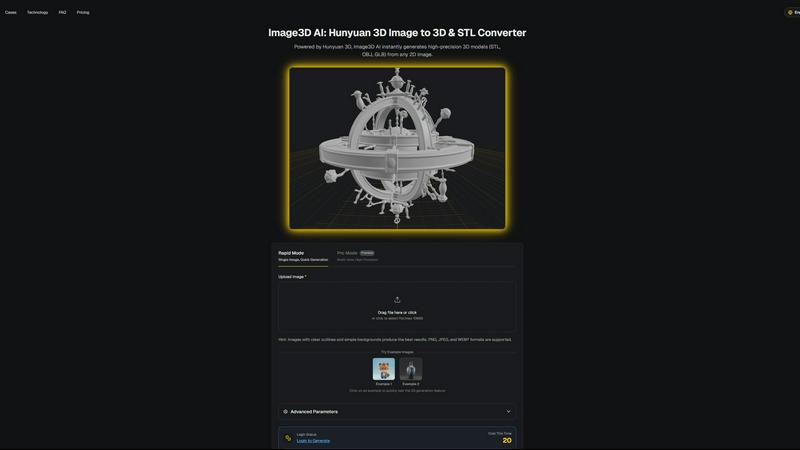
Image3D AI transforms any 2D image into precise 3D models for printing and gaming in just minutes without 3D skills.
Last updated: March 1, 2026
Visual Comparison
AI Line Art
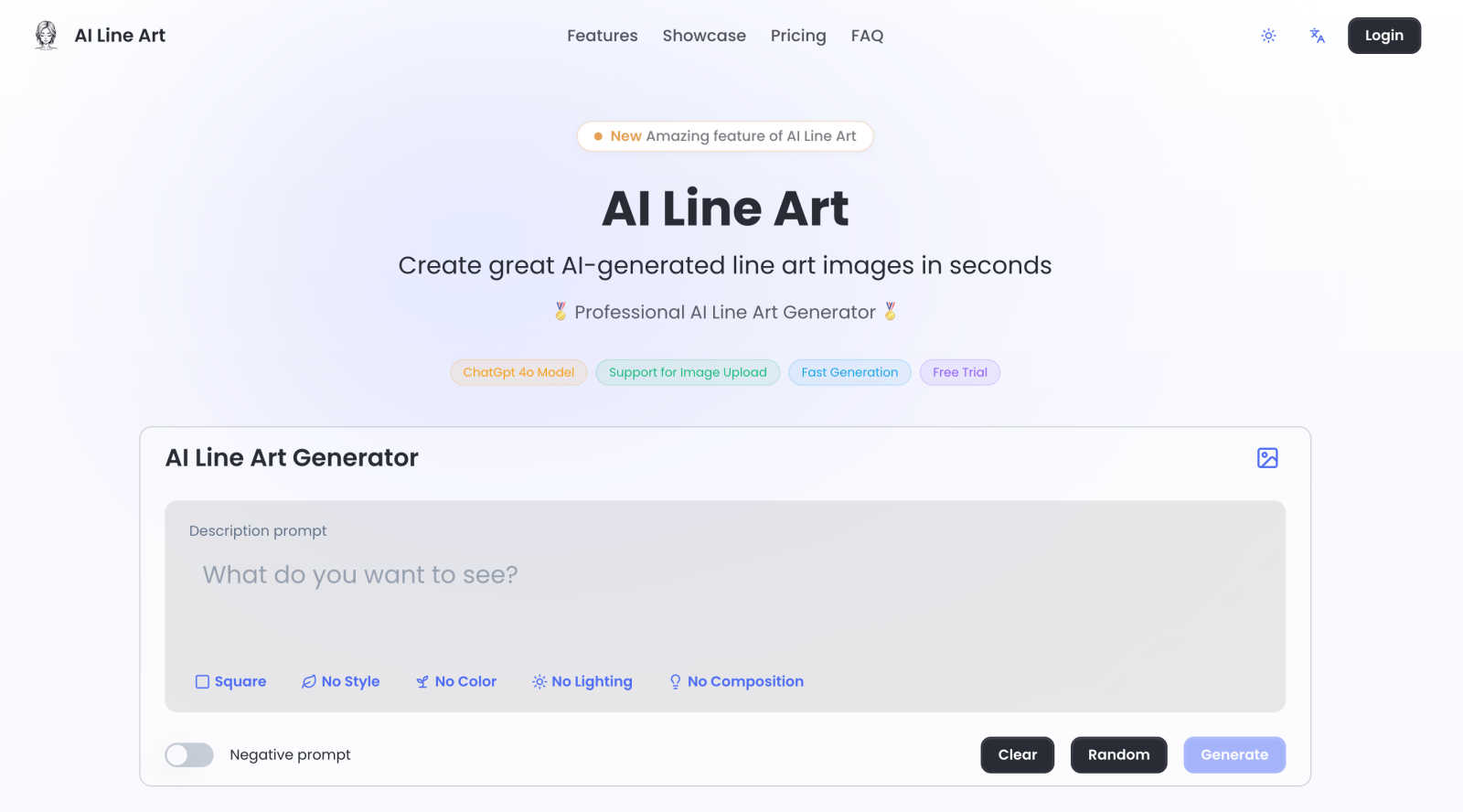
Image3D AI
Feature Comparison
AI Line Art
One-Click Generation
The one-click generation feature allows users to create stunning line art illustrations with minimal effort. By simply uploading an image or entering a prompt, the AI processes the input and generates high-quality line art in seconds, enabling users to focus on their creative ideas without being bogged down by technical details.
Multiple Art Styles
AI Line Art offers a variety of art styles including sketching, pencil, woodcut, watercolor, and minimalist options. This feature ensures that users can select the style that best fits their creative vision, giving them flexibility and freedom in their artistic expression.
Image Upload Support
This feature allows users to upload their own images as reference points for transformation into line art. Whether to inspire new creations or to convert existing visuals, the image upload support enhances the creative workflow and allows for tailored artistic outputs.
Advanced Customization
AI Line Art provides users with advanced customization options that enable fine-tuning of their illustrations. Users can adjust parameters such as prompts, aspect ratios, composition settings, and lighting options, ensuring that the final output meets their exact specifications and artistic intentions.
Image3D AI
Rapid Mode
Rapid Mode offers a streamlined process for generating 3D models from a single image quickly. It is designed for users who need immediate results without the necessity of high precision, making it ideal for simple projects or quick iterations.
Pro Mode
Pro Mode enables users to upload multiple views of an object, enhancing the fidelity of the final 3D model. This premium feature is tailored for those requiring high precision and detail, such as game developers and artists who need intricate textures and geometries.
Advanced Export Options
Image3D AI supports various file formats, including STL for 3D printing, OBJ for traditional 3D editing, and GLB for web applications. This versatility allows users to select the most suitable format based on their specific project requirements, ensuring compatibility with a wide range of applications.
Best Practices Guide
The platform includes a comprehensive Best Practices Guide that provides users with tips to maximize the quality of their 3D conversions. By understanding the importance of image selection, generation modes, and file formats, users can significantly enhance their output quality and efficiency.
Use Cases
AI Line Art
Educational Materials
Educators can utilize AI Line Art to create visually appealing and engaging materials such as worksheets, coloring pages, and illustrations for textbooks. The ability to quickly generate high-quality line art enhances the educational experience, making complex concepts easier to understand.
Character Design
Artists and game developers can leverage AI Line Art to design unique characters for animations, games, and comics. The rapid generation of line art allows for the quick iteration of character concepts, facilitating the creative process and speeding up project timelines.
Marketing and Branding
Businesses can use AI Line Art to create distinctive branding elements, promotional graphics, and social media content. The platform's ability to produce print-ready illustrations ensures that marketing materials stand out and resonate with target audiences.
Personalized Gifts and Crafts
Craft enthusiasts can transform personal photos into customized line art for gifts, cards, or scrapbooks. This use case allows individuals to add a personal touch to their projects, making them more meaningful and special for recipients.
Image3D AI
Game Development
Image3D AI is a valuable asset for game developers, allowing them to rapidly create 3D assets from concept art. With PBR material support, generated models can be directly imported into popular game engines like Unity or Unreal Engine, streamlining the asset creation process.
E-commerce Applications
For e-commerce platforms, Image3D AI transforms product images into interactive 3D models. This capability enhances online shopping experiences by enabling augmented reality previews or 3D showcases that engage customers and improve conversion rates.
3D Printing Projects
The software serves as a powerful image to STL converter, providing high-precision, print-ready files. This functionality is essential for 3D printing enthusiasts who require accurate and reliable models to bring their designs to life.
Architectural Visualization
Architects can use Image3D AI to quickly generate detailed architectural models from sketches or images. This capability saves significant modeling time and enhances workflow efficiency, allowing architects to focus on creative aspects rather than tedious modeling tasks.
Overview
About AI Line Art
AI Line Art is an advanced, AI-driven software platform designed to convert textual descriptions and photographic inputs into high-quality line art illustrations almost instantaneously. Catering to a diverse audience including artists, designers, educators, and content creators, AI Line Art provides a seamless solution for generating professional-grade, scalable vector-style artwork without the need for tedious manual drafting or tracing. The platform's core strength lies in its proprietary AI model that adeptly interprets both visual data and textual prompts, producing crisp and clean outlines with exceptional precision. With a versatile multi-modal workflow, users can either describe their artistic vision through text or upload images for conversion. Key benefits include a daily free credit system for experimentation, batch processing capabilities for enhanced efficiency, and advanced customization options allowing control over style, composition, and output format. By automating the technical extraction of contours and essential details, AI Line Art democratizes the creation of print-ready line art, making it accessible to users at all skill levels.
About Image3D AI
Image3D AI is a cutting-edge software tool designed to revolutionize the way users create 3D models from 2D images. Leveraging Tencent's advanced Hunyuan 3D engine, this platform allows for the swift transformation of standard photographs or multi-view images into detailed, production-ready 3D assets in mere seconds. Its primary audience includes 3D printing enthusiasts, game developers, and digital artists, all of whom benefit from its ability to automate the complex process of 3D modeling. Image3D AI eliminates the need for extensive skill sets typically required in traditional 3D modeling software like Blender, making it accessible to users of all experience levels. With support for multiple export formats such as STL, OBJ, and GLB, the platform is tailored to meet diverse professional and creative demands, from creating watertight meshes for printing to generating textured assets for real-time applications. Image3D AI thus democratizes 3D content creation, allowing users to transform concepts, sketches, logos, and product images into usable 3D models with remarkable ease and efficiency.
Frequently Asked Questions
AI Line Art FAQ
How does AI Line Art generate line art from images?
AI Line Art uses a proprietary AI model that detects subject edges and key details in uploaded images. The model processes the visual data and converts it into clean, crisp outlines, resulting in high-quality line art illustrations.
Is there a free trial available for new users?
Yes, AI Line Art offers a daily free credit system that allows users to experiment with the platform without any initial investment. This feature enables users to explore the software's capabilities before committing to a subscription.
What types of files can I upload for conversion?
Users can upload a variety of image file formats for conversion into line art. The platform supports common formats such as JPEG, PNG, and GIF, making it easy for users to integrate their existing visuals into the creative process.
Can I customize the output of my line art?
Absolutely! AI Line Art provides advanced customization options that allow users to adjust various aspects of their illustrations, including style, composition, and lighting. This feature ensures that users can achieve their desired artistic results with precision.
Image3D AI FAQ
What types of images work best for 3D conversion?
High-contrast images with clear outlines and simple backgrounds yield the best results. Blurry, low-light, or occluded images should be avoided to ensure accurate model generation.
How long does it take to generate a 3D model?
Using Rapid Mode, a single image can be processed in approximately 60 seconds, while Pro Mode may take slightly longer due to the complexity involved in handling multiple views for high-precision results.
Can I use Image3D AI for 3D printing?
Yes, Image3D AI is specifically designed to generate STL files that are suitable for 3D printing. Its capabilities include producing high-precision, watertight meshes ideal for various printing requirements.
What is the difference between the different generation modes?
The Normal mode balances quality and speed for general use. Low Poly mode is ideal for game and AR assets with a reduced polygon count, while Geometry mode focuses solely on mesh generation, omitting textures for 3D printing purposes.
Alternatives
AI Line Art Alternatives
AI Line Art is a sophisticated software platform that employs advanced artificial intelligence to generate high-quality line art from textual descriptions or photographic inputs. This tool is categorized under design tools, specifically targeting artists, designers, educators, and content creators who seek a streamlined approach to producing professional-grade illustrations without the labor-intensive processes of manual drafting or tracing. Users often search for alternatives to AI Line Art due to factors such as pricing, feature sets, platform compatibility, or the need for specific customization options. When selecting an alternative, it is essential to consider aspects like ease of use, the variety of styles offered, customization capabilities, and any additional workflows that may enhance productivity. A thorough assessment of these elements will ensure that users find a solution that meets their unique artistic needs.
Image3D AI Alternatives
Image3D AI is a cutting-edge software solution that falls under the category of design tools, specifically focused on 3D modeling. It leverages advanced technology to transform 2D images into high-precision 3D models, catering to a diverse range of users, from hobbyists to professional game developers. As users explore their options, they often seek alternatives due to factors such as pricing, feature sets, and compatibility with specific platforms or workflows. When searching for an alternative to Image3D AI, it is essential to consider several key factors. Look for platforms that offer similar capabilities in terms of 3D model generation from 2D images, as well as the ability to export in multiple formats. Additionally, evaluate the quality of the generated models, any unique features that may enhance your workflow, and user support or community resources that can aid in the design process.