Changeflow vs SupaSidebar
Side-by-side comparison to help you choose the right tool.

Changeflow
Changeflow delivers AI-driven insights on critical market and competitor website changes, keeping you informed.
Last updated: March 4, 2026

SupaSidebar
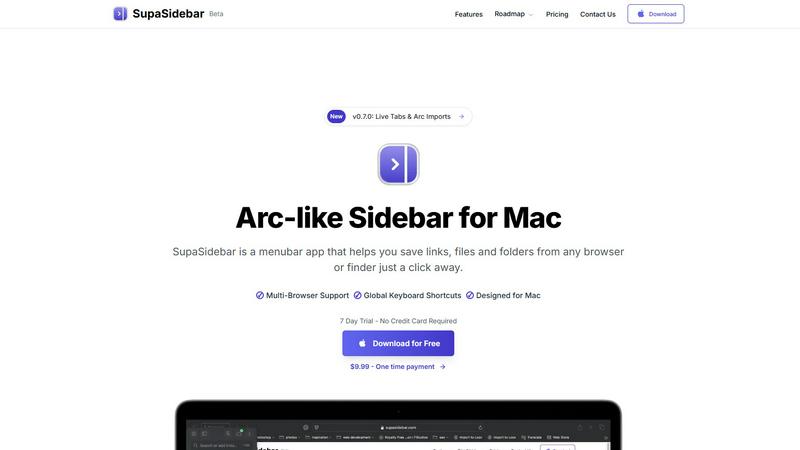
SupaSidebar is a Mac menubar app for instant keyboard access to your saved links, files, and folders, enhancing.
Last updated: February 28, 2026
Visual Comparison
Changeflow

SupaSidebar
Feature Comparison
Changeflow
AI-Powered Change Detection
Changeflow employs sophisticated AI algorithms to monitor specified web pages and filter out irrelevant updates. This ensures users receive only the changes that are significant to their interests, eliminating false alerts and minimizing distractions.
Natural Language Setup
With Changeflow, users can easily initiate monitoring by simply describing what they want to track in plain English. This user-friendly setup eliminates the need for complex technical configurations or manual setup processes, making it accessible for all users.
Customized Summaries of Updates
Changeflow delivers AI-generated summaries that highlight the changes and their relevance to the user's specific interests. This feature saves time by providing concise insights rather than requiring users to read through entire web pages.
Advanced Notification System
Users receive timely notifications via their preferred channels, including email and dashboards. Changeflow's notifications are designed to be clear and descriptive, ensuring that users can quickly grasp the importance of updates without sifting through unnecessary information.
SupaSidebar
Quick Access to Resources
SupaSidebar provides users with the ability to save links, files, and folders from any browser or Finder. With just one click, users can store their most important digital resources, ensuring they are always just a shortcut away.
Global Keyboard Shortcuts
Designed with efficiency in mind, SupaSidebar supports global keyboard shortcuts. Users can save URLs with CMD CTRL S and copy current website links using CMD CTRL C, enhancing speed and productivity by eliminating unnecessary mouse clicks.
Recents Tracking
The application features a "Recents" section that automatically tracks and displays every website the user has accessed in the last 48 hours. This ensures that important sites are readily available without needing to search through browser history.
Fast Search Functionality
SupaSidebar includes a fast search feature that allows users to locate any file, folder, website, or application instantly. By pressing CMD CTRL K and typing their query, users can quickly find what they need, significantly speeding up their workflow.
Use Cases
Changeflow
Competitor Price Tracking
Business teams can use Changeflow to monitor competitor pricing changes in real time. By receiving immediate updates on price fluctuations, companies can make informed pricing decisions and maintain a competitive edge in the market.
Regulatory Change Monitoring
Compliance teams, particularly in regulated industries, can utilize Changeflow to stay updated on relevant regulatory changes. This ensures that organizations remain compliant with the latest guidelines and can respond promptly to new regulations.
Legal Document Tracking
Legal professionals, including librarians at Am Law 200 firms, benefit from Changeflow by tracking court dockets and legal citations. This allows them to stay informed about critical legal developments that may impact their cases or clients.
Market Movement Analysis
Changeflow enables businesses to keep tabs on market movements by monitoring news mentions and industry updates. This proactive approach allows organizations to adjust strategies based on real-time market intelligence.
SupaSidebar
Efficient Research Management
Researchers can utilize SupaSidebar to organize and access various academic articles, links to studies, and important files effortlessly. The ability to save resources with keyboard shortcuts streamlines the process of gathering information for projects.
Enhanced Study Sessions for Students
Students can benefit from SupaSidebar by keeping all their study materials, including lecture notes, reference websites, and documents, in one place. With quick access to their most-used resources, they can focus more on learning and less on searching.
Streamlined Workflow for Professionals
Professionals who work on multiple projects simultaneously can use SupaSidebar to keep track of essential links, files, and applications. This reduces the time spent switching between tabs and applications, allowing for more efficient task management.
Simplified Content Creation
Content creators can utilize SupaSidebar to manage their research, inspiration links, and files in one accessible location. The fast search and organization capabilities help them gather materials quickly, allowing for a smoother creative process.
Overview
About Changeflow
Changeflow is an advanced web monitoring tool designed to track changes on web pages and deliver precise updates on what truly matters. Utilizing cutting-edge AI technology, Changeflow distinguishes itself by not only identifying changes but also summarizing their significance, ensuring users remain informed without the clutter of irrelevant information. Ideal for business teams, legal professionals, and compliance officers, Changeflow provides a user-friendly setup process that requires simply describing the desired tracking parameters in plain English. With a remarkable 99.9% success rate in bypassing login walls and JavaScript barriers, Changeflow has become a trusted resource for Fortune 500 companies and Am Law 200 firms alike. Organizations leverage Changeflow for various purposes, including competitor analysis, regulatory tracking, and market monitoring, making it an indispensable tool for staying ahead in a rapidly changing digital landscape.
About SupaSidebar
SupaSidebar is a native macOS menubar application designed to serve as a universal productivity sidebar, inspired by modern design principles. It functions as a centralized command hub for macOS, offering immediate access and organizational capabilities for links, files, folders, and applications. This tool is particularly valuable for professionals, researchers, students, and power users who frequently juggle multiple tasks across various web browsers and local file systems. By minimizing context-switching and reducing the clutter of numerous tabs, SupaSidebar enhances digital workflows significantly. It operates seamlessly within the macOS ecosystem, ensuring high performance and a user-friendly experience. Emphasizing data privacy, it stores all information locally on the user's Mac. SupaSidebar is compatible with all major web browsers, including Safari, Chrome, Arc, Firefox, and Brave, making it a versatile solution for users with diverse browsing habits. With its architecture built around global keyboard shortcuts and a powerful command panel, users can swiftly capture, retrieve, and manage their digital assets without interrupting their flow.
Frequently Asked Questions
Changeflow FAQ
How does Changeflow ensure accurate tracking?
Changeflow uses advanced AI technology to analyze and summarize changes on monitored web pages. Its algorithms are designed to filter out irrelevant updates, ensuring users receive only the most pertinent information.
Is there a limit to the number of pages I can track?
Changeflow offers various plans that accommodate different user needs. The Plus plan allows tracking of up to 300 pages, while the Business plan expands this to 500 pages, making it scalable for growing organizations.
How quickly am I notified of changes?
Changeflow is designed to provide timely notifications as soon as changes are detected. Users can choose to receive updates through email, dashboards, or integrations with other platforms via Zapier, ensuring they stay informed without delay.
Can I collaborate with my team using Changeflow?
Yes, Changeflow includes shared workspaces that facilitate team collaboration. This feature allows teams to stay aligned on monitoring tasks, share insights, and collectively respond to important updates, enhancing overall efficiency.
SupaSidebar FAQ
Is SupaSidebar a browser extension?
No, SupaSidebar is a standalone macOS menubar application that operates independently of web browsers. It integrates with various browsers to provide a centralized location for all digital assets.
Which browsers does SupaSidebar work with?
SupaSidebar is compatible with all major browsers, including Safari, Chrome, Arc, Firefox, and Brave. This versatility makes it suitable for users who utilize multiple browsers.
What macOS version do I need?
SupaSidebar requires macOS 13 or higher to function correctly. This ensures compatibility with the latest macOS features and optimizations.
Where is my data stored?
All data managed by SupaSidebar is stored locally on the user’s Mac. This approach prioritizes user privacy and ensures that sensitive information remains secure and accessible only to the user.
Alternatives
Changeflow Alternatives
Changeflow is an AI-driven tool designed to provide market and competitor insights by monitoring web pages for changes that matter. It falls under the Productivity & Management category, enabling users to track crucial updates in a streamlined manner. Businesses often seek alternatives to Changeflow for various reasons, including pricing, specific feature requirements, or compatibility with existing platforms and workflows. When considering an alternative, it is essential to evaluate the tool’s ability to handle complex pages, the breadth of monitoring capabilities, user-friendliness, and integration options with existing systems.
SupaSidebar Alternatives
SupaSidebar is a macOS menubar application designed to enhance productivity by providing instant access to saved links, files, folders, and applications. As a universal command hub, it allows users to efficiently manage digital assets without the distractions of multiple open tabs or applications. This category of software targets professionals, students, and power users who thrive on multitasking and seek streamlined workflows. Users often search for alternatives to SupaSidebar for various reasons, including pricing, specific feature sets, or compatibility with different operating systems. When selecting an alternative, it is essential to consider factors such as ease of use, integration capabilities with other tools, and the ability to customize features to suit individual workflow preferences. Evaluating the user experience and performance across different platforms can also help ensure that the chosen solution meets specific productivity needs.