

SupaSidebar
SupaSidebar is a Mac menubar app for instant keyboard access to your saved links, files, and folders, enhancing.
tool Details
Explore More
Alternatives
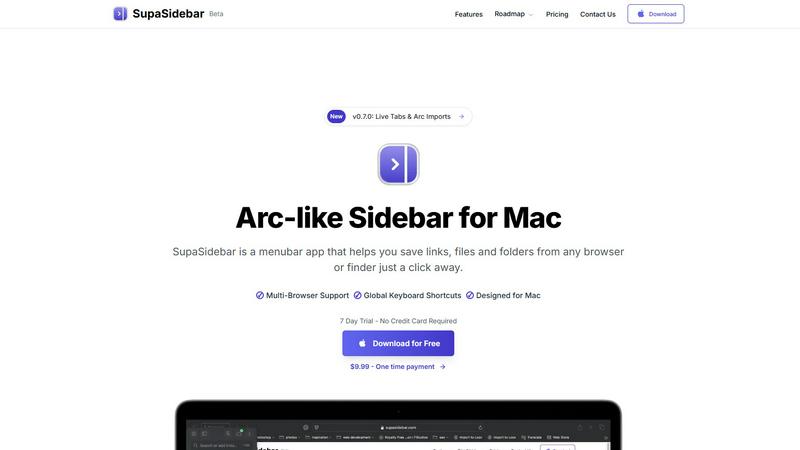
About SupaSidebar
SupaSidebar is a native macOS menubar application designed to serve as a universal productivity sidebar, inspired by modern design principles. It functions as a centralized command hub for macOS, offering immediate access and organizational capabilities for links, files, folders, and applications. This tool is particularly valuable for professionals, researchers, students, and power users who frequently juggle multiple tasks across various web browsers and local file systems. By minimizing context-switching and reducing the clutter of numerous tabs, SupaSidebar enhances digital workflows significantly. It operates seamlessly within the macOS ecosystem, ensuring high performance and a user-friendly experience. Emphasizing data privacy, it stores all information locally on the user's Mac. SupaSidebar is compatible with all major web browsers, including Safari, Chrome, Arc, Firefox, and Brave, making it a versatile solution for users with diverse browsing habits. With its architecture built around global keyboard shortcuts and a powerful command panel, users can swiftly capture, retrieve, and manage their digital assets without interrupting their flow.
Features
Quick Access to Resources
SupaSidebar provides users with the ability to save links, files, and folders from any browser or Finder. With just one click, users can store their most important digital resources, ensuring they are always just a shortcut away.
Global Keyboard Shortcuts
Designed with efficiency in mind, SupaSidebar supports global keyboard shortcuts. Users can save URLs with CMD CTRL S and copy current website links using CMD CTRL C, enhancing speed and productivity by eliminating unnecessary mouse clicks.
Recents Tracking
The application features a "Recents" section that automatically tracks and displays every website the user has accessed in the last 48 hours. This ensures that important sites are readily available without needing to search through browser history.
Fast Search Functionality
SupaSidebar includes a fast search feature that allows users to locate any file, folder, website, or application instantly. By pressing CMD CTRL K and typing their query, users can quickly find what they need, significantly speeding up their workflow.
Use Cases
Efficient Research Management
Researchers can utilize SupaSidebar to organize and access various academic articles, links to studies, and important files effortlessly. The ability to save resources with keyboard shortcuts streamlines the process of gathering information for projects.
Enhanced Study Sessions for Students
Students can benefit from SupaSidebar by keeping all their study materials, including lecture notes, reference websites, and documents, in one place. With quick access to their most-used resources, they can focus more on learning and less on searching.
Streamlined Workflow for Professionals
Professionals who work on multiple projects simultaneously can use SupaSidebar to keep track of essential links, files, and applications. This reduces the time spent switching between tabs and applications, allowing for more efficient task management.
Simplified Content Creation
Content creators can utilize SupaSidebar to manage their research, inspiration links, and files in one accessible location. The fast search and organization capabilities help them gather materials quickly, allowing for a smoother creative process.
Frequently Asked Questions
Is SupaSidebar a browser extension?
No, SupaSidebar is a standalone macOS menubar application that operates independently of web browsers. It integrates with various browsers to provide a centralized location for all digital assets.
Which browsers does SupaSidebar work with?
SupaSidebar is compatible with all major browsers, including Safari, Chrome, Arc, Firefox, and Brave. This versatility makes it suitable for users who utilize multiple browsers.
What macOS version do I need?
SupaSidebar requires macOS 13 or higher to function correctly. This ensures compatibility with the latest macOS features and optimizations.
Where is my data stored?
All data managed by SupaSidebar is stored locally on the user’s Mac. This approach prioritizes user privacy and ensures that sensitive information remains secure and accessible only to the user.
Similar to SupaSidebar
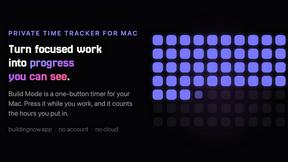
Build Mode for Mac
Build Mode is a Mac app that turns focused sessions into visible progress, so you can see the work adding up before the results arrive.
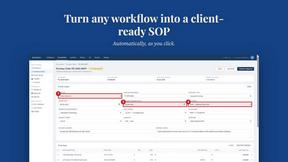
MySOP.guru
Capture any workflow in your browser and export a branded, step-by-step SOP with screenshots. €5 per document, no subscription.

PerPageFax
PerPageFax lets you send a fax online from any browser for a flat $0.50 per page — no account, no subscription, no fax machine.


Construction Calculator
Free construction calculators with transparent formulas, steps, assumptions, and metric or imperial units.


Glanced
Follow news, blogs, newsletters, and podcasts in a free RSS reader, with AI summaries, top stories, full-text search, saved searches, and a catalog.

JsonTranslate
Translate JSON, Markdown, and TXT files while preserving keys, paths, and project structure.