Dreamflow vs TemplateFox
Side-by-side comparison to help you choose the right tool.

Dreamflow
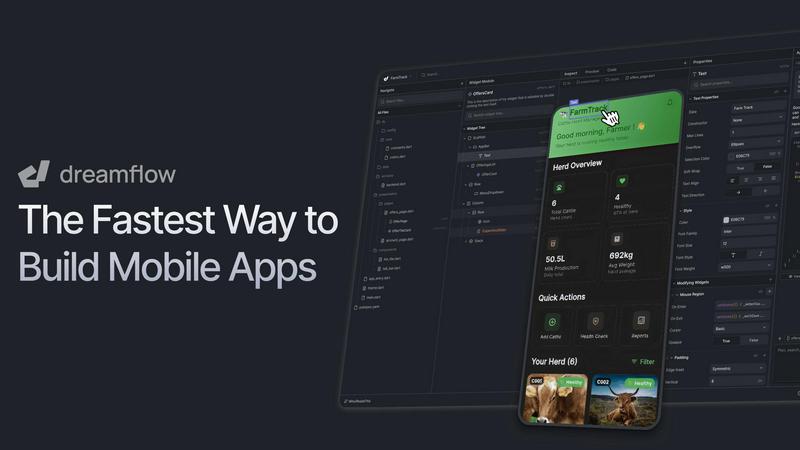
Dreamflow is a visual AI builder that enables rapid app development with seamless design, AI prompts, and code.
Last updated: March 1, 2026

TemplateFox
TemplateFox is a visual PDF design platform with dynamic data binding and automated API generation.
Last updated: February 28, 2026
Visual Comparison
Dreamflow
TemplateFox

Feature Comparison
Dreamflow
Tri-Surface Editing
The tri-surface editing feature allows developers to switch seamlessly between an AI conversational agent, a visual canvas, and the underlying code. Each surface remains in sync, enabling real-time collaboration and immediate application of changes, enhancing productivity and creativity in the development process.
AI-Powered Development
Dreamflow employs an advanced AI that understands patterns and best practices to facilitate the efficient generation of app features. This context-aware generation ensures that the scaffolded features are not only functional but also adhere to industry standards, allowing developers to focus on innovation rather than basic setups.
Responsive Design Capabilities
With Dreamflow, users can build robust and responsive applications tailored to fit all device sizes, leveraging the power of Flutter. This feature addresses the need for versatile applications that maintain performance and aesthetic integrity across multiple platforms, ensuring a broader reach for end-users.
Backend Integrations
Dreamflow offers out-of-the-box integrations with Firebase and Supabase, empowering users to build full-stack applications from the get-go. This feature streamlines the backend development process, allowing for scalability and robust data management while minimizing setup time and complexity.
TemplateFox
Visual Drag-and-Drop Template Designer
The platform features a fully visual, WYSIWYG (What You See Is What You Get) editor that allows users to construct professional PDF templates without writing a single line of code. Users can drag, drop, and configure various elements like text boxes, images, tables, and barcodes onto a canvas. Each component has a dedicated properties panel for fine-tuning styling, positioning, borders, and colors. This no-code design environment significantly reduces the time and technical expertise required to create complex, data-driven document layouts, making professional template creation accessible to a broader audience.
Dynamic Data Binding and Expressions
TemplateFox supports advanced dynamic data injection, moving beyond simple placeholder replacement. Users can bind template elements to variables from their JSON data payload. The system includes a powerful expression engine with over 100 built-in functions for formatting dates, calculating totals (e.g., sum, tax), rounding numbers, manipulating text, and implementing conditional logic. System variables such as {{sys.page_number}}, {{sys.total_pages}}, and {{sys.current_date}} are automatically available, enabling the creation of intelligent, context-aware documents that adapt their content based on the provided data.
Automated and Scalable PDF Generation API
At its core, TemplateFox provides a high-performance REST API for programmatic PDF generation. After designing a template, users can generate thousands of unique PDF documents by sending a POST request with a unique template ID and a JSON object containing the variable data. The API is designed for low latency, with typical generation times of 1-3 seconds, and can be integrated directly into applications, backend systems, or cron jobs. This feature is essential for automating document workflows at scale, such as bulk invoicing, certificate issuance, or report distribution.
No-Code Integrations and Smart Components
For users operating in no-code or low-code environments, TemplateFox offers direct integrations with platforms like Zapier, Make (Integromat), Airtable, Bubble, and FlutterFlow. This allows for the automation of PDF generation within existing workflows without manual intervention. Furthermore, the platform includes intelligent, data-aware components such as tables that automatically expand rows and span multiple pages based on the dataset, and built-in generators for scanner-ready QR codes and barcodes (Code128, EAN-13) that are rendered dynamically from input data.
Use Cases
Dreamflow
Rapid Prototyping for Startups
Entrepreneurs and startups can leverage Dreamflow's capabilities to transform their app ideas into functional prototypes swiftly. Using AI-assisted development, teams can experiment and iterate quickly, allowing them to test market viability without extensive resource investment.
Collaborative Development for Teams
Development teams can utilize Dreamflow to enhance collaboration through its tri-surface editing approach. By allowing team members to work concurrently on different aspects of the application, the platform fosters a collaborative environment that accelerates the development lifecycle.
Educational Tools for Learning
Educational institutions can use Dreamflow as a teaching tool for aspiring developers. The platform provides a hands-on experience with AI-powered development, visual design, and coding, making it an ideal environment for learning modern app development practices.
Enterprise Application Development
Larger organizations can harness Dreamflow to build enterprise-level applications with complex requirements. The platform's ability to integrate with robust backends while providing full control over the codebase allows enterprises to develop scalable solutions that meet their business needs effectively.
TemplateFox
Automated Invoice and Billing Systems
Businesses and SaaS platforms can integrate TemplateFox's API to automate their entire invoicing cycle. A template for a professional invoice is created once in the visual editor. The application's backend can then automatically generate and dispatch personalized PDF invoices by calling the API with customer data, line items, taxes, and totals after each transaction or on a monthly schedule. This eliminates manual design work, ensures brand consistency, and accelerates the accounts receivable process.
Mass Certificate and Document Generation
Educational institutions, training organizations, and event managers can use TemplateFox to generate certificates, diplomas, or participation letters in bulk. A master certificate template with dynamic fields for the recipient's name, course title, date, and a unique serial number (or QR code) is designed. By uploading a CSV list of recipients or connecting via an integration like Airtable, thousands of unique, personalized certificates can be produced and distributed automatically, saving immense administrative time and effort.
E-commerce Order Fulfillment Packing
E-commerce businesses can streamline their logistics by automating the creation of packing slips and shipping labels. A packing slip template can include the store logo, customer shipping address, order details, and a dynamically generated barcode for the tracking number. Integrated with an e-commerce platform via Zapier or a custom webhook, TemplateFox can instantly generate a PDF packing slip for each new order, ready to be printed and included in the shipment, improving operational efficiency.
Dynamic Business and Operational Reporting
Companies requiring regular operational or financial reports can leverage TemplateFox to transform raw data into formatted PDF documents. A report template with dynamic tables, charts (as images), headers, footers, and page numbers can be created. Backend systems can compile analytics data, call the TemplateFox API with this data, and produce a polished PDF report for stakeholders, executives, or regulatory bodies on a daily, weekly, or monthly basis, ensuring professional and consistent reporting.
Overview
About Dreamflow
Dreamflow is a cutting-edge, cloud-based development platform designed to streamline the process of creating production-ready mobile and web applications. It effectively combines three interconnected development surfaces: an AI-powered conversational agent, a sophisticated visual editor, and direct access to the full Flutter source code. This unique tri-surface architecture caters to developers, product teams, and entrepreneurs who seek a balance between rapid prototyping capabilities and meticulous control over their projects. Dreamflow's primary value proposition revolves around eliminating the traditional compromises between speed and control in application development. Unlike conventional AI builders or restrictive no-code platforms, Dreamflow ensures that modifications made through AI prompts, visual canvas actions, or code edits are instantly synchronized across all surfaces. This seamless workflow empowers teams to initiate projects with AI-generated scaffolds, visually refine user interfaces and logic, and dive into Dart/Flutter code for intricate features or custom integrations, all while working from a single, cohesive codebase. With the backing of the FlutterFlow team and over 2 million trusted builders, Dreamflow allows users to output fully deployable Flutter projects that can be published directly to the Apple App Store, Google Play Store, and web with a single click or exported for further development in any standard IDE.
About TemplateFox
TemplateFox is a sophisticated Software-as-a-Service (SaaS) platform engineered for high-performance, automated PDF document generation. It provides a comprehensive solution for developers, indie hackers, and businesses to create, manage, and automate professional PDFs at scale. The core value proposition lies in its dual approach: a powerful, no-code visual template designer and a robust, developer-friendly API. Users can design dynamic PDF templates using an intuitive drag-and-drop WYSIWYG editor, eliminating the need for manual HTML or CSS coding. Once a template is designed, it can be populated with dynamic data and generated into a final PDF document through a simple REST API call or via popular no-code automation platforms like Zapier and Make. The service is architected for speed and reliability, delivering documents in 1-3 seconds, and is built to handle real-world document complexities such as multi-page tables, headers, footers, and embedded barcodes. With a free tier offering 100 PDFs per month, TemplateFox is an accessible yet powerful tool for streamlining document workflows for invoices, certificates, reports, packing slips, and more.
Frequently Asked Questions
Dreamflow FAQ
What types of applications can be built with Dreamflow?
Dreamflow supports the development of a wide range of applications, including mobile apps for iOS and Android, web applications, and fully integrated full-stack solutions. Its flexibility accommodates various project types across industries.
Is Dreamflow suitable for beginners?
Yes, Dreamflow is designed to cater to users of all skill levels. With its intuitive visual editor and AI-powered assistance, beginners can start building applications without extensive coding knowledge while still having the option to dive into the code as they grow.
How does the AI-powered agent work?
The AI-powered agent understands user prompts in natural language and generates appropriate scaffolding for app features. It also adapts to user inputs and can suggest modifications, making the development process more intuitive and efficient.
Can I export my projects for further development?
Absolutely. Dreamflow allows users to export their fully developed Flutter projects, enabling further development in any standard IDE. This feature ensures that developers maintain flexibility and control over their projects, even after initial deployment.
TemplateFox FAQ
What programming languages can I use with the TemplateFox API?
The TemplateFox API is a standard REST API that uses JSON for requests and responses. It is language-agnostic, meaning you can integrate it with any programming language that can make HTTP requests, such as JavaScript (Node.js, frontend), Python, PHP, Java, C#, Go, or Ruby. Comprehensive API documentation with code examples is provided to facilitate integration into your existing tech stack.
Can I use my own fonts and logos in the templates?
Yes, the TemplateFox template designer allows you to upload and use custom fonts (in .ttf or .otf formats) and image files for logos and other graphics. Once uploaded, these assets are stored within your template and will be rendered correctly in the generated PDFs, ensuring full brand consistency across all your automated documents.
How does the dynamic table feature handle very large datasets?
The dynamic table component in TemplateFox is engineered to handle large volumes of data efficiently. When you bind an array of data to a table, it automatically creates a new row for each item. If the data exceeds the available space on a page, the table intelligently breaks and continues onto the next page, with optional configuration to repeat header rows on each subsequent page for clarity. This ensures clean, paginated output regardless of dataset size.
Is there a limit to the number of PDFs I can generate on the free plan?
The free plan, which requires no credit card, includes a quota of 100 PDF generations per month. This allows you to fully test the API, design templates, and integrate the service into a low-volume workflow. For higher volumes, paid subscription plans with increased monthly limits and additional features are available. Usage is tracked per calendar month.
Alternatives
Dreamflow Alternatives
Dreamflow is a cutting-edge cloud-based development platform that specializes in rapidly creating production-ready mobile and web applications. It merges the capabilities of an AI-powered conversational agent, a sophisticated visual editor, and direct access to full Flutter source code, catering to developers, product teams, and entrepreneurs who seek a balance between speed and control. Users often explore alternatives to Dreamflow for various reasons, including pricing structures, feature sets, or specific platform requirements. When selecting an alternative, it is essential to consider factors such as synchronization capabilities between different development surfaces, ease of use, scalability, and the level of customization available. Ensuring that the chosen platform aligns with both current and future project needs is vital for long-term success.
TemplateFox Alternatives
TemplateFox is a SaaS platform in the Productivity & Management category, specializing in the visual design and automated generation of professional PDF documents. It enables users to create templates via a drag-and-drop editor and produce documents dynamically through API calls or integrations like Zapier. Users may seek alternatives for various reasons, including specific budget constraints, the need for more advanced or different feature sets, or requirements for integration with a particular tech stack or hosting environment. The search often stems from evolving project needs that demand greater customization, different pricing models, or alternative deployment options. When evaluating alternatives, key considerations include the core document generation methodology, such as code-based versus visual template builders, the depth and reliability of API capabilities, and the granularity of data binding and layout control. Scalability, security compliance, and the total cost of ownership based on expected document volume are also critical technical and business factors to assess.