StreamVox - AI Live Translator vs Wisprs
Side-by-side comparison to help you choose the right tool.

AI subtitles for calls & media. Multi-lang, free.

AI transcription for audio & video: editable transcripts, speaker labels, 100+ languages. Exports: TXT, SRT, VTT, DOCX, JSON. Start free.
Visual Comparison
StreamVox - AI Live Translator

Wisprs
Overview
About StreamVox - AI Live Translator
StreamVox is a real-time AI translator for Windows that adds live subtitles and instant translation to ANY audio on your PC - calls, games, streams, and videos.
KEY FEATURES:
- 49+ input languages, 49+ AI-powered target languages
- App interface available in 12 languages
- 3 audio modes: System Audio, Microphone, Per-App Capture (Zoom, Chrome, Discord separately)
- Per-App isolation: captures only what you need, ignores background noise automatically
- 2 display modes: Line-by-line (gaming/live chats) or Paragraph (natural reading)
- Transparent overlay - stays on top of any app
- Phone Link integration: translate mobile calls live on your PC screen
- Teleprompter mode with adjustable transparency
PRICING:
- Free Starter: $0 - 20 min/day forever
- Pro: $8.99/mo - 40 hours/month
- Pro+: $14.99/mo - 70 hours/month
- Unlimited: $24.99/mo - no limits
14-day money-back guarantee.
About Wisprs
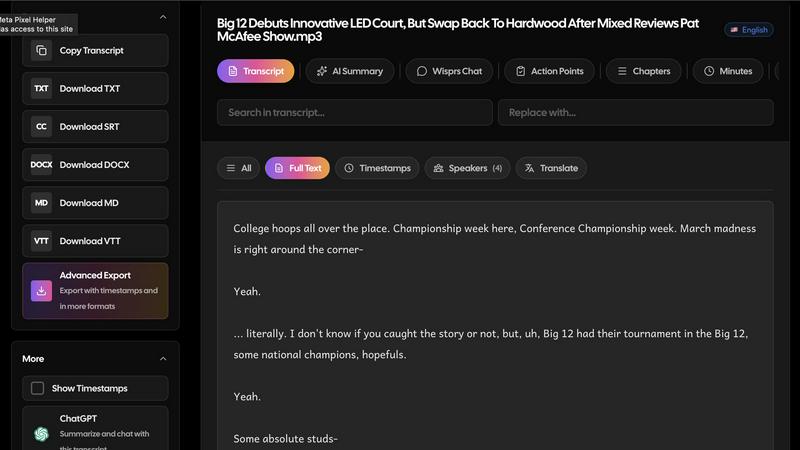
Wisprs turns the audio and video you already have—client calls, interviews, podcasts, voice memos—into editable speech-to-text you can actually use.
Excellent accuracy on clear audio; results still vary by language, accent, and recording quality (background noise and mic setup matter). We prefer saying that upfront to overselling.
Speaker labels help when more than one person talks, which is handy for debriefs and shows with co-hosts.
Beyond a wall of text: summaries, chapters, topics, and action items so a recording becomes something shareable or actionable.
100+ languages. Exports people reuse: TXT, SRT, VTT, MD, DOCX, and JSON—subtitles for video, docs for clients, structured output when you are wiring tools into a stack.
Start free with no credit card. Upload a real file and see if the workflow fits your day-to-day.
Who it is for: creators polishing episodes, teams documenting calls, interviewers capturing quotes, and anyone who needs transcripts they can edit, export, and reuse—not a one-off dump of text.