tool Details
Explore More
Alternatives

About StreamVox - AI Live Translator
StreamVox - AI Live Translator is a sophisticated Windows application designed to eliminate language barriers in real-time by providing live subtitles and instant translation for any audio source on a PC. It functions as a powerful, system-level tool that captures audio from diverse inputs, processes it through advanced AI models, and displays translated text via a customizable, always-on-top overlay. The core value proposition lies in its ultra-low latency translation, which enables natural comprehension during live interactions, and its intelligent audio capture system that isolates specific application audio for clarity. It is engineered for a wide user base, including professionals engaged in international video conferences on platforms like Zoom and Teams, gamers participating in multilingual voice chats, content consumers watching foreign-language streams on Twitch or YouTube, and individuals needing real-time translation for phone calls via Microsoft Phone Link integration. By prioritizing privacy with a no-storage audio processing policy and offering extensive customization for the display overlay, StreamVox delivers a seamless, integrated translation layer for the Windows desktop experience.
Features
Comprehensive Language Support
StreamVox supports an extensive library of 49+ input languages for speech recognition and 49+ AI-powered target languages for translation, enabling a vast array of cross-lingual communication scenarios. The application interface itself is localized and available in 12 languages, including English, Spanish, Portuguese, Chinese, Japanese, German, French, Russian, Turkish, Italian, Polish, and Korean, ensuring accessibility for a global user base. This dual-layer language support ensures both the software is usable and its core translation functionality is robust for professional and personal use.
Intelligent, Multi-Source Audio Capture
The software provides three distinct audio capture modes to handle different use cases with precision. The System Audio mode captures all sound output from the PC. The Microphone mode captures vocal input from the user. Most notably, the Per-App Capture mode allows users to isolate audio from specific applications like Zoom, Chrome, or Discord individually. This feature intelligently ignores background noise and unrelated system sounds, ensuring the translation engine receives only the clean, intended audio stream for maximum accuracy and relevance.
Customizable, Persistent Display Overlay
Translated text is presented via a transparent overlay window that remains on top of any other application, ensuring subtitles are always visible. Users have granular control over the display with two modes: Line-by-line for fast-paced environments like gaming chats, and Paragraph mode for natural reading of speeches or movies. The overlay's appearance is fully customizable, allowing adjustments to font size (from 12px to 72px), text color, and background opacity (transparency), with all preferences saved automatically.
Bidirectional Translation & Teleprompter Mode
StreamVox facilitates two-way communication by offering bidirectional translation capabilities. It can translate incoming system audio (e.g., from a call) and simultaneously translate the user's microphone input for the other party. Additionally, it includes a dedicated Teleprompter mode, which optimizes the overlay for presenting text in a steady, readable flow. This mode, combined with adjustable transparency, is ideal for presentations, speeches, or any scenario where translated text needs to be referenced smoothly without obstructing the primary screen content.
Use Cases
International Business Calls and Virtual Meetings
Professionals can use StreamVox to participate seamlessly in cross-border meetings on platforms like Zoom, Microsoft Teams, Google Meet, or Skype. By capturing the app-specific audio, it provides real-time, low-latency subtitles of colleagues' speech directly in the user's preferred language, breaking down comprehension barriers and improving collaboration efficiency without the need for a human interpreter.
Multilingual Gaming and Live Streaming
Gamers engaged in international multiplayer sessions can utilize StreamVox to understand in-game voice chat from teammates speaking different languages. Streamers and viewers on platforms like Twitch can watch foreign-language live streams with instant translated subtitles overlaid on the content, allowing for real-time engagement with a global community without waiting for manually created subtitles.
Consuming Foreign Language Media and Content
Users watching movies, TV shows, or videos on Netflix, YouTube, or other media players can employ StreamVox to generate live subtitles. The transparent overlay can be placed over any video player window, providing immediate translation for content that lacks official subtitles or is in a language the viewer is learning, thereby vastly expanding accessible content libraries.
Translating Mobile Phone Calls on Desktop
By integrating with Microsoft's Phone Link application, StreamVox can display live subtitles for phone calls made or received on a connected iPhone or Android device. The audio from the mobile call is routed to the PC, translated in real-time, and displayed on the desktop screen, effectively turning any phone conversation into a subtitled experience.
Pricing
StreamVox offers a tiered pricing model to suit different usage needs, all backed by a 14-day money-back guarantee.
- Free Starter ($0 / forever): Provides 20 minutes of translation usage per 24-hour period, access to all supported languages, and system audio/microphone capture capabilities.
- Pro ($8.99 / month): Unlocks up to 40 hours of translation usage per month, includes all current and future features, and provides priority email support.
- Pro+ ($14.99 / month): Designed for active users, offering 70 hours of translation usage per month, alongside all features and priority support.
- Unlimited ($24.99 / month): Provides completely unlimited translation time with no monthly caps, featuring full access to all capabilities and priority support.
Frequently Asked Questions
Is my audio data stored or sent to external servers for processing?
No. StreamVox operates with a strict privacy-first architecture. Audio captured from your system or microphone is processed in real-time through local AI models or secure, transient connections to translation services specifically for the purpose of immediate translation. The audio data is never recorded, stored on disk, or retained on any server after the translation is complete.
What are the system requirements for running StreamVox?
StreamVox requires a PC running a 64-bit version of Windows 10 or Windows 11. A stable internet connection is necessary for the AI translation services to function. The application is optimized for performance but having a modern CPU will ensure the lowest possible latency during real-time audio processing and subtitle rendering.
Can I use StreamVox to translate a prerecorded video or audio file?
StreamVox is primarily engineered for live, real-time audio translation. It captures audio streams as they are played by your system. Therefore, you can play a prerecorded video or audio file in a media player on your PC, and StreamVox will capture that system audio and translate it live, effectively providing subtitles for the playback.
How does the Per-App audio capture work, and why is it beneficial?
The Per-App capture feature uses advanced audio session isolation within the Windows operating system. It allows you to select individual applications (e.g., Discord, Chrome, Zoom) from a list, and StreamVox will capture audio exclusively from that source. This is beneficial because it eliminates background noise from other apps, music, or system sounds, feeding only the clean, intended audio to the translation engine. This results in significantly higher accuracy and prevents irrelevant audio from being translated.
Similar to StreamVox - AI Live Translator
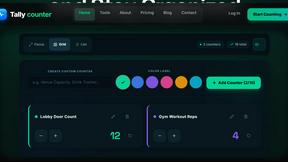
Tally Counter
Online tally counter for tracking attendance, workouts, inventory, visitors, sports scores, habits, and everyday counting tasks.
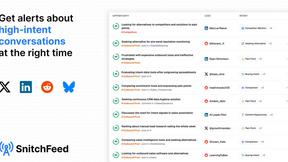
SnitchFeed
SnitchFeed is an agentic social listening tool that surfaces high-intent conversations on LinkedIn, X, Hackernews, and more for GTM and product teams.



Labrynth AI
AI regulatory intelligence platform that turns complex requirements into cited, audit-ready outputs.


Built2WinWeb AI SEO
Custom PHP websites, AI Indexing Pack ($599 one‑time), and WebAgentScan SaaS ($9/mo). MCP, A2A, llms.txt, full ownership.