Crops
Crops is AI-driven software that organizes digital assets, automates quality checks, and simplifies approval workflows.

About Crops
Crops is a cutting-edge Digital Asset Management (DAM) platform specifically designed to meet the operational needs of modern creative and marketing teams. This AI-powered workspace addresses the common pain points that hinder efficient creative workflows, such as time wasted searching for files across various storage solutions and the chaos of scattered feedback across multiple communication channels like email and Slack. With Crops, teams can seamlessly organize their assets, ensuring that critical files are always at their fingertips. The platform offers automated quality checks to prevent errors like typos or placeholder text from making it into production, significantly enhancing the accuracy of deliverables. By consolidating asset management, collaboration, and secure sharing into a unified system, Crops enables teams to reclaim valuable time and accelerate project timelines. Its primary value proposition lies in empowering creative professionals not just to store assets but to manage them intelligently, ensuring streamlined approval processes and proactive error prevention that maintains brand consistency and operational excellence.
Features
Smart Asset Organization
Crops features an intelligent asset organization system that utilizes AI to automatically tag and categorize every uploaded asset. This ensures that your entire creative library is not only organized but also instantly searchable. Assets can be stored in multiple boards without any duplication, allowing for complex searches that yield results in seconds. This capability allows your team to find the right asset immediately, thus enhancing productivity and reducing time spent on searching.
Streamlined Approvals
Crops simplifies the approval process by centralizing all feedback and approvals in one location, directly on the asset itself. Stakeholders can make comments using visual annotations, which are tracked through custom workflows. The platform also allows for secure review links to be shared without requiring recipients to create accounts. This streamlined approach ensures that campaigns can be delivered faster with clear and contextual feedback.
AI Quality Control
One of the standout features of Crops is its AI-driven quality control. This functionality enables the platform to instantly scan for errors, including typos, accessibility issues, and placeholder text, ensuring that nothing slips through the cracks. By integrating quality checks into the workflow, teams can conduct thorough reviews before client presentations or final approvals, giving them the confidence to ship flawless work.
Secure, Simple Sharing
Crops provides a secure sharing mechanism that facilitates faster feedback without the usual email friction. Users can generate secure links for clients and stakeholders, controlling access with features like password protection, expiration dates, and download permissions. This professional presentation not only reflects your brand but also allows recipients to review and comment without the hassle of account creation.
Use Cases
Efficient Asset Management
Creative teams can utilize Crops to manage their extensive libraries of digital assets effectively. By organizing all files into a single workspace, the platform eliminates the confusion of outdated versions and misplaced files, allowing designers and marketers to focus on their creative tasks without interruption.
Simplified Feedback Loop
Marketing teams can streamline the feedback process by using Crops to collect and manage stakeholder comments directly on design assets. This eliminates the need for back-and-forth emails and ensures that all feedback is contextual and easy to track, resulting in faster project approval and execution.
Enhanced Quality Assurance
With Crops, organizations can enhance their quality assurance processes through AI-powered reviews that catch errors before they reach stakeholders. This feature minimizes the risk of delivering flawed content, thus maintaining a high standard of quality across all creative outputs.
Secure Distribution of Final Assets
Once projects are finalized, teams can use Crops to distribute error-free and on-brand assets securely. The platform's sharing capabilities allow for professional presentations that impress clients, while ensuring that all materials are protected and easy to access.
Frequently Asked Questions
What is Crops?
Crops is an AI-powered Digital Asset Management platform designed to help creative and marketing teams organize their assets, streamline approvals, and automate quality checks, ultimately enhancing the efficiency of creative workflows.
How does Crops improve collaboration?
Crops improves collaboration by centralizing all feedback and approvals in one place, allowing stakeholders to comment directly on assets. This eliminates confusion and miscommunication that can arise from scattered email threads and chat conversations.
Can Crops integrate with other tools?
Yes, Crops is designed to integrate seamlessly with various tools commonly used by creative teams, enabling users to enhance their workflows without disrupting existing processes.
Is there a free trial available for Crops?
Yes, Crops offers a free trial, allowing users to explore its features and capabilities before committing to a subscription. This is an excellent way for teams to assess how Crops can meet their specific needs.
Similar to Crops

Build Mode for Mac
Build Mode is a Mac app that turns focused sessions into visible progress, so you can see the work adding up before the results arrive.

SubmitMap
A directory of launch platforms: who each accepts, what disqualifies you, and how to submit. Free to read, and your agent can do the submitting.

LaunchBert
LaunchBert saves you hours launching to directories - with a curated roadmap, one-click badge integration, and a form auto-fill Chrome extension.
MySOP.guru
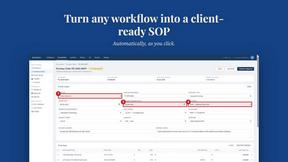
Capture any workflow in your browser and export a branded, step-by-step SOP with screenshots. €5 per document, no subscription.


PerPageFax
PerPageFax lets you send a fax online from any browser for a flat $0.50 per page — no account, no subscription, no fax machine.