

Image to 3D AI
ImgTo3D.ai instantly converts 2D images into detailed, textured 3D models for gaming and design.
tool Details
Explore More
Alternatives

About Image to 3D AI
Image to 3D AI, also known as ImgTo3D.ai, is a sophisticated, AI-driven platform engineered to automate the complex process of converting standard 2D images into fully realized, textured 3D models. It directly addresses the significant time and skill bottleneck inherent in traditional 3D modeling pipelines, which often require extensive manual sculpting, retopology, and UV unwrapping. The platform utilizes advanced deep learning algorithms to analyze a single input image—be it a photograph, digital drawing, or hand-drawn sketch—and intelligently infer depth, geometry, and surface texture data. This allows for the generation of a usable 3D mesh in a matter of seconds, a task that would traditionally take hours or days. Its primary value proposition is delivering professional-grade 3D asset creation at unprecedented speed and accessibility, eliminating the need for expensive, specialized software like Blender, Maya, or ZBrush. The tool is designed for a wide technical audience, including game developers for rapid prototyping, 3D printing enthusiasts creating physical objects, e-commerce teams needing product models, and XR/VR/AR developers populating digital environments. It operates on a freemium model, offering a robust, permanently free tier for casual and testing use, alongside a Pro plan that provides commercial licensing, priority processing to bypass queues, and advanced export formats for integration into professional workflows.
Features
AI-Powered Textured Conversion
This core feature leverages cutting-edge deep learning algorithms to perform a comprehensive analysis of a 2D image. The AI interprets visual cues to reconstruct three-dimensional geometry while simultaneously generating corresponding texture maps that wrap accurately onto the model's surface. This process happens automatically, transforming a flat JPG, PNG, or WebP file into a complete, textured 3D asset without any manual intervention, significantly accelerating the initial modeling phase.
Adaptive Polygon Density Control
Users have precise control over the final mesh's complexity through a face count selector, typically ranging from 5,000 to 40,000 polygons. This allows for optimization based on the intended use case: lower-poly models for real-time applications like mobile games or VR, and higher-poly models for detailed renders or 3D printing. The algorithm intelligently distributes polygons to preserve critical details while maintaining an efficient topology, ensuring an optimal balance between visual fidelity and performance.
Multi-Format Export Capabilities
The platform supports exporting the generated 3D models in industry-standard file formats. This includes OBJ for universal software compatibility, GLB (binary glTF) for optimal web and real-time application use, and STL specifically formatted for 3D printing workflows. This flexibility ensures that assets can be seamlessly imported into game engines like Unity or Unreal, 3D editing suites, slicing software for printers, or AR/VR development platforms without requiring conversion.
Browser-Based, Zero-Installation Workflow
Image to 3D AI operates entirely within a modern web browser, requiring no software downloads, installations, or system-specific drivers. The process is initiated by simply dragging and dropping an image file onto the web interface. Furthermore, the free tier does not mandate user account creation or credit card details, providing immediate, barrier-free access to core AI generation functionality for instant experimentation and concept visualization.
Use Cases
Rapid Game Asset Prototyping
Game developers and indie studios can use the platform to rapidly generate prototype models for characters, props, weapons, and environmental assets directly from concept art or reference images. This allows for quick iteration on visual concepts within the game engine, enabling faster decision-making in pre-production and early development stages without committing extensive resources to manual modeling for test assets.
3D Printing Preparation
Enthusiasts and professionals can transform photographs of objects, sketches of custom designs, or digital artwork into 3D models ready for physical production. By exporting in the STL format, the generated mesh can be directly imported into slicing software to prepare for FDM or resin 3D printing. This is ideal for creating custom figurines, replacement parts, architectural models, or artistic sculptures from a 2D idea.
XR/VR/AR Content Development
Creating optimized assets for Extended Reality (XR) environments demands models that are visually acceptable but geometrically efficient to maintain high frame rates. This tool allows XR producers to quickly generate a library of low-to-mid poly 3D objects from reference images, with control over polygon count to ensure performance targets (e.g., 90fps in VR) are met without sacrificing the rapid pace of content creation needed for simulations or virtual worlds.
Creative Portfolio and Concept Development
Artists, graphic designers, and industrial designers can leverage the AI to quickly bring their 2D sketches and illustrations into the 3D space. This facilitates the creation of compelling, multi-dimensional portfolio pieces and allows for rapid visualization of product concepts, architectural ideas, or character designs in a 3D context, enhancing presentation and client communication without requiring mastery of complex 3D modeling software.
Frequently Asked Questions
What image formats are supported for upload?
The platform accepts common raster image formats including JPG, PNG, and WebP. For optimal results, it is recommended to use clear, well-lit images with good contrast that feature a single primary object against a relatively uncluttered background. The AI analyzes these visual cues to most accurately infer depth and form.
What is the difference between the Free and Pro tiers?
The Free tier offers full access to the core AI 3D model generation with polygon density control and OBJ format export, requiring no sign-up. However, free users may experience processing queues during peak traffic. The Pro tier provides commercial licensing, priority processing with no queues, access to additional export formats (GLB, STL), and is designed for high-volume, professional workflows where reliability and format compatibility are critical.
How accurate and detailed are the generated 3D models?
The accuracy is dependent on the quality and clarity of the source image. The AI excels at interpreting the overall shape, volume, and primary textures from a well-defined 2D input. While it produces remarkably detailed models suitable for prototyping, real-time applications, and many 3D prints, it may not capture extremely fine, sub-surface details or complex internal geometries that would require multi-angle input or manual refinement in dedicated 3D software.
Can I use the generated 3D models for commercial projects?
Usage rights depend on the subscription plan. Models generated using the permanently Free tier are typically for personal, non-commercial use. To use generated models in commercial products, games, or for client work, a Pro subscription is required, which grants the necessary commercial license. Users should review the platform's specific Terms of Service for definitive licensing details.
Similar to Image to 3D AI
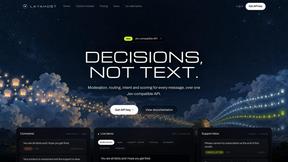
layahost
Moderation, routing, intent and scoring for any text over one Jev-compatible API, hosted in the EU.

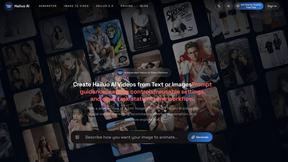
Hailuo AI
Create Hailuo AI videos from text or images with guided prompts, motion and camera controls, flexible settings, and downloadable results.

amaze.directory
A directory of AI tools where somebody actually used the tool.
Speechyou
AI transcription for voice notes, meetings, and audio files in 1,700 languages, with AI summaries and subtitle export and unlimited chat ai usage.
ProspectHalo
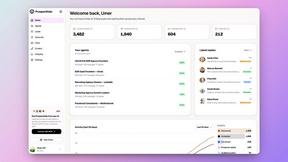
AI sales agent that finds qualified leads, runs outreach, follows up automatically, creates content, and helps book more meetings.