

PhotoWeather
Receive alerts for ideal photo conditions, ensuring you never miss the perfect moment for your outdoor photography.
tool Details
Explore More
Alternatives

About PhotoWeather
PhotoWeather is an innovative weather alert system designed specifically for outdoor photographers. It eliminates the need for constant checking of weather apps by monitoring forecasts 24/7 and sending alerts tailored to individual photography goals. Photographers can set up specific conditions they wish to capture, such as sunrise fog, dramatic storms, or ideal golden-hour lighting. By utilizing powerful forecasting technology, PhotoWeather enables users to receive timely notifications that help them seize the perfect photographic opportunities without the guesswork. Designed for landscape, astrophotography, and wildlife photographers alike, PhotoWeather simplifies the planning process and enhances the chances of capturing compelling imagery in the right conditions.
Features
Ready-Made Templates
PhotoWeather offers a variety of ready-made templates tailored for different photographic conditions. Users can select from options such as fog and mist, golden hour, aurora visibility, and storm intensity. These templates eliminate the complexity of rule creation, making it easy for photographers to get started and receive alerts based on specific weather scenarios.
Powerful Rule Builder
The rule builder in PhotoWeather is a standout feature that allows users to customize alerts based on over 80 different weather parameters. These include clouds, visibility, wind speed, humidity, and astronomy-related data. Photographers can create complex rules using AND/OR/NOT logic to ensure they receive notifications that precisely match their shooting criteria, such as "Golden hour + 20-60% clouds + wind <7 m/s".
Smart Notifications
PhotoWeather’s smart notification system keeps users informed with daily digests and real-time alerts. Users receive reminders before opportunities start and notifications when forecast conditions change. Integrating with calendars allows for auto-updating events, making it easy for photographers to stay organized and ready for their next shoot.
Trusted Forecast Sources
To ensure reliability, PhotoWeather aggregates data from leading weather services such as ECMWF, DWD, NOAA, MET Norway, and Météo-France. This multi-source approach provides photographers with accurate forecasts and confidence scores, allowing them to make informed decisions about their photography plans based on trustworthy weather information.
Use Cases
Landscape Photography
Landscape photographers can utilize PhotoWeather to set specific conditions for capturing stunning landscapes. By monitoring factors like fog density and cloud patterns, users can receive alerts that inform them when the scenery aligns perfectly with their artistic vision.
Astrophotography
For astrophotographers, PhotoWeather is invaluable. Users can set alerts for astronomical events, such as clear nights, moon phases, and low cloud cover. This allows them to plan their shoots with the confidence that they will have optimal conditions for capturing celestial phenomena.
Wildlife Photography
Wildlife photographers can benefit from PhotoWeather by establishing rules around weather conditions that influence animal behavior. Conditions such as calm winds, specific temperatures, and humidity levels can be monitored, maximizing the likelihood of encountering wildlife during their shoots.
Event Photography
Event photographers, such as wedding or outdoor event shooters, can use PhotoWeather to ensure they capture moments in the best lighting conditions. By setting alerts for golden hour and favorable weather patterns, they can plan their shots around the natural light, enhancing the quality of their images.
Frequently Asked Questions
How do I get started?
To get started with PhotoWeather, simply sign up for a free account and add your favorite shooting locations. You can then choose from ready-made templates or create custom rules to set your desired weather conditions.
How accurate are the forecasts?
PhotoWeather aggregates data from multiple trusted weather services, ensuring high accuracy in forecasts. The confidence scores provided help users gauge the reliability of the weather predictions for their specific conditions.
Can I create my own rules?
Yes, PhotoWeather allows users to create custom rules using more than 80 different weather parameters. This feature provides flexibility and ensures that you can tailor alerts to match your specific photography needs.
Do you support calendar sync?
Yes, PhotoWeather supports calendar synchronization. Users can integrate their alerts with their calendars, allowing for auto-updating events that reflect the best photography opportunities based on their specified conditions.
Similar to PhotoWeather

Magic Eraser
AI-powered photo editor for removing objects, replacing backgrounds, enhancing images, and creating visuals.

Pict AI - Image Generator & Editor
Pict AI is a free, no-signup-required tool that generates and edits images from text with over 20 creative features on web and mobile.
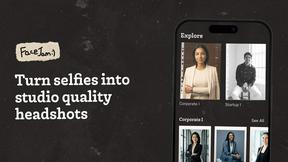
Facejam
Transform selfies into professional headshots in minutes with Facejam's AI-powered photo generation tool.
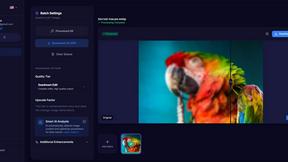
MyImageUpscaler
MyImageUpscaler enhances image quality to 4K in seconds while preserving details and keeping text sharp.

AI Photo Online
AI Photo Online provides a comprehensive suite of AI-powered tools for effortless photo enhancement and background.
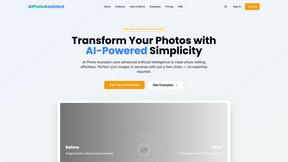
AI Photo Assistant
AI Photo Assistant uses advanced AI to automatically enhance photos into professional images instantly.

Looktara
Looktara generates professional, context-aware headshots from your photos in minutes, tailored to enhance your unique.

poseup
PoseUp.ai enhances your photos by correcting posture and optimizing composition with one-click AI technology.