

Alternatives to AI Content Shield
AI Content Shield blocks AI-generated content across YouTube, social feeds, and search engines with private, on-device filtering for a real-content.
Explore 20 alternatives to AI Content Shield. Compare features, pricing, and find the best fit for your needs.

Safe Outreach
AI-powered platform that evaluates the safety of LinkedIn automation tools and helps reduce the risk of account restrictions.


How Long How Many Tool
Timers and hourly checks to figure how out long until a certain time or how many days away.
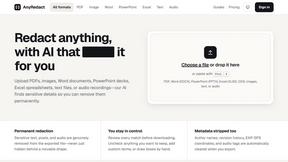
AnyRedact
Free online auto redaction tool with AI for PDFs, images, Word, PowerPoint, Excel, text and audio. Files are never stored.
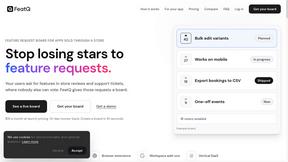
FeatQ
Feature request boards for software teams. Customers vote with just an email; your coding agent pulls the top request over MCP.

ButterShare
Realtime peer-to-peer file transfer in the browser. Send files directly between devices, no account and no upload to a server.

Emailyy
Free email tools for signatures, subject lines, HTML previews, word counts, and email headers. Browser-based, simple to use, and no signup required.

Uniclip
Clip pages, take full-page screenshots and batch-capture list data to Notion, Feishu, Obsidian, Markdown, CSV or JSON.

TroveKey
Search tabs, Chrome bookmarks and history, run browser commands, and save webpages and social posts locally—no account.
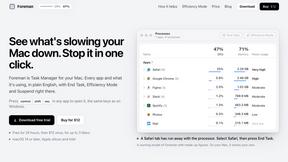
Foreman
See every app and what it's using in plain English, and end or slow down the one that's hogging your Mac.
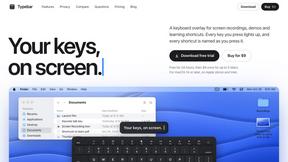
Typebar
Every key you press lights up on an on-screen keyboard, and each shortcut is named. For screen recordings, demos and learning shortcuts.
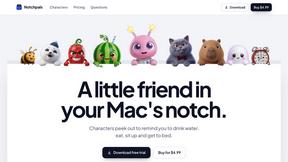
Notchpals
Little characters peek out of your Mac's notch to remind you to drink water, eat, sit up and get to bed. Quiet during calls. $4.99 once.

LightScreen
Free light screen tool online. Turn any display into a flashlight, ambient light, or solid-color screen. No download or sign-up.
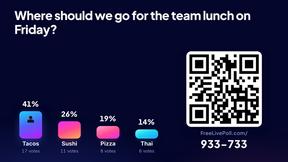

LevCharity
Fundraising platform for nonprofits combining donations, campaigns, donor CRM, events, communications, and reporting.
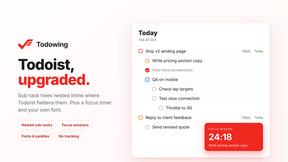
Todowing
Chrome extension that shows nested sub-tasks inline in Todoist's Today, Upcoming, Filters and Labels views. Free tier, $19.99 lifetime unlock.
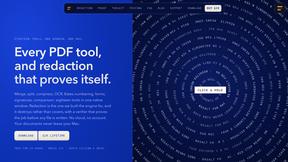
Basalt
Eighteen PDF tools in one native Mac window: merge, split, compress, OCR, Bates numbering, forms, signing and redaction. Offline. $29 once.
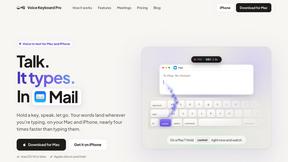
Voice Keyboard Pro
Hold a key, say what you mean, let go. Clean, punctuated text lands at the cursor in any app on your Mac or iPhone.
About AI Content Shield Alternatives
AI Content Shield is a specialized browser-based tool categorized under Productivity & Management, designed to identify and block AI-generated content across the web. It operates entirely on-device, ensuring user privacy while filtering out AI-produced text, videos, images, and audio from platforms like YouTube, Google Search, TikTok, and social media feeds. Users often seek alternatives due to specific pricing thresholds for Pro features, platform compatibility gaps (such as mobile browser support), or the need for more granular control over filtering algorithms. Others may require integration with different email clients or enterprise-level deployment options not covered by the standard free or Pro tiers. When evaluating alternatives to AI Content Shield, prioritize tools that offer transparent on-device processing to maintain privacy, as server-side analysis can compromise data security. Assess the breadth of AI detection capabilities, ensuring the solution can distinguish between AI-generated voice, text, and image content across your target platforms. Look for customizable rule engines that allow keyword-based filtering and channel whitelisting, as well as real-time blocking statistics to verify effectiveness. Performance metrics like latency impact on page load times and the ability to schedule Focus Mode sessions are critical for maintaining workflow efficiency without false positives disrupting human-created content.
FAQs about AI Content Shield Alternatives
What is AI Content Shield?
AI Content Shield is a privacy-focused browser extension that blocks AI-generated content across the web, including Google AI Overviews, AI YouTube videos, social media posts, and search engine answers. It operates entirely on the user's device, ensuring no data is sent to external servers, and provides real-time blocked content statistics. The tool is designed to help users filter out the estimated 60% of internet content that is AI-generated, saving time by displaying only human-created material.
Who is AI Content Shield for?
AI Content Shield is for anyone seeking to reduce exposure to AI-generated content online, including researchers, educators, journalists, and privacy-conscious users. It is particularly useful for professionals who need to verify the authenticity of information, such as fact-checkers and content moderators, as well as casual users who find AI-generated media, voiceovers, and summaries distracting. The tool supports filtering across major platforms like YouTube, TikTok, Instagram, and search engines, making it suitable for both personal and productivity-focused workflows.
Is AI Content Shield free?
AI Content Shield offers a free tier with core features, including blocking AI-generated YouTube videos, Shorts, and recommendations, hiding Google AI Overviews and AI Mode, and filtering AI content on social media platforms like TikTok and X. The free version also provides real-time blocked content stats and works on search engines like Bing and DuckDuckGo. Pro features, such as advanced AI voice detection, custom YouTube channel blocking, and email filtering, require a paid subscription for full access.
What are the main features of AI Content Shield?
The main features include blocking AI-generated content across Google search results, YouTube, and social media platforms, with free access to AI video and image filtering. Pro features extend capabilities to advanced AI voice detection on YouTube, Instagram, and TikTok, custom keyword rules for text filtering on LinkedIn and Gmail, and Focus Mode scheduling for timed blocking. The tool also offers local analytics and UI themes, all processed on-device to maintain user privacy and data security.