

Alternatives to Easymotion - AI Motion Graphic Generator
Easymotion uses AI to transform static images, data sheets, and ideas into professional motion graphics and map animations in minutes.
Explore 20 alternatives to Easymotion - AI Motion Graphic Generator. Compare features, pricing, and find the best fit for your needs.
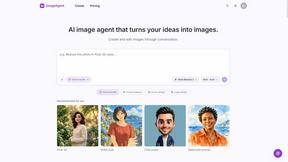
ImageAgent
Create and edit AI images through conversation, using text or reference images and refining results in chat.


GenX
All-in-one AI workspace to generate images, videos, and audio with multiple leading AI models.

Bloom
An adaptive AI tutor that turns topics or your materials into courses, lessons, and answers tailored to how you learn.

AppIconGenerator
Generate iOS and Android app icons from any image and export all platform sizes for free.
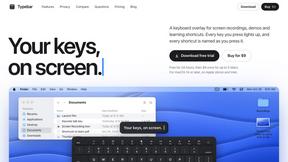
Typebar
Every key you press lights up on an on-screen keyboard, and each shortcut is named. For screen recordings, demos and learning shortcuts.

Nano AI
Create and edit AI images, generate videos, and compare models in one creative workbench.

ogimagegenerator.dev
Paste a URL and AI designs on-brand Open Graph images from your page's colours, fonts and logo. Free, no sign-up.

Screen Issues
Free Online Screen Test Tool - Instantly diagnose dead pixels, lines, color issues, and flickering. Multiple test modes, no download needed.



Play Jean Phil
Play Jean Phil turns one photo of a person or pet into a Jean Philanthrope AI video in one of eight scenes. No app, no prompt.

Gas Station Dance AI Generator
Browser AI generator that recreates the viral gas station dance video from 1-3 photos, no filming or prompts.

Unforgettable Car AI
Unforgettable Car AI makes the 15-second Unforgettable car trend video from one selfie: hold up a red 2 and 4, then a car appears.

Ozil Goal AI
Ozil Goal AI turns one photo into an AI remake of Mesut Özil's famous 2016 chip-and-dribble goal against Ludogorets

Manatee
A Mac app that opens damaged video, PDFs, archives and documents and writes out everything it can still read. $9 once, no uploads.
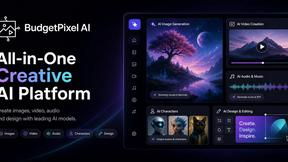
Budgetpixel AI
Create and edit AI images, videos, music, and designs in one workspace, with multiple models, reusable characters, and API access.

Tip Toe AI
Upload a Dancer photo and a Partner photo and get your own AI Tip Toe barn-dance video. Free 5s preview, 12s HD from $4.90. No subscription.

Ozil Goal AI
Turn one photo into the viral Özil goal meme video: you, your dog, a toy or a drawing scores. Free 5s preview, 10s 720p from $4.90. No subscription.

FreeVideoGenerator
Free AI video generator: turn text and photos into clips with Sora 2, Veo 3.1, and Wan. Free starter credits, watermark-free.
About Easymotion - AI Motion Graphic Generator Alternatives
Easymotion - AI Motion Graphic Generator is a browser-based platform designed to streamline the creation of motion graphics and map animations for content creators, editors, founders, and marketers. It falls under the categories of AI Assistants, Content Creation, Design Tools, and Video, offering capabilities such as generating animations from prompts, converting static files like images and PDFs into animated scenes, and editing via an AI chat interface. Users commonly seek alternatives due to specific constraints such as pricing models that may not align with budget cycles, a desire for more granular control over motion parameters like keyframe timing, or the need for integration with proprietary video editing pipelines that require native plugin support rather than a standalone web tool. When evaluating an alternative, one should assess the precision of AI-driven animation generation, the flexibility of export codecs and resolution options, the availability of API access for automated workflows, and the depth of the template library for scalable production, ensuring the tool can handle both rapid prototyping and high-fidelity client deliverables without sacrificing rendering speed or output quality. The search for an alternative to Easymotion often stems from specific workflow requirements, such as the need for offline rendering capabilities, support for higher frame rates beyond standard 30 or 60 fps, or the ability to handle complex 3D scene integration that the platform's 2D-focused architecture may not fully address. Key specifications to prioritize include the maximum supported resolution for exports, the variety of motion graph types such as bezier curves for acceleration, and the granularity of map data customization, such as the ability to import custom GeoJSON files for pinpoint accuracy. Additionally, users should verify the platform's compatibility with team collaboration features like version control and shared asset libraries, as well as its security posture regarding data encryption and compliance with standards like SOC 2, especially when handling sensitive client content. By focusing on these technical details, one can identify a solution that matches the precision and scalability required for professional motion graphics and map animation production.
FAQs about Easymotion - AI Motion Graphic Generator Alternatives
What is Easymotion - AI Motion Graphic Generator?
Easymotion is an AI-powered motion graphics generator and map animation platform that operates entirely in the browser. It allows users to transform ideas, static files like images and PDFs, and spreadsheets into polished animated videos without requiring complex timeline editing. The platform supports a variety of formats including SaaS product promos, flowcharts, animated charts, UI explainers, quizzes, and geographic storytelling visuals such as flight routes and location pins.
Who is Easymotion - AI Motion Graphic Generator for?
Easymotion is specifically designed for content creators, editors, founders, and marketers who need a faster way to produce motion graphics and map animations. It caters to professionals who require reusable video assets for social content, product marketing, presentations, and client deliverables, but may lack the time or expertise for traditional animation software. The tool is also suitable for teams needing to generate animations from prompts or convert data-driven files into scene-ready visuals.
Is Easymotion - AI Motion Graphic Generator free?
Based on the provided content, Easymotion does not explicitly state a free tier or pricing model; it is described as a premium platform with a template library and export capabilities. Users typically access features like AI chat editing and MP4/MOV exports after starting from a prompt or template, which suggests a subscription or pay-per-use structure. For specific pricing details, including any free trial availability, you would need to consult the official Easymotion website or documentation.
What are the main features of Easymotion - AI Motion Graphic Generator?
Key features include AI-driven animation generation from text prompts, conversion of static files like images, spreadsheets, and PDFs into animated scenes, and a chat-based editing interface for adjusting colors, pacing, labels, layout, and visual style. The platform offers a premium template library for starting with proven motion graphics layouts and supports exports in MP4 and MOV formats, including videos with transparent backgrounds. It also provides aspect ratio support for 16:9, 9:16, 1:1, and 4:5, making it versatile for YouTube, TikTok, Instagram, and other social platforms.