

Alternatives to Very Good Calendar Sync
Very Good Calendar Sync runs locally on your Mac to silently synchronize work, personal, and client calendars without linking accounts or exposing.
Explore 20 alternatives to Very Good Calendar Sync. Compare features, pricing, and find the best fit for your needs.
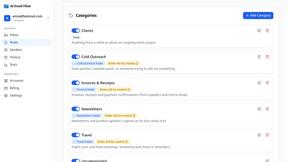
AI Email Filter
AI Email Filter sorts incoming mail into folders using plain-language prompts you write. Works with any IMAP mailbox; bring your own LLM if you want.
Egmatic
No-code 2D game editor: visual node logic, drag-and-drop scenes, live preview. Exports to Windows, macOS, Linux, Android, iOS, Web.
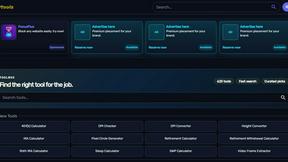
Kody Tools
Free collection of online developer utilities, code formatters, and digital converters designed to streamline your daily workflow.
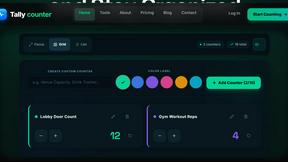
Tally Counter
Online tally counter for tracking attendance, workouts, inventory, visitors, sports scores, habits, and everyday counting tasks.
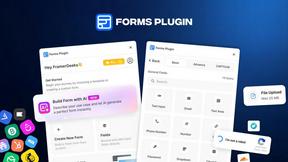
Forms Plugin
The #1 Native Form Builder Plugin for Framer - No Code, No Embeds, No External Platforms.

Product Launch Checklist
A free launch checklist for SaaS, apps, AI tools and more. Every step says why it matters and when you can skip it.

HomeAnswerBook
Practical, independent guides to home repairs, maintenance, costs, troubleshooting, and everyday fixes.
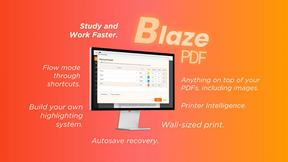
BlazePDF
Highlight faster. Study in flow with custom shortcuts and a workflow built around you. Print smarter, or turn any page into a tiled poster.

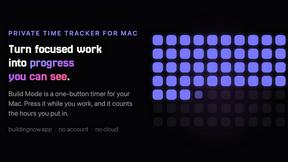
Build Mode for Mac
Build Mode is a Mac app that turns focused sessions into visible progress, so you can see the work adding up before the results arrive.



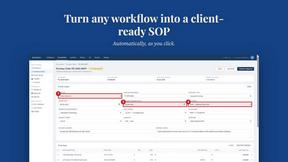
MySOP.guru
Capture any workflow in your browser and export a branded, step-by-step SOP with screenshots. €5 per document, no subscription.

PerPageFax
PerPageFax lets you send a fax online from any browser for a flat $0.50 per page — no account, no subscription, no fax machine.

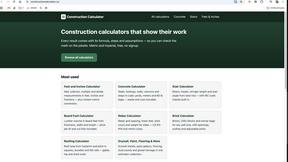
Construction Calculator
Free construction calculators with transparent formulas, steps, assumptions, and metric or imperial units.


Glanced
Follow news, blogs, newsletters, and podcasts in a free RSS reader, with AI summaries, top stories, full-text search, saved searches, and a catalog.
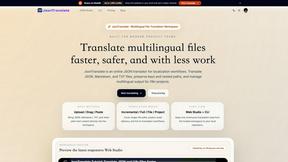
JsonTranslate
Translate JSON, Markdown, and TXT files while preserving keys, paths, and project structure.
About Very Good Calendar Sync Alternatives
Very Good Calendar Sync operates as a dedicated macOS utility within the Productivity & Management category, designed to automate the background synchronization of calendars available in macOS Calendar.app. The application functions by monitoring user-specified calendars and propagating changes without manual intervention, effectively eliminating the need to check multiple calendar interfaces. Users commonly seek alternatives due to constraints such as pricing models, the need for cross-platform compatibility beyond macOS, or a requirement for more granular control over synchronization rules, such as bidirectional conflict resolution or integration with non-Apple calendar services. When evaluating an alternative, it is critical to assess the synchronization engine's architecture, specifically whether it supports local-only data processing to preserve privacy, the flexibility of its filtering parameters (including time windows, weekday exclusions, and event detail masking), and the robustness of its background monitoring capabilities to ensure zero-latency updates without system performance degradation. The selection criteria for a replacement should prioritize technical specifications such as the method of calendar access (native API versus third-party bridge), data residency guarantees (local processing versus cloud relay), and the depth of customization for synchronization scopes. A viable alternative must offer equivalent or superior control over which event attributes are shared, support for multiple calendar protocols beyond CalDAV, and a reliable daemon process that operates independently of user login sessions. Additionally, the alternative should provide transparent logging of synchronization events and conflict handling mechanisms, as these are essential for users managing high-volume calendar environments like consultants or freelancers. The core requirement remains the ability to maintain perfect parity across calendars without exposing sensitive metadata to external networks or requiring credential sharing.
FAQs about Very Good Calendar Sync Alternatives
What is Very Good Calendar Sync?
Very Good Calendar Sync is a macOS utility that automates the background synchronization of calendars available within macOS Calendar.app. It silently monitors your selected calendars and propagates any changes, such as new meetings or updated events, across your other calendars without requiring manual intervention. The application is designed to run as a background process, ensuring your calendars remain perfectly synchronized at all times.
Who is Very Good Calendar Sync for?
Very Good Calendar Sync is targeted at professionals who manage multiple distinct calendars, including consultants balancing client calendars, employees separating work and personal schedules, and freelancers juggling project timelines. It is also suitable for any user experiencing calendar fragmentation who seeks a hands-off synchronization solution that operates without cloud dependency or third-party servers.
Is Very Good Calendar Sync free?
The provided product description does not specify a pricing model, so it is not explicitly stated whether Very Good Calendar Sync is free or paid. However, based on its feature set—including automated background syncing, granular filtering by weekday and time range, and local-only data processing—it is likely a premium application or a one-time purchase. Users should check the official product page for current pricing and licensing details.
Is Very Good Calendar Sync secure?
Yes, Very Good Calendar Sync is designed with a strong emphasis on security and privacy. Your calendar data never leaves your Mac, as the application uses your device's native calendar access without transmitting any information externally. There are no credentials to share, no third-party access, and no cloud storage involved, ensuring that all synchronization occurs entirely on your local machine.