MindMap AI vs Perkoon
Side-by-side comparison to help you choose the right tool.

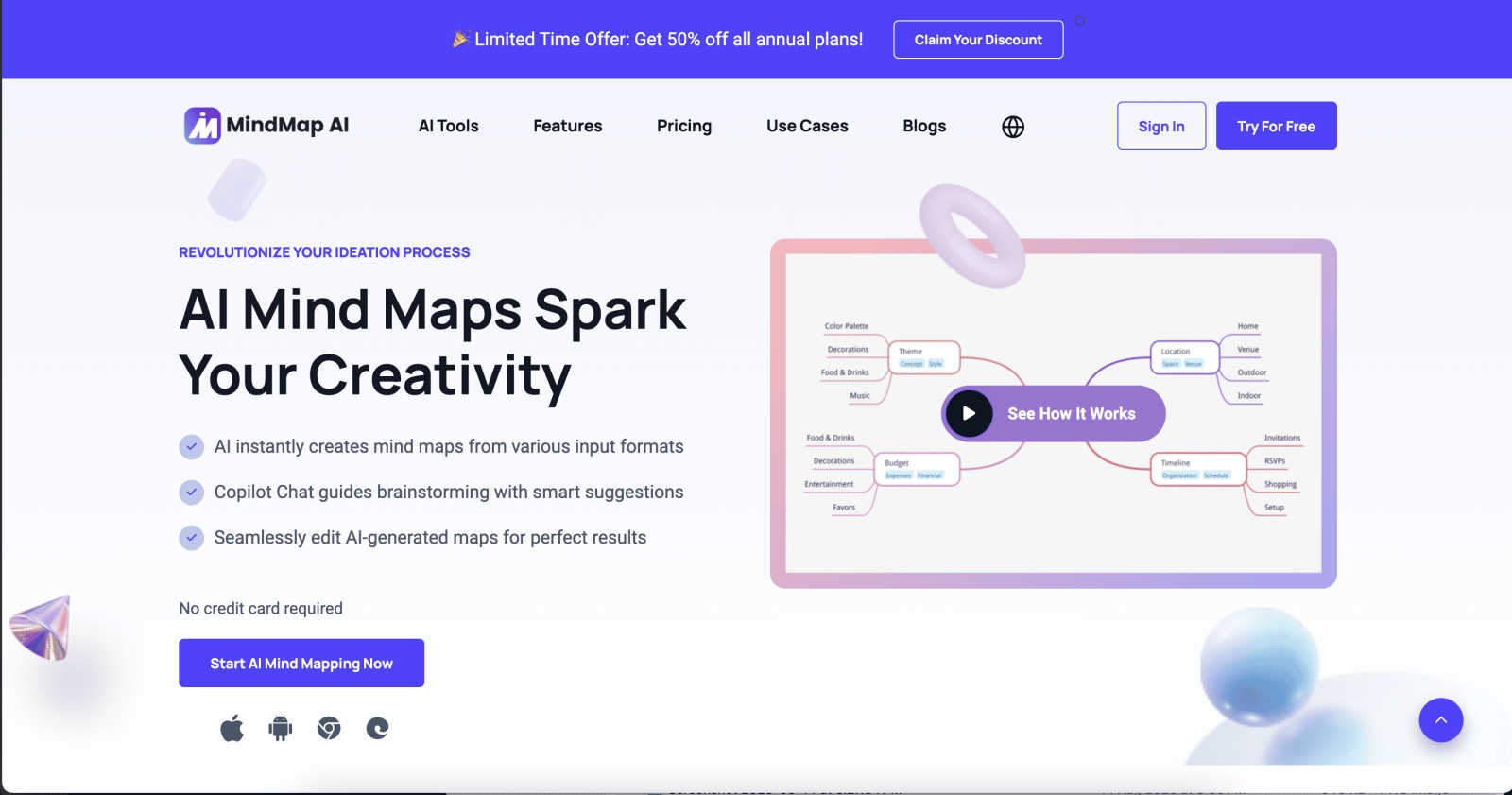
MindMap AI instantly generates and co-edits structured mind maps from any document or idea.
Last updated: March 1, 2026

Perkoon enables free, unlimited peer-to-peer file transfers with no signup, ensuring your files remain private and.
Last updated: March 4, 2026
Visual Comparison
MindMap AI
Perkoon

Feature Comparison
MindMap AI
AI Thinking Mode with Step-by-Step Reasoning
This proprietary engine is the core of MindMap AI's accuracy. It analyzes input content by understanding context, hierarchy, and semantic relationships before generating any visual structure. This process ensures that every mind map is logically structured, meaningful, and accurate on the first attempt, producing coherent maps rather than a collection of random, disconnected branches. It is designed for reliability in professional and academic settings.
Multi-Format File-to-Map Conversion
The platform can ingest and process a vast array of file formats, instantly transforming them into clean, editable mind maps. Supported inputs include text, PDFs, images, audio recordings, video files, Markdown, CSV, JSON, and XML. This feature eliminates the manual, time-consuming process of building a map from scratch, allowing users to immediately engage with the core ideas and structure extracted from their source material.
MindMark Stability & Continuous Co-Editing
MindMap AI is built to respect user input. The MindMark Stability system guarantees that manual edits, custom layouts, and personal structural choices remain untouched and are never overwritten by AI actions. Users maintain full manual control while the AI co-creates alongside them, allowing for seamless expansion, summarization, reorganization, and styling of map elements in seconds without breaking the established design.
Flexible Layouts & Instant Aesthetics
Users can visualize their project in three distinct chart views: Mind Map, Organizational Chart, and Logic Chart. The underlying structure remains perfectly aligned across all layouts. Coupled with a library of presentation-ready themes, this allows for instant visual polish. Users have total customization control over colors, fonts, shapes, and can add functional widgets like Priority Flags and Due Dates to create actionable plans.
Perkoon
Peer-to-Peer File Transfer
Perkoon utilizes advanced peer-to-peer technology to facilitate direct file transfers between users' browsers. This method ensures there are no size limits or account requirements, making it an effortless way to share files securely and privately.
Encrypted Cloud Storage
For situations where the recipient is offline, Perkoon provides an encrypted cloud storage option. This paid feature ensures that files are securely stored until the recipient is available to download them, guaranteeing that sensitive information remains protected.
AI Integration
Perkoon is designed with AI in mind, featuring built-in tools that allow AI agents to interact directly with the service. This eliminates the need for screen scraping, making file transfers more efficient for automated systems and enhancing user experience.
Command Line Interface (CLI) Tool
For tech-savvy users, Perkoon offers a simple CLI tool that allows for advanced file transfer operations. This feature caters to developers and users who prefer command line interactions, providing a powerful way to manage file transfers programmatically.
Use Cases
MindMap AI
Academic Research and Synthesis
Students and researchers can utilize MindMap AI to deconstruct complex papers, books, and lecture materials. By converting PDFs and notes into structured maps, they can visually synthesize information, identify key themes and gaps in literature, and outline research papers or theses with a clear hierarchical flow, significantly accelerating the comprehension and writing process.
Strategic Business Planning and Analysis
Professionals and teams can transform lengthy strategy documents, competitor analyses, and market research reports into interactive maps. This enables the clear visualization of goals, initiatives, risks, and dependencies. The AI's ability to uncover second-order connections helps in identifying non-obvious strategic insights and refining business plans for executive presentation.
Project Management and Agile Workflows
Project managers can convert project briefs, meeting notes, and audio recordings into dynamic maps to outline project scope, break down work structures, and assign tasks. Using widgets like Priority Flags and Due Dates within the map turns it into a living project plan that teams can collaboratively edit and track, ensuring alignment and clarity across all stakeholders.
Creative Ideation and Content Development
Writers, marketers, and creatives can use the platform to brainstorm campaign ideas, plot narratives, or structure content outlines. Starting from a simple prompt or an existing document, the AI helps expand concepts, suggest related topics, and organize thoughts into a coherent visual framework, streamlining the creative process from initial chaos to a structured execution plan.
Perkoon
Personal File Sharing
Individuals can use Perkoon to share large files, such as videos or high-resolution images, with friends and family without worrying about size restrictions or the need to create accounts. This makes it ideal for personal use.
Business Document Transfer
Businesses can leverage Perkoon for seamless document sharing between team members, ensuring that important files are transferred quickly and securely without the hassle of corporate file-sharing platforms.
AI-Driven Automation
Developers and businesses can integrate Perkoon with their AI services, allowing for automated file transfers without manual intervention. This use case is particularly beneficial for companies relying on AI for data processing and management.
Offline File Delivery
When a recipient is not online, Perkoon’s encrypted cloud storage comes into play, allowing users to send files without worrying about whether the recipient is available to receive them at that moment.
Overview
About MindMap AI
MindMap AI is an advanced, AI-powered cognitive workspace designed to transform unstructured information into structured, actionable intelligence. It is engineered for professionals, teams, students, and researchers who require a sophisticated tool for ideation, planning, and knowledge synthesis. The platform transcends traditional mind mapping by intelligently processing diverse inputs—including text, PDFs, Word documents, presentations, images, audio, video, Markdown, CSV, JSON, and HTML files—and converting them into dynamic, interactive visual maps. Its core value proposition lies in a proprietary step-by-step reasoning engine that ensures generated maps are contextually accurate and hierarchically meaningful, avoiding random associative branches. MindMap AI functions as a central hub for collaborative thinking, offering seamless co-editing across web, mobile, and browser extensions. Key capabilities include conversational interaction with maps via Co-Pilot Chat, automatic expansion of concepts, content summarization, and uncovering second-order connections. With multi-format export, robust manual editing tools, and flexible visual layouts, it provides a scalable enterprise solution for moving from informational chaos to operational clarity and strategic insight.
About Perkoon
Perkoon is an innovative file transfer service designed to simplify the process of moving files from one location to another without the complications often associated with traditional services. It is built for individuals and businesses who are frustrated by artificial limitations, mandatory sign-up processes, and the commercialization of their data. Perkoon operates primarily through peer-to-peer (P2P) technology, allowing users to send files directly between browsers when both parties are online. This unique approach eliminates size restrictions, accounts, and the risk of data interception, ensuring privacy and security. For instances where the recipient is offline, Perkoon offers encrypted cloud storage, which is a paid feature that transparently covers server costs. What distinguishes Perkoon is its native integration for AI applications, allowing for automation and direct interaction with AI agents. With a Command Line Interface (CLI) tool, Perkoon positions itself as a straightforward, robust, and privacy-centric solution for real users and their digital assistants.
Frequently Asked Questions
MindMap AI FAQ
What file types can MindMap AI process?
MindMap AI supports a comprehensive range of input formats for conversion into mind maps. This includes standard documents (PDF, Word, PowerPoint), multimedia files (images, audio, video), structured data (CSV, JSON, XML, HTML), and plain text formats (Markdown, TXT). This versatility allows users to transform almost any digital content into a visual map instantly.
How does MindMap AI ensure the accuracy of its generated maps?
Accuracy is ensured through the proprietary AI Thinking Mode, which employs a step-by-step reasoning engine. Instead of making immediate associative leaps, the AI first analyzes the input to understand context, establish a logical hierarchy, and determine meaningful relationships between concepts. This methodological approach guarantees that the resulting map is structurally sound and contextually relevant.
Can I manually edit a map created by the AI?
Absolutely. Manual control is a foundational principle of MindMap AI. The platform's MindMark Stability feature ensures that all manual edits, custom formatting, and structural adjustments are permanently preserved. The AI functions as a co-editor that expands and suggests around your work without overwriting or altering your direct input, giving you complete creative authority.
Is MindMap AI suitable for handling large, complex documents?
Yes, the platform is specifically engineered for large document processing. It can handle extensive texts and reports with stable chart generation and provides reliable, coherent summaries. The system is optimized to maintain structural integrity and processing efficiency even with substantial inputs, ensuring consistent results without disproportionately high resource consumption.
Perkoon FAQ
How does Perkoon keep my files private?
Perkoon ensures your files remain private by utilizing peer-to-peer transfers where data never passes through central servers. For cloud storage, files are encrypted on the servers, protecting them from unauthorized access.
Is there a limit to the file size I can send?
No, there are no size limits when using the peer-to-peer transfer option as it directly connects browsers. However, the cloud storage feature may have limitations based on your subscription plan.
Can I use Perkoon on different browsers?
Perkoon is compatible with Chrome, Edge, and Brave without limits. Users of Firefox and Safari may encounter some restrictions, so it is advisable to use a supported browser for the best experience.
How does the referral program work?
Users can share a unique referral link to invite others to join Perkoon. When someone signs up through this link and transfers files, both the referrer and the new user receive bonus storage, creating a mutually beneficial network.
Alternatives
MindMap AI Alternatives
MindMap AI is a sophisticated, AI-powered mind mapping platform within the productivity and management software category. It is engineered to transform unstructured information from documents, recordings, and ideas into structured, interactive visual maps using a proprietary reasoning engine. Users may seek alternatives for various practical reasons. Common considerations include budget constraints and specific pricing model needs, a requirement for different feature sets or integrations, or a preference for platforms with a different user experience or platform compatibility, such as a stronger focus on native desktop applications. When evaluating alternatives, key criteria should include the depth and accuracy of AI-powered generation, the range of supported input and export formats, real-time collaboration capabilities, and the overall flexibility of the visual workspace. The core objective remains finding a tool that effectively bridges the gap between raw information and actionable, structured intelligence.
Perkoon Alternatives
Perkoon is a file transfer service designed for seamless peer-to-peer file sharing without the need for signups or artificial limits. By leveraging cutting-edge technology, Perkoon allows users to send files directly between browsers in real-time, ensuring a hassle-free experience. It belongs to the productivity and management category, catering to individuals and teams seeking efficient and reliable file transfer solutions. Users often search for alternatives to Perkoon due to various factors such as specific feature requirements, pricing concerns, or compatibility with different platforms. When exploring alternatives, it is crucial to consider aspects like data privacy, transfer speeds, user experience, and any additional functionalities that may enhance productivity. A thorough evaluation of these elements will help users find the best fit for their file transfer needs.