
SERPView vs StatPecker
Side-by-side comparison to help you choose the right tool.

SERPView
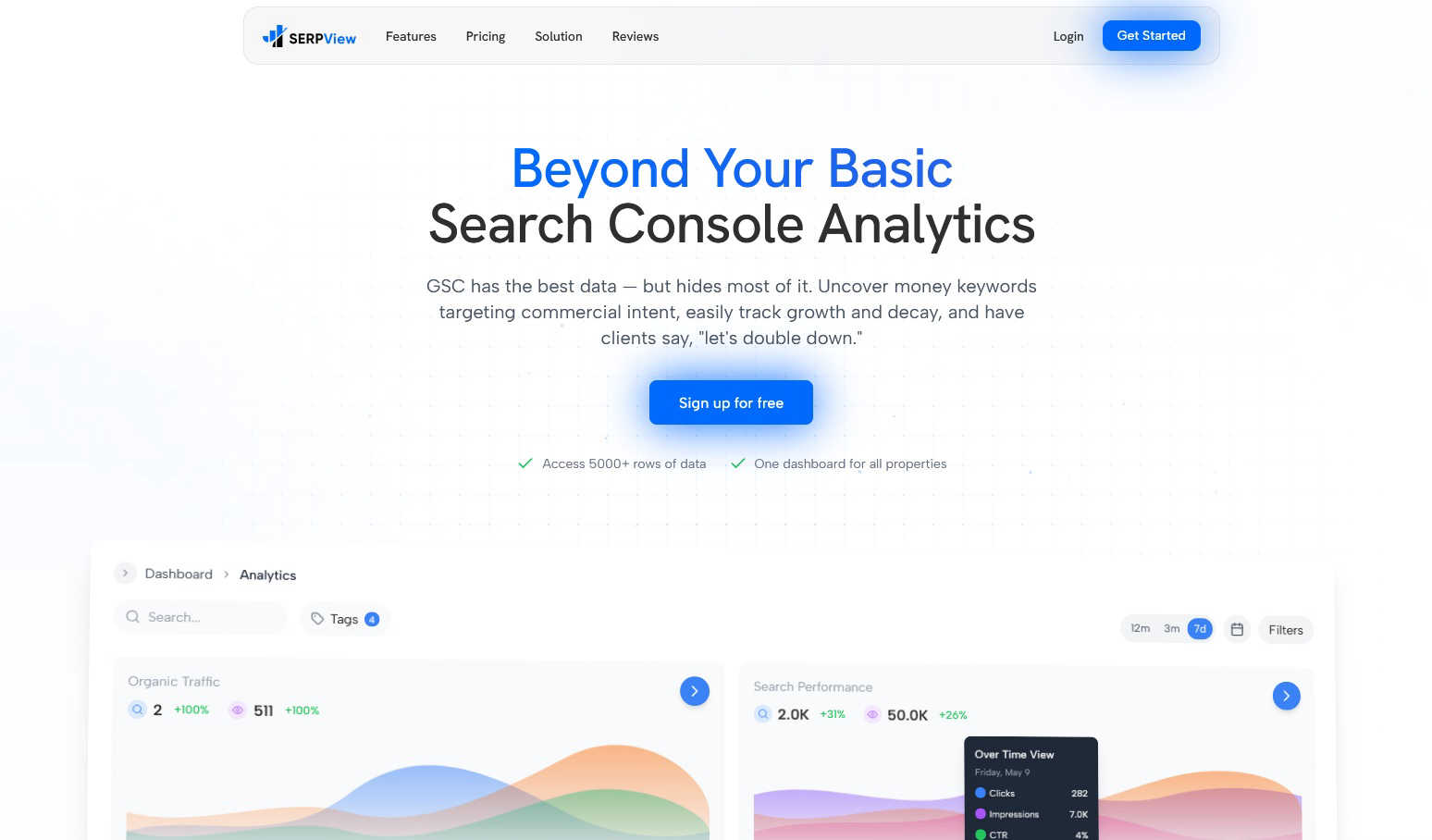
SERPView enhances Google Search Console with unlimited data access and advanced analytics for comprehensive performance.
Last updated: March 1, 2026

StatPecker
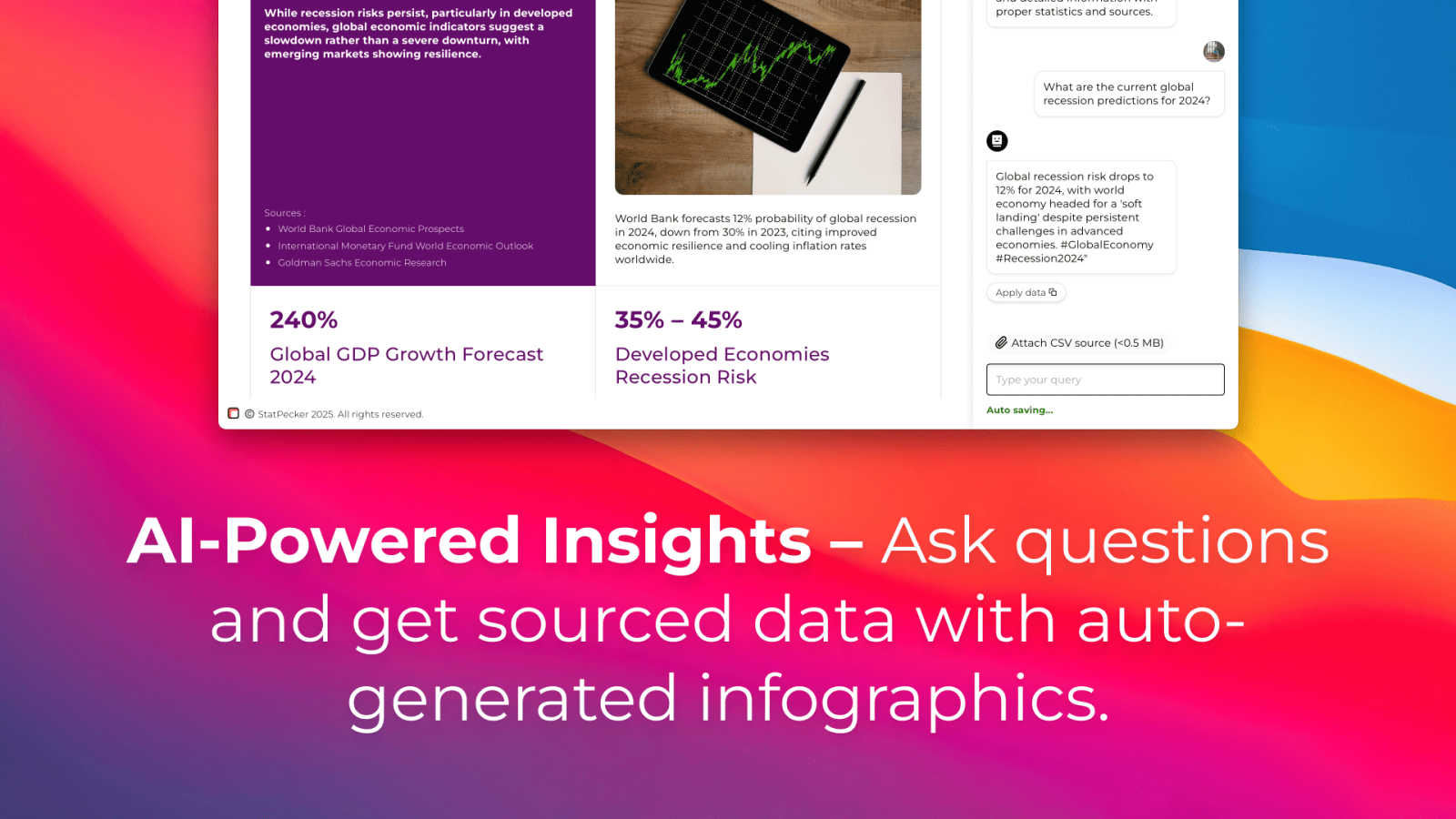
StatPecker uses AI to analyze data and create instant, shareable insights and infographics from your CSV files.
Last updated: March 1, 2026
Visual Comparison
SERPView
StatPecker
Feature Comparison
SERPView
Performance Tracking
SERPView allows users to access up to 50,000 rows of Google Search Console data, surpassing the 1,000-row limit imposed by GSC. This feature enables comprehensive tracking of critical metrics such as clicks, impressions, click-through rates (CTR), and average position, offering unprecedented insights into search performance without limitations.
Keyword Analysis
This feature empowers users to discover high-value keywords that demonstrate commercial intent. SERPView enables the identification of new keyword opportunities and facilitates the tracking of position changes over time. Users can gain insights into which keywords are driving traffic and how their rankings fluctuate, helping them optimize their SEO strategy effectively.
Page Analysis
SERPView provides detailed analysis of individual page performance in search results. Users can easily identify which pages are excelling and which are underperforming. This feature also highlights optimization opportunities, allowing users to refine their content strategy based on real performance data, driving better search visibility.
Mobile vs Desktop Analysis
With this feature, users can compare search performance across device types, such as mobile and desktop. SERPView highlights performance differences, helping users identify whether they need to optimize their content for mobile users or focus on desktop strategies. This granular analysis enhances user understanding of audience behavior and informs tailored optimization efforts.
StatPecker
Ask Your Query
StatPecker allows users to obtain instant insights by querying data in natural language. This feature eliminates the need for complex tools, enabling users to simply ask questions and receive validated answers quickly and efficiently.
Publish & Embed
With StatPecker, users can make their visuals interactive and easily integrate them into blogs, articles, and websites. This feature ensures that data storytelling is not only engaging but also accessible to a wider audience.
Upload & Analyze CSVs
Users can upload CSV files of up to 50 MB and conduct analyses without the hassle of traditional spreadsheet software. This feature allows for local analysis, ensuring that sensitive data remains private and secure while providing insightful visualizations.
Download & Use Anywhere
StatPecker facilitates the export of infographics as images, which can be utilized in reports, presentations, and more. This flexibility allows users to leverage their visual data storytelling across various formats and platforms.
Use Cases
SERPView
SEO Performance Optimization
SEO professionals can leverage SERPView to gain a comprehensive view of their website’s search performance. By accessing extensive GSC data, they can identify trends, measure the impact of SEO initiatives, and refine strategies based on actionable insights.
Content Strategy Development
Content strategists can utilize SERPView to analyze which topics and keywords drive traffic to their site. By identifying high-performing pages and underperforming content, they can tailor their content strategies to focus on topics that resonate with their audience and improve overall engagement.
Competitive Analysis
Digital marketers can use SERPView to conduct competitive analysis by tracking keyword rankings and performance metrics against competitors. This feature helps marketers identify gaps in their strategy and discover new opportunities to outperform rivals in search results.
International SEO Management
For businesses operating in multiple countries, SERPView provides insights into how their website performs across different regions and languages. By analyzing international data, users can optimize their global SEO strategies, ensuring they cater to diverse audiences effectively.
StatPecker
Content Creation
Content creators can leverage StatPecker to transform complex data into visually appealing infographics that enhance their articles and blog posts. This capability allows for improved audience engagement and comprehension of data-driven narratives.
Market Research
Researchers and analysts can use StatPecker to quickly visualize market trends and comparisons. By uploading CSV files and asking targeted questions, they can extract insights that inform strategic decisions and business planning.
Educational Applications
Educators and students can utilize StatPecker to create compelling visual aids for presentations and assignments. The ability to produce professional-quality infographics quickly enhances the learning process and facilitates better communication of ideas.
Marketing Campaigns
Marketing professionals can employ StatPecker to generate visually engaging content for campaigns. By leveraging instant insights and interactive visuals, they can effectively communicate key messages and data to their target audiences.
Overview
About SERPView
SERPView is a powerful analytics platform designed to maximize the utility of Google Search Console (GSC) data. It addresses the inherent limitations of the GSC interface, which restricts users to a mere 1,000 rows of data and complicates the management of multiple properties. This platform is tailored for SEO professionals, digital marketers, and content strategists who demand detailed, actionable insights to enhance organic search performance. SERPView aggregates and expands GSC data into a centralized, user-friendly dashboard, allowing access to over 50,000 rows of data. With features for keyword, page, and competitive analysis, SERPView transforms raw search performance metrics into clear, visual insights. This enables users to make informed decisions, uncover hidden opportunities, and accurately track the effects of their SEO efforts with unmatched clarity and efficiency, ultimately driving better results in their digital marketing strategies.
About StatPecker
StatPecker is an advanced AI-powered data visualization and storytelling platform designed to convert raw and unstructured data into visually appealing, publication-ready infographics in a matter of seconds. This innovative platform serves as an automated alternative to traditional report generation methods, significantly reducing both time and financial costs associated with data communication. StatPecker democratizes data visualization, making sophisticated graphical representations accessible to users without technical expertise in complex spreadsheet tools or graphic design software. The platform is tailored for a diverse range of users, including content creators, journalists, data analysts, researchers, marketing professionals, business strategists, educators, and students. By leveraging artificial intelligence, StatPecker empowers users to extract instant insights from both natural language queries and structured CSV data files. Users can simply upload datasets, ask questions in plain language, and receive accurate, visually engaging outputs that can be downloaded, published, or seamlessly embedded into digital content. This streamlining of the workflow from data analysis to visual presentation enhances the clarity and impact of data-driven narratives across various applications such as reports, articles, campaigns, and educational materials.
Frequently Asked Questions
SERPView FAQ
What is SERPView?
SERPView is an advanced analytics platform that enhances the capabilities of Google Search Console, allowing users to access more data, perform detailed analysis, and make informed SEO decisions.
How does SERPView improve upon Google Search Console?
SERPView removes the limitations of Google Search Console by providing access to up to 50,000 rows of data, facilitating easier multi-property management, and offering advanced analytical tools that uncover critical insights.
Who can benefit from using SERPView?
SERPView is designed for SEO professionals, digital marketers, and content strategists who require in-depth analytics and actionable intelligence to optimize their organic search performance and drive website traffic.
Is there a free trial available for SERPView?
Yes, SERPView offers a free sign-up option, allowing potential users to explore the platform's capabilities and see how it can enhance their SEO efforts without any initial investment.
StatPecker FAQ
How does StatPecker ensure data privacy?
StatPecker utilizes a local SQL agent for on-device analysis, meaning that data uploaded by users remains on their devices and is not shared with external servers. This approach prioritizes user privacy and data security.
Can I use StatPecker for free?
Yes, StatPecker offers a free tier that allows users to create unlimited projects and embeds, conduct a limited number of AI queries, and upload CSV files. This tier provides a cost-effective way to access essential features of the platform.
What types of files can I upload to StatPecker?
Users can upload structured CSV files of up to 50 MB for analysis. This functionality allows users to extract insights from their data without the complexity of traditional spreadsheet software.
Is there customer support available?
StatPecker provides customer support through various channels, ensuring that users can receive assistance with any inquiries or issues they may encounter while using the platform.
Alternatives
SERPView Alternatives
SERPView is a cutting-edge analytics platform designed to enhance the utility of Google Search Console data. As a tool that falls under the analytics and data category, SERPView caters to SEO professionals, digital marketers, and content strategists who need in-depth insights to optimize their organic search performance. Users often seek alternatives to SERPView for various reasons, including pricing structures, specific feature sets, or compatibility with their existing platforms. When considering alternatives, users should prioritize features such as data access limits, analytical capabilities, user interface design, and overall scalability. It's also essential to evaluate how well an alternative aligns with individual business needs and objectives, ensuring it provides the necessary tools for effective decision-making and performance tracking.
StatPecker Alternatives
StatPecker is an advanced AI-powered data visualization and storytelling platform that transforms raw, unstructured data into publication-ready infographics in just seconds. It is designed to serve a diverse range of users, from content creators to business strategists, by automating the process of report generation that traditionally involves manual efforts and technical expertise. Users often seek alternatives to StatPecker for various reasons, including pricing, specific feature sets, or compatibility with their existing platforms. When selecting an alternative, it is crucial to consider the user interface, ease of data integration, the quality of visualizations produced, and the level of customer support offered. Additionally, features like natural language querying and automated analysis can significantly enhance the user experience, making the choice of an alternative even more critical.