
claude-ide
Claude IDE delivers intelligent AI coding assistance directly in your terminal and IDE, enhancing code quality and.
tool Details
Explore More
Alternatives
About claude-ide
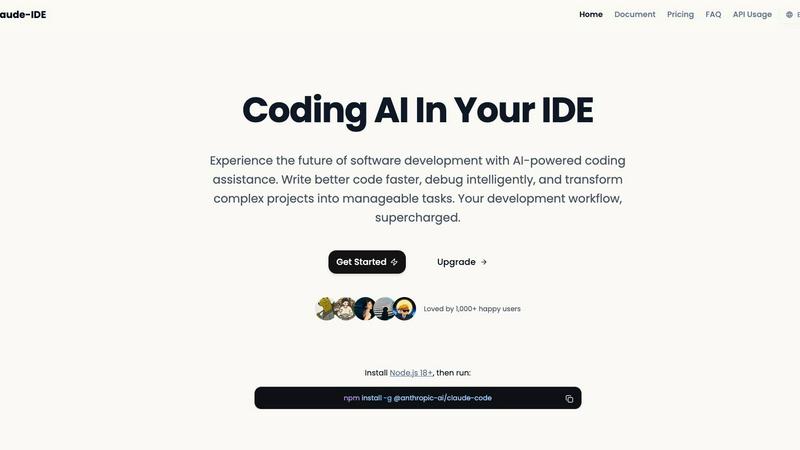
Claude IDE is an advanced integrated development environment that harnesses the power of Anthropic's Claude Sonnet 4.5 model to provide intelligent AI coding assistance directly within your existing development workflow. Unlike standalone applications, Claude IDE integrates seamlessly into your terminal and popular IDEs such as Visual Studio Code and JetBrains. It is designed for developers across all skill levels, including professionals, students, and hobbyists, who seek to increase productivity and simplify their coding processes. The main value proposition of Claude IDE lies in its ability to deliver context-aware AI capabilities that enable users to understand complex codebases rapidly and implement sophisticated modifications without the need to switch between multiple tools. By operating within the developer's environment, Claude IDE offers intelligent suggestions, debugging assistance, and project-wide comprehension, revolutionizing the coding experience and streamlining software development.
Features
Intelligent Code Understanding
Claude IDE's intelligent code understanding capability allows it to analyze your entire codebase rather than just isolated snippets. This feature enables the assistant to make coordinated changes across multiple files and provide suggestions that are highly relevant and tailored to the specific context of your project.
Seamless Integration
Designed to reside within your terminal and IDE, Claude IDE ensures that developers do not experience context switching. Its seamless integration with popular tools like Visual Studio Code and JetBrains means that the coding experience remains uninterrupted, allowing developers to focus on writing code efficiently.
Quick Code Familiarization
With its ability to analyze and explain entire codebases in seconds, Claude IDE simplifies the onboarding process for new developers or those unfamiliar with a given project. It quickly grasps the architecture and dependencies of a project, allowing users to become productive without extensive manual exploration.
From Issues to Pull Requests
Claude IDE manages the entire development workflow by integrating deeply with platforms like GitHub and GitLab. Developers can read issues, write code, execute tests, and submit pull requests directly within the terminal, eliminating the need to switch between different applications and improving overall efficiency.
Use Cases
Rapid Onboarding for New Developers
When onboarding new developers to a project, Claude IDE can provide comprehensive overviews of codebases, enabling them to understand project structures and components quickly. This feature significantly reduces the learning curve associated with new codebases.
Efficient Code Debugging
For developers facing bugs or issues within their code, Claude IDE offers intelligent debugging assistance that helps identify and resolve problems quickly. By understanding the context of the code, it can suggest fixes and optimizations, enhancing overall code quality.
Collaborative Development
In team environments, Claude IDE streamlines collaboration by integrating with version control systems. Developers can effectively manage tasks such as issue tracking, code reviews, and pull requests without leaving their development environment, thus promoting a more cohesive workflow.
Simplifying Complex Code Modifications
When a project requires significant changes across multiple files, Claude IDE's capability to perform powerful multi-file edits ensures that all modifications are accurate and functional. This feature reduces the risk of errors that can occur when managing changes manually.
Frequently Asked Questions
What platforms does claude-ide support?
Claude IDE supports integration with popular development environments, specifically Visual Studio Code and JetBrains IDEs. It operates seamlessly within your terminal for an uninterrupted coding experience.
How does claude-ide enhance developer productivity?
By providing context-aware AI suggestions and tools directly within the developer's workflow, Claude IDE minimizes context switching and allows developers to focus more on coding, thus enhancing overall productivity.
Is claude-ide suitable for beginners?
Yes, Claude IDE is designed for developers of all levels, including beginners. Its intelligent code understanding and quick code familiarization features make it an excellent tool for those learning to code or working on unfamiliar projects.
Can claude-ide integrate with version control systems?
Claude IDE integrates deeply with version control platforms like GitHub and GitLab, enabling developers to manage their entire workflow—from reading issues to submitting pull requests—directly within their development environment.
Similar to claude-ide

Speechyou
AI transcription for voice notes, meetings, and audio files in 1,700 languages, with AI summaries and subtitle export and unlimited chat ai usage.

ProspectHalo
AI sales agent that finds qualified leads, runs outreach, follows up automatically, creates content, and helps book more meetings.

benchmark.directory
An independent directory of 145 AI tools across 20 categories. Every listing was paid for, set up and used on real work. No sponsored placements, ever

Tools Network
saasgrow.ai lists SaaS growth tools that founders actually use. Listing is free, screened on submission, and goes live the moment you verify our badge


Built2WinWeb AI SEO
Custom PHP websites, AI Indexing Pack ($599 one‑time), and WebAgentScan SaaS ($9/mo). MCP, A2A, llms.txt, full ownership.

saasgrow.ai
saasgrow.ai is a curated directory of SaaS growth tools where every listing is screened before it goes live and placement can't be bought.