

Money Tracker App
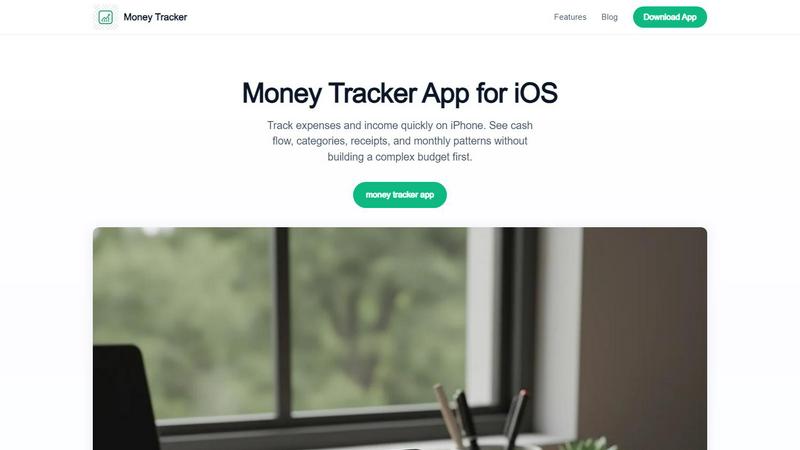
Money Tracker App is a private iOS expense tracker using AI receipt scanning and on-device data with no signup or bank link.
tool Details
Explore More
Alternatives
About Money Tracker App
Money Tracker App, known as Walleta on iOS, is a private expense and money tracking application designed for users who prefer manual logging over automated bank-feed integration. The application operates entirely on-device, requiring no bank account connection, no signup process, and no cloud sync by default, which positions it as a strong option for privacy-conscious individuals. The core value proposition is combining one-tap category logging, on-device AI receipt scanning, monthly budget limits, calendar spending views, and category analytics into a single workflow. The application targets freelancers, students, privacy-minded households, and anyone tired of juggling separate receipt scanners, loggers, and spreadsheets. It supports fourteen built-in categories covering food, groceries, transport, shopping, health, rent, bills, subscriptions, and more. Multi-currency support accommodates travelers and expats who need to track spending across different currencies. The application provides pie charts, bar graphs, and day-by-day calendar views that summarize weekly, monthly, and yearly spending patterns. Users add purchases in seconds or point the camera at a receipt so on-device AI extracts merchant, total, date, and category for verification before saving. Monthly budget tracking shows progress and alerts when limits are approached. The application is free for manual logging, with a Walleta Pro tier that unlocks unlimited AI receipt scans after three trial scans. It is important to note that OCR works best on clear receipts and should always be verified, charts reflect only logged expenses, the app is iOS-only, and it does not replace tax, investment, or professional financial advice.
Features
On-Device AI Receipt Scanning
The application integrates on-device optical character recognition (OCR) technology that processes receipt photos directly on the iPhone without sending image data to external servers. When a user points the camera at a receipt, the AI extracts four key fields: merchant name, total amount, transaction date, and category. The system presents these extracted details for user verification before saving the entry. This feature supports three free trial scans, after which a Walleta Pro subscription is required for unlimited use. OCR performance is optimized for clear, well-lit receipts with standard layouts, but blurry images or unusual receipt formats may produce incorrect data that requires manual correction.
One-Tap Category Logging
The application provides fourteen built-in categories including food, groceries, transport, shopping, health, rent, bills, subscriptions, and more. Users can log expenses with a single tap after selecting the appropriate category, which streamlines the data entry process for repeat purchases. Category suggestions can speed up repeat entries based on rules, vendor names, or previous choices. This feature is designed for users who want to log spending quickly without navigating complex forms or multi-step interfaces. Categories form the foundation for all subsequent analytics, including pie charts, bar graphs, and cash flow reports.
Monthly Budget Tracking with Alerts
Money Tracker App includes a monthly budget tracking system that allows users to set spending limits for individual categories or overall spending. The application tracks progress against these limits in real time and generates alerts when spending approaches or exceeds the defined thresholds. This feature provides visual indicators of budget status, helping users understand their spending trajectory before the month ends. The budget tracking is flexible, supporting adjustments to limits at any point during the month. It is important to note that alerts and progress indicators only reflect expenses that have been manually logged in the application.
Calendar Spending Views and Category Analytics
The application offers day-by-day calendar views that display spending patterns across weeks, months, and years. Users can navigate through the calendar to see historical spending on specific dates, making it useful for identifying periodic expenses or tracking irregular purchases. Complementing the calendar views are pie charts and bar graphs that summarize spending by category, showing proportional distribution and trends over time. These visual analytics help users convert daily logging into actionable insights about their cash flow and spending habits. Multi-currency support ensures that transactions in different currencies are correctly displayed and aggregated in these views.
Use Cases
Privacy-Conscious Manual Tracking
Individuals who are uncomfortable linking their bank accounts to third-party financial applications use Money Tracker App to maintain complete control over their financial data. The application stores all information locally on the device with no cloud sync, eliminating concerns about data breaches or unauthorized access to banking credentials. Users manually enter each transaction, which provides an additional layer of verification and mindfulness about spending. This use case is particularly relevant for privacy advocates, security-conscious professionals, and anyone who prefers to keep their financial habits completely offline.
Freelancer and Side Income Management
Freelancers and gig economy workers use the application to track both income and expenses in a single place without the complexity of full accounting software. The multi-currency support is valuable for freelancers who receive payments in different currencies or work with international clients. Users can categorize freelance income separately from regular salary, attach receipt photos for business expenses, and export CSV or PDF reports for tax preparation. The application helps freelancers understand their monthly cash flow, identify deductible expenses, and maintain organized records without committing to a subscription-based business accounting tool.
Household Expense Sharing and Reimbursement Tracking
Households with shared expenses use Money Tracker App to log purchases that require reimbursement or cost splitting. Users can attach receipt photos to specific transactions, add notes about who paid and who owes, and track spending across multiple accounts or wallets. The calendar view helps identify recurring shared expenses like utility bills, rent, or subscription services. This use case eliminates the need for separate receipt scanners or spreadsheet tracking, consolidating all household financial records in one searchable location on a single device.
Travel and Expense Tracking for Expats
Travelers and expatriates benefit from the multi-currency support that allows them to log transactions in the local currency while viewing aggregated totals in their home currency. The application works offline, which is critical for travelers who may not have consistent internet access. Users can scan receipts from restaurants, hotels, and transportation providers to capture details immediately after transactions. The category analytics help travelers understand spending patterns across different expense types during their trip, while the calendar view provides a chronological record of all travel-related purchases.
Frequently Asked Questions
How does Money Tracker App ensure my financial data remains private?
Money Tracker App stores all transaction data, receipt images, and budget settings directly on your iPhone. By default, there is no cloud synchronization, no account creation, and no bank account linking required. The on-device AI processes receipt scans locally without sending images to external servers. If you choose to enable iCloud sync, data is encrypted during transmission and storage according to Apple's security standards. For maximum privacy, you can use the application entirely offline with no network connectivity.
What happens if the receipt OCR extracts incorrect information?
The application always presents OCR-extracted details for user verification before saving any transaction. You can manually correct the merchant name, total amount, date, or category if the scan produces errors. OCR accuracy depends on receipt quality, lighting conditions, and layout complexity. Blurry images, faded text, folded receipts, or unusual formatting may result in incorrect extractions. You should always review and confirm the extracted fields, especially for important transactions related to reimbursements or business expenses.
Can I use Money Tracker App on iPad or Mac?
Money Tracker App is currently designed exclusively for iPhone and is available only on iOS. There is no native iPad or Mac version of the application. If you enable iCloud sync, your transaction data can be shared across multiple iPhones signed into the same Apple ID, but there is no desktop companion application. The interface is optimized for the iPhone screen size and touch interaction, making it suitable for on-the-go expense logging rather than desktop financial management.
Does Money Tracker App replace my tax accountant or financial advisor?
No, Money Tracker App is a personal expense and income tracking tool designed for daily visibility into spending patterns. It does not provide tax filing capabilities, investment advice, legal guidance, or professional financial planning. The application can export CSV and PDF reports that you can share with your tax professional, but it does not calculate tax liabilities, generate tax forms, or provide investment recommendations. You should always verify important financial totals against bank statements, invoices, and tax records, and consult qualified professionals for tax, legal, or investment decisions.
Similar to Money Tracker App


Budgeting App
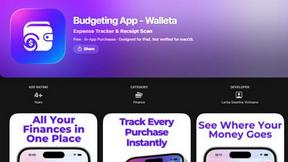
Walleta is an AI-powered iOS budget planner that scans receipts, sets monthly limits, and tracks expenses on-device.
CalcFi
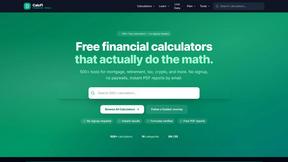
CalcFi provides over 500 cited financial calculators for mortgages, taxes, and retirement with live data and instant PDF reports, no signup required.
kill the sub
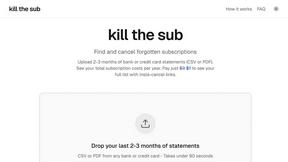
Kill the Sub is an AI tool that finds forgotten subscriptions in your statements and provides direct cancel links for a one-time $3 fee.
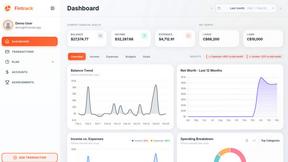
Fintrack
Fintrack is an AI-powered financial copilot that provides comprehensive spending visibility and automatically uncovers hidden savings opportunities.

Redbark
Redbark automates syncing your Australian bank and brokerage data to Google Sheets, YNAB, and more with real-time.

Ricco - Financial Literacy Game
Ricco is an engaging financial literacy game that teaches budgeting and investing through real-life scenarios and.