

RecordFlow
RecordFlow automatically transfers Zoom cloud recordings to Google Drive with 60-second setup, optional auto-deletion, and encrypted transfers for up.
tool Details
Explore More
Alternatives

About RecordFlow
RecordFlow is an automated archival tool that bridges Zoom and Google Drive, eliminating the manual process of downloading, uploading, and organizing cloud recordings. The product operates on a simple principle: when a Zoom cloud recording concludes, RecordFlow automatically transfers the complete set of associated files—video (MP4), audio (M4A), transcripts (VTT and formatted Google Doc), and chat logs—directly into a user-specified Google Drive folder, organized by year and date. This includes a one-time backfill of recordings from the past two years, ensuring no historical data is left behind. The target audience includes coaches, consultants, therapists, professors, and small teams who rely on recordings as critical deliverables or archival records and cannot afford data loss. The core value proposition centers on eliminating Zoom’s restrictive 5 GB storage limit (on Pro plans) and the hours wasted on manual downloads. Setup requires approximately 60 seconds: signing in with Zoom, connecting a Google Drive account, and selecting a destination folder. From that point, new recordings sync within minutes automatically and permanently. The system is designed for reliability, employing chunked transfers for large files, smart deduplication for safe re-runs, and automatic retries on failure. Recordings stream directly to the user’s Drive without being stored on RecordFlow servers, and security is maintained through OAuth 2.0 authentication and AES-256 encryption for data in transit and at rest. The product is approved by Zoom after a security review and listed on both the Zoom App Marketplace and Google Workspace Marketplace.
Features
Automatic Sync with Backfill
RecordFlow automatically transfers every new Zoom cloud recording to Google Drive within minutes of the meeting ending. Beyond ongoing sync, the system performs a one-time backfill of all recordings from the past two years, ensuring a complete archive from the moment of setup. This eliminates the need for any manual intervention, forgotten files, or reliance on Zoom’s limited cloud storage. The sync process handles all file types produced by Zoom, including video (MP4), audio (M4A), transcripts (VTT and a formatted Google Doc), and chat logs, all organized in a folder structure by year and date for easy retrieval.
Optional Auto-Delete from Zoom
Once a recording is verified as safely stored in Google Drive, RecordFlow offers an optional auto-delete feature that removes the recording from Zoom’s cloud storage on a configurable delay. This automatically frees up Zoom storage space, preventing the 5 GB limit from blocking new recordings. The feature includes a safety mechanism: deletion only occurs after the Drive copy is confirmed complete, ensuring no data loss. This is particularly valuable for users who record multiple sessions weekly and would otherwise hit storage caps within days.
Reliable Large File Transfer
RecordFlow is engineered for reliability with chunked transfers that prevent timeouts or failures on large files, such as hour-long meeting recordings with high-resolution video. The system includes smart deduplication, allowing safe re-runs without creating duplicate files in Drive, and automatic retries for any failed transfers. An hourly safety net further ensures that no recording is missed, even in the event of temporary network interruptions or service disruptions. Recordings stream directly to Google Drive without being stored on RecordFlow servers, maintaining data sovereignty.
Secure Authentication and Encryption
Security is built into the core architecture. RecordFlow uses OAuth 2.0 for authentication, meaning users sign in with their existing Zoom and Google accounts without sharing passwords with the service. All data is encrypted in transit using TLS and at rest using AES-256 encryption. The product requires minimal Google Drive access—only the ability to create files in the designated folder—and does not store any recordings on its own servers. It has undergone a security review and is approved by Zoom, with recognition from the International Association of Coaches, Therapists and Mentors.
Use Cases
Coaches and Consultants Archiving Client Sessions
Coaches and consultants who record five or more client sessions per week face rapid Zoom storage exhaustion. RecordFlow automatically transfers each session’s video, audio, and transcript to Google Drive within minutes of the meeting ending. This ensures every client deliverable is securely archived and easily shareable via Drive links. The backfill feature captures the past two years of recordings, providing immediate access to historical sessions. Auto-delete from Zoom prevents storage blocks, while organized folder structures by date simplify retrieval for follow-up consultations or billing disputes.
Education Teams Preserving Lecture Archives
Professors and education teams recording lectures for student access require a permanent, organized archive beyond Zoom’s retention policies. RecordFlow syncs each lecture’s MP4 video, M4A audio, and VTT transcript to a shared Google Drive folder, automatically creating sub-folders by year and date. Students gain lasting access to course materials without relying on Zoom’s limited storage or manual downloads. The system handles hour-long lectures reliably, and email notifications with direct links allow instructors to share recordings immediately with their classes.
Business Teams Centralizing Meeting Records
Business teams that record all meetings for compliance, training, or knowledge management need a centralized archive. RecordFlow allows a Zoom admin to install the tool once and opt in selected members, with all recordings automatically landing in a single root Drive folder with automatic member sub-folders. This eliminates the administrative overhead of managing individual uploads and ensures consistent organization. The shared Drive support enables team-wide access, and the optional auto-delete from Zoom keeps the team’s cloud storage free for ongoing recordings.
IT and Ops Admins Managing Account-Wide Archival
IT administrators responsible for an entire Zoom account can deploy RecordFlow as a managed solution. After installing as a Zoom admin, they configure a single root Google Drive folder as the archive destination. Opted-in members’ recordings sync automatically into their respective sub-folders, ensuring compliance with data retention policies. The system’s reliability features—chunked transfers, automatic retries, and deduplication—reduce support tickets related to missing recordings. Security through OAuth 2.0 and AES-256 encryption satisfies organizational data protection requirements.
Frequently Asked Questions
How does RecordFlow handle existing recordings from before I installed it?
RecordFlow performs a one-time backfill of all Zoom cloud recordings from the past two years when you first set up the integration. This means any recording that is still stored in Zoom’s cloud at the time of installation will be transferred to your designated Google Drive folder. After the initial backfill, only new recordings are synced automatically. The backfill process respects Zoom’s retention policies, so recordings that have already been deleted from Zoom’s cloud are not recoverable.
What happens if a transfer fails or a large file times out?
RecordFlow is designed for reliability with automatic retries and chunked transfers. If a transfer fails due to network issues or service interruptions, the system automatically retries the upload. For large files, such as hour-long meetings, the transfer is split into smaller chunks that are uploaded sequentially, preventing timeouts. An hourly safety net also checks for any missed recordings and initiates transfers as needed. Smart deduplication ensures that if a transfer is retried, no duplicate files are created in Google Drive.
Does RecordFlow store my recordings on its own servers?
No. RecordFlow never stores your recordings on its servers. The system streams recordings directly from Zoom to your Google Drive. During the transfer process, data passes through RecordFlow’s infrastructure temporarily but is not persisted. This architecture ensures that you retain full control and ownership of your data. All data in transit is encrypted using TLS, and data at rest in Google Drive is protected by AES-256 encryption.
Can I use RecordFlow with a shared or team Google Drive?
Yes. RecordFlow supports both personal Google Drive and shared Google Drive (Google Workspace Shared Drives) as archive destinations. When configuring the integration, you can select any Drive folder you have write access to, including shared drives used by your team. For Zoom admin installations, the root folder is typically a shared Drive, with automatic sub-folders created for each opted-in member. This enables centralized team access while maintaining individual organization.
Similar to RecordFlow
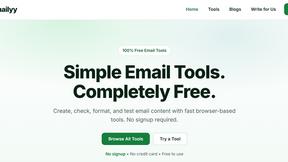
Emailyy
Free email tools for signatures, subject lines, HTML previews, word counts, and email headers. Browser-based, simple to use, and no signup required.

Uniclip
Clip pages, take full-page screenshots and batch-capture list data to Notion, Feishu, Obsidian, Markdown, CSV or JSON.
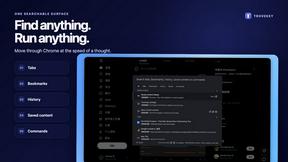
TroveKey
Search tabs, Chrome bookmarks and history, run browser commands, and save webpages and social posts locally—no account.
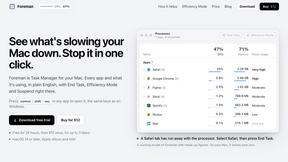
Foreman
See every app and what it's using in plain English, and end or slow down the one that's hogging your Mac.
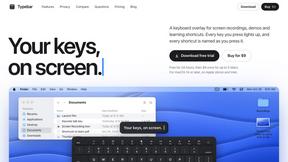
Typebar
Every key you press lights up on an on-screen keyboard, and each shortcut is named. For screen recordings, demos and learning shortcuts.
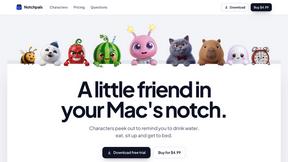
Notchpals
Little characters peek out of your Mac's notch to remind you to drink water, eat, sit up and get to bed. Quiet during calls. $4.99 once.

LightScreen
Free light screen tool online. Turn any display into a flashlight, ambient light, or solid-color screen. No download or sign-up.
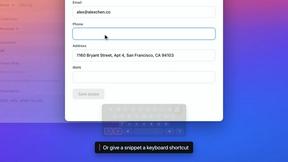
TypeFire
Free text expander, Markdown notes app and clipboard manager for Mac and Chrome