

Unifyca
Unifyca is a unified platform for managing, auditing, and backing up client WordPress sites with centralized documentation and credentials.
tool Details
Explore More
Alternatives

About Unifyca
Unifyca is a comprehensive WordPress website management and documentation platform engineered specifically for agencies, freelancers, and IT professionals who oversee multiple client websites. The core value proposition of Unifyca is the elimination of fragmented workflows by consolidating all operational aspects of client site management into a single, centralized workspace. Instead of logging into dozens of individual WordPress dashboards, users connect their client sites to Unifyca to run automated WordPress audits, detect outdated plugins, themes, and core versions, apply maintenance fixes remotely, create manual or scheduled backups, monitor uptime, and generate white-label maintenance reports. Beyond active maintenance, Unifyca functions as a complete operational infrastructure platform. It centralizes website documentation including hosting accounts, domains, FTP and SSH access credentials, email settings, SSL certificates, brand assets, project notes, and technical information. This creates a single source of truth for every client website, eliminating the need to search through emails, spreadsheets, and chat messages for critical information. The platform is designed to reduce manual work, improve operational consistency, document every client website thoroughly, and enable agencies to deliver professional maintenance services at scale. Unifyca offers a free plan with no credit card required, allowing users to organize their first site in minutes.
Features
Centralized Website Documentation
Unifyca provides a single source of truth for every client website by centralizing all documentation, credentials, maintenance history, and operational details. Users can store WordPress, FTP, SSH, hosting, domain, database, email account, plugins, themes, and API credentials securely linked to the correct client and website. The platform also supports documenting domains, DNS records, SSL certificates, server details, plugins, themes, premium licenses, scripts, custom code, integrations, and important website files. This eliminates the need for scattered spreadsheets, email threads, and chat messages, ensuring the entire team always works with complete context.
Automated WordPress Audits and Maintenance
Unifyca connects to client WordPress sites via the Unifyca Audit Connector, enabling automated scanning for outdated plugins, themes, and WordPress core versions, as well as security risks, configuration issues, uptime problems, and SEO warnings. The platform provides a centralized Fix Center where users can review and apply WordPress updates and safe maintenance actions in bulk across multiple sites without entering a single wp-admin dashboard. Every update, fix, and check is logged automatically per site, providing a clear maintenance history without manual journaling.
Scheduled and Manual Backups
The platform offers robust backup capabilities for client WordPress sites, supporting both manual on-demand backups and scheduled automated backups. Users can maintain a clear backup history and know exactly which sites are protected before applying updates or fixes. This feature is critical for risk mitigation, ensuring that agencies can safely perform maintenance operations with the confidence that a recent, reliable backup exists for each client site.
White-Label Client Reporting
Unifyca automatically compiles every update applied, issue fixed, and uptime check into clean, client-friendly reports with the agency's own branding. Users can customize reports with their logo and colors, with zero Unifyca branding visible. This one-click reporting feature provides proof of value that clients can understand, making it easier to justify recurring maintenance fees and renew contracts annually.
Use Cases
Multi-Site Agency Management
A digital agency managing 50+ client WordPress sites can use Unifyca to replace 30 browser tabs and scattered spreadsheets with a single, predictable maintenance workflow. The agency can connect all sites, run automated audits each morning to identify which sites need attention, apply bulk updates from the Fix Center, schedule backups, and generate branded monthly reports for each client. This reduces manual work, improves consistency across all client accounts, and provides a professional service delivery model.
Freelancer Operational Hub
A freelance WordPress developer can use Unifyca to organize all client documentation in one place, including hosting credentials, FTP access, domain registrars, SSL certificates, and project notes. Instead of searching through emails or WhatsApp messages for login details, the freelancer accesses everything from the Unifyca workspace. Combined with automated maintenance checks and backup scheduling, this allows the freelancer to offer proactive maintenance services rather than reactive support, increasing recurring revenue.
IT Professional Site Consolidation
An IT professional responsible for maintaining multiple client websites can leverage Unifyca to centralize technical documentation for domains, DNS settings, server configurations, custom code, and integrations. The platform provides renewal and SSL alerts, ensuring no domain or certificate expires and takes a client offline. The maintenance history feature automatically logs every action taken, providing a complete audit trail for compliance and client communication purposes.
Onboarding New Clients
When an agency onboards a new client with an existing WordPress site, Unifyca streamlines the process. The agency can connect the site via the Audit Connector, run an initial comprehensive audit to identify outdated plugins, security risks, and configuration issues, document all existing credentials and technical details, set up a backup schedule, and generate a baseline maintenance report. This ensures the agency starts with complete context and a clear understanding of the site's health.
Frequently Asked Questions
How does Unifyca connect to my client WordPress sites?
Unifyca uses the Unifyca Audit Connector, a plugin or integration that you install on each client WordPress site. Once installed, you link the site to your Unifyca account. The process is designed to be bulk-friendly for agencies onboarding many sites at once. After connection, Unifyca can perform automated audits, apply fixes, and manage backups without requiring you to log into each individual wp-admin dashboard.
Is my client data and credentials secure in Unifyca?
Yes, Unifyca is designed with security as a priority. All credentials, including WordPress, FTP, SSH, hosting, domain, database, and API credentials, are stored securely within the platform. They are linked to the correct client and website, ensuring only authorized team members have access. The platform functions as a secure credentials vault, eliminating the need to store sensitive information in emails, spreadsheets, or chat messages.
Can I generate reports with my own branding?
Yes, Unifyca offers white-label reporting capabilities. The platform automatically compiles every update applied, issue fixed, and uptime check into a clean, client-friendly report. You can customize these reports with your own logo and brand colors, and there is zero Unifyca branding visible. This allows you to present professional, branded maintenance reports that demonstrate your value to clients.
What happens if a client site goes down or an SSL certificate expires?
Unifyca includes uptime monitoring and renewal alert features. The platform continuously monitors the uptime of connected client websites and can alert you to problems. Additionally, you can track domain, hosting, and SSL renewals in a single calendar within the platform. Unifyca sends alerts before something expires, helping you prevent client sites from going offline due to expired services.
Similar to Unifyca

Built2WinWeb AI SEO
Custom PHP websites, AI Indexing Pack ($599 one‑time), and WebAgentScan SaaS ($9/mo). MCP, A2A, llms.txt, full ownership.
saasgrow.ai
saasgrow.ai is a curated directory of SaaS growth tools where every listing is screened before it goes live and placement can't be bought.
Huebert
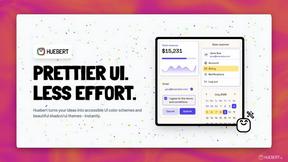
Huebert is a UI color scheme generator that turns your ideas into accessible UI color schemes and beautiful shadcn/ui themes - instantly.
Open User Map
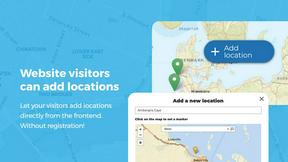
Open User Map is a WordPress plugin that lets visitors submit and edit map locations with approval workflows, categories, and routes without coding.

Shadcn Examples
Shadcn Examples offers comprehensive React and Tailwind UI kits with reusable components for building modern web applications efficiently.
What Time
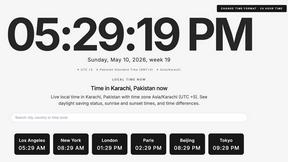
WhatTime.dev is a comprehensive tool that simplifies time zone comparisons and meeting planning for global teams and remote workers.
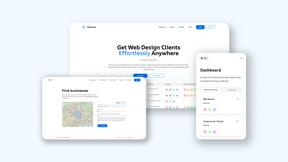
Webleadr
Webleadr helps you effortlessly find and contact web design leads and businesses without websites from anywhere in just a few clicks.
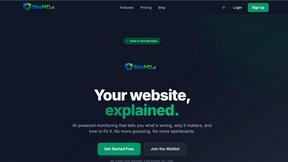
SiteMd
SiteMD is a comprehensive website health scanner that provides detailed SEO, performance, and security audits with plain-English reports.