

What Time
WhatTime.dev is a comprehensive tool that simplifies time zone comparisons and meeting planning for global teams and remote workers.
tool Details
Explore More
Alternatives
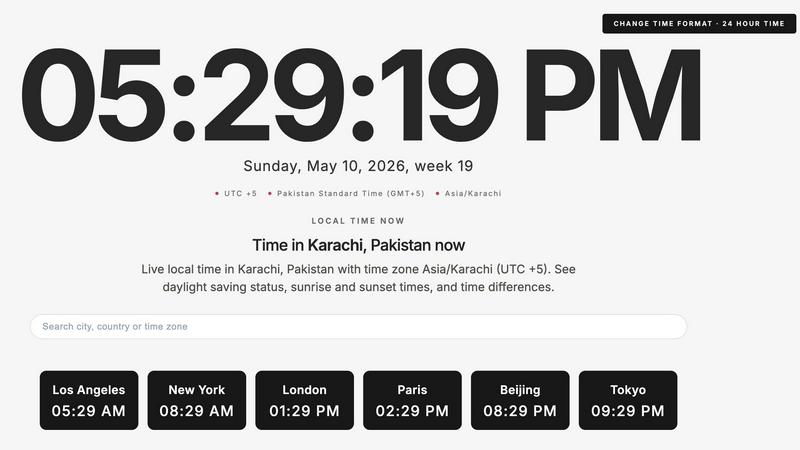
About What Time
WhatTime.dev is a modern and efficient platform designed to simplify the complexities of global time zone management. It caters to a wide range of users, including remote teams, freelancers, developers, and businesses operating across different countries and regions. The platform's primary value proposition lies in its ability to eliminate the confusion associated with time zone differences, daylight saving changes, and manual calculations. With WhatTime.dev, users can easily compare time zones, check UTC and GMT offsets, and view local times around the globe. The powerful meeting planner feature enables users to find overlapping working hours quickly, facilitating international calls and remote collaborations. Its clean, distraction-free interface is optimized for speed and usability, ensuring a seamless experience whether you are scheduling meetings, managing distributed teams, or simply checking the time in various locations.
Features
Time Zone Comparison
WhatTime.dev allows users to compare time zones between different cities and countries effortlessly. This feature is crucial for individuals and teams who operate across multiple regions, providing quick insights into time differences and helping to avoid scheduling conflicts.
UTC and GMT Offset Lookup
Users can easily access and verify UTC and GMT offsets for any location worldwide. This feature is essential for understanding how local times shift in relation to Coordinated Universal Time (UTC) and Greenwich Mean Time (GMT), especially when planning meetings or deadlines.
Meeting Planner for Remote Teams
The platform includes a robust meeting planner that helps users identify overlapping working hours among various cities and countries. This feature streamlines the process of scheduling international calls, making it easier for teams to collaborate across different time zones without confusion.
Clean and Fast Interface
WhatTime.dev boasts a fast, mobile-friendly interface designed for quick access to essential information. The clean UI enhances readability, allowing users to find the information they need without unnecessary clutter or complicated setups.
Use Cases
Coordinating with International Clients
Freelancers and businesses can utilize WhatTime.dev to coordinate with clients across different time zones. By easily comparing local times, users can schedule meetings that are convenient for all parties involved, ensuring effective communication and collaboration.
Managing Distributed Teams
Remote teams can benefit from the meeting planner feature to identify common working hours. This helps in organizing team meetings or collaborative sessions, allowing for smoother interactions and project management across various geographical locations.
Trading in Global Markets
Investors and traders can leverage WhatTime.dev to keep track of market hours in different regions. By understanding the time differences, they can plan their trading strategies effectively, ensuring they are always operating within active market hours.
Planning Personal Events
Individuals planning events with participants from multiple locations can use WhatTime.dev to find suitable times. This feature simplifies the process of scheduling personal gatherings, ensuring that all guests can attend without time-related confusion.
Frequently Asked Questions
How does WhatTime.dev handle daylight saving time?
WhatTime.dev automatically accounts for daylight saving time changes, providing accurate local times and ensuring users are aware of any shifts that may impact scheduling.
Is there a mobile version of WhatTime.dev?
Yes, WhatTime.dev is designed to be mobile-friendly, allowing users to access time zone information and planning tools from their smartphones or tablets for on-the-go convenience.
Can I convert time between different countries?
Absolutely. The platform includes a time zone converter that allows users to convert times between different countries or cities easily, facilitating better planning for international communication.
Is there a limit to how many locations I can compare?
No, WhatTime.dev allows users to compare multiple locations simultaneously, making it an ideal tool for those who need to manage various time zones without restrictions.
Similar to What Time

Built2WinWeb AI SEO
Custom PHP websites, AI Indexing Pack ($599 one‑time), and WebAgentScan SaaS ($9/mo). MCP, A2A, llms.txt, full ownership.

saasgrow.ai
saasgrow.ai is a curated directory of SaaS growth tools where every listing is screened before it goes live and placement can't be bought.

Huebert
Huebert is a UI color scheme generator that turns your ideas into accessible UI color schemes and beautiful shadcn/ui themes - instantly.
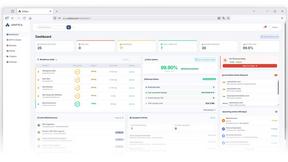
Unifyca
Unifyca is a unified platform for managing, auditing, and backing up client WordPress sites with centralized documentation and credentials.
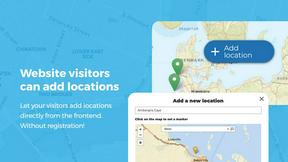
Open User Map
Open User Map is a WordPress plugin that lets visitors submit and edit map locations with approval workflows, categories, and routes without coding.
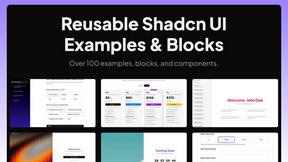
Shadcn Examples
Shadcn Examples offers comprehensive React and Tailwind UI kits with reusable components for building modern web applications efficiently.
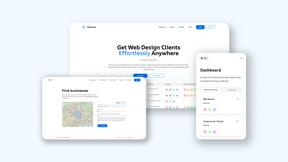
Webleadr
Webleadr helps you effortlessly find and contact web design leads and businesses without websites from anywhere in just a few clicks.
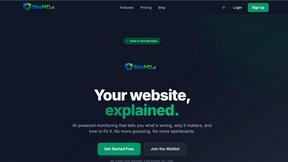
SiteMd
SiteMD is a comprehensive website health scanner that provides detailed SEO, performance, and security audits with plain-English reports.