

Alternatives to Tagada
Tagada parses Gmail emails locally, allowing you to highlight, tag, and categorize key phrases without AI or cloud processing.
Explore 20 alternatives to Tagada. Compare features, pricing, and find the best fit for your needs.

Emailyy
Free email tools for signatures, subject lines, HTML previews, word counts, and email headers. Browser-based, simple to use, and no signup required.

Uniclip
Clip pages, take full-page screenshots and batch-capture list data to Notion, Feishu, Obsidian, Markdown, CSV or JSON.

TroveKey
Search tabs, Chrome bookmarks and history, run browser commands, and save webpages and social posts locally—no account.
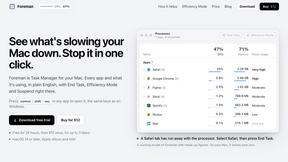
Foreman
See every app and what it's using in plain English, and end or slow down the one that's hogging your Mac.

Typebar
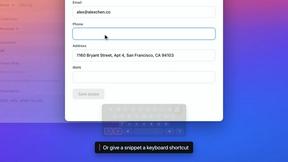
Every key you press lights up on an on-screen keyboard, and each shortcut is named. For screen recordings, demos and learning shortcuts.

Notchpals
Little characters peek out of your Mac's notch to remind you to drink water, eat, sit up and get to bed. Quiet during calls. $4.99 once.

LightScreen
Free light screen tool online. Turn any display into a flashlight, ambient light, or solid-color screen. No download or sign-up.


LevCharity
Fundraising platform for nonprofits combining donations, campaigns, donor CRM, events, communications, and reporting.

Todowing
Chrome extension that shows nested sub-tasks inline in Todoist's Today, Upcoming, Filters and Labels views. Free tier, $19.99 lifetime unlock.

Basalt
Eighteen PDF tools in one native Mac window: merge, split, compress, OCR, Bates numbering, forms, signing and redaction. Offline. $29 once.

Voice Keyboard Pro
Hold a key, say what you mean, let go. Clean, punctuated text lands at the cursor in any app on your Mac or iPhone.

Mainspring
Mainspring turns the settings macOS hides into 90+ one-click, fully reversible power-ups for Finder, Dock, screenshots and more. $29 once.
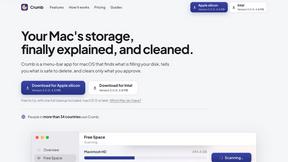
Crumb
A Mac menu bar app for a full disk. See what is using your space, read whether it comes back on its own, and remove only what you tick.

Everywhere
Fast file search for the Mac. Results as you type, files inside Mail and Photos, works with Wi-Fi off. $19 once.

Inkling
Catch a thought without leaving what you are doing. Notes, checklists and a little companion in your Mac's notch. $12 once.

Manatee
A Mac app that opens damaged video, PDFs, archives and documents and writes out everything it can still read. $9 once, no uploads.

Context Board
Context Board brings your numbers, docs, clients, content and day into one workspace that Claude and Codex can read and update.

About Tagada Alternatives
Tagada is a browser extension designed specifically for Gmail that functions as a local email parsing and categorization tool, falling within the Productivity & Management software category. Its core mechanism involves breaking down incoming emails into individual, selectable sentences, allowing users to highlight, tag, and organize critical information by category without ever sending data to external servers. Users commonly seek alternatives due to specific pricing models, a desire for more advanced automation features beyond single-click tagging, compatibility issues with non-Gmail platforms, or the need for team-based collaboration features that Tagada does not currently support. When evaluating alternatives to Tagada, the primary technical specifications to examine include data processing architecture—whether the tool operates locally or via cloud servers—and the granularity of its parsing engine. You should assess if the alternative supports custom category creation, automated rule-based tagging, and template generation that can be exported to other email clients. Additionally, consider the extension's performance impact on browser memory and its integration depth with other productivity suites, such as CRM or project management tools. For professionals handling sensitive data, the privacy guarantee of local-only processing versus server-side analysis is a critical differentiator.
FAQs about Tagada Alternatives
What is Tagada?
Tagada is a browser extension for Gmail that parses incoming emails into selectable sentences, enabling users to highlight, tag, and organize content by category without sending data to the cloud. It operates entirely locally, meaning no AI, third-party servers, or external processing is involved in its parsing or tagging functions. The extension generates clean reply templates based on the user's selections, helping to structure responses and reduce time spent on long email threads.
Who is Tagada for?
Tagada is designed for professionals, support teams, freelancers, and consultants who manage complex or lengthy email threads within Gmail. It is particularly suited for users who require a structured method to extract key points from emails and generate organized replies without learning a new interface. The tool is ideal for anyone prioritizing data privacy, as it processes all information locally within the browser.
Is Tagada free?
Based on the provided product description, there is no explicit mention of Tagada being free or having a paid pricing tier. Users should check the official Tagada listing or website for current pricing details, as the description focuses on features and privacy rather than cost. The tool is distributed as a browser extension, which may have a freemium model or a one-time purchase, but this information is not confirmed in the given content.
What are the main features of Tagada?
Tagada's primary features include instant parsing of emails into clickable and selectable sentences, one-click highlighting and tagging by user-defined categories, and auto-generated reply templates built from the selected points. All processing occurs 100% locally within the browser, ensuring no data is transmitted to cloud servers or third parties. The extension operates directly inside Gmail's interface, requiring no new tools or workflows to learn.