

Tagada
Tagada parses Gmail emails locally, allowing you to highlight, tag, and categorize key phrases without AI or cloud processing.
tool Details
Explore More
Alternatives

About Tagada
Tagada is a specialized browser extension designed to fundamentally alter the workflow of reading and replying to emails within Gmail. Its core function is to parse incoming email bodies into discrete, clickable sentences, enabling users to highlight, tag, and organize these segments by category with a single click. The primary value proposition is the elimination of the common practice of writing replies in colored text within the original message. Instead, Tagada generates a clean, structured reply template built exclusively from the user's selected and tagged points.
The product operates entirely on the user's local device. All processing, including sentence parsing and template generation, occurs within the browser extension without sending any email data to external servers, cloud services, or third-party AI platforms. This architecture ensures complete data privacy and security, as user emails never leave the Gmail interface. Tagada is engineered for professionals, support teams, freelancers, consultants, and anyone who manages long, complex email threads. Its primary benefits include a measurable reduction in response time, a more structured and clear communication style, and absolute data privacy. The extension integrates directly into the existing Gmail web interface, requiring no new tools or workflows to learn.
Features
Instant Email Parsing
Tagada automatically analyzes the body text of an incoming Gmail message upon opening. It breaks down the content into individual, selectable sentences. This parsing is performed locally on the user's device, transforming a monolithic block of text into a structured list of discrete components. This feature enables users to quickly scan and identify key information without manual re-reading, as each sentence becomes an independent, actionable unit.
One-Click Highlighting and Tagging by Category
After parsing, each sentence can be highlighted with a single click. Users can assign a color-coded tag or category to these highlighted sentences, such as "Action Item," "Question," "Important Information," or "Deadline." This tagging system allows for rapid visual organization of complex email content. The categories are user-defined, providing flexibility to match specific workflow needs, and the visual cues persist within the email view for the duration of the session.
Auto-Generated Reply Templates
Once a user has highlighted and tagged the relevant sentences from an email, Tagada automatically generates a clean, structured reply template. This template is built exclusively from the selected points, placing them in a logical order based on their tags. The output is a draft response that directly addresses the key items identified by the user, eliminating the need to manually reference the original email. This feature streamlines the drafting process, ensuring no critical points are missed.
100% Local and Private Processing
A core architectural specification of Tagada is that all data processing occurs entirely within the browser extension on the user's local computer. No email content, parsed sentences, or generated templates are transmitted to any external server, cloud service, or third-party API. There is no reliance on AI models or external processing engines. This design guarantees that sensitive email data remains under the user's control and never leaves the Gmail environment, providing a high level of security and privacy.
Use Cases
Managing Complex Project Updates
Professionals managing long project update threads can use Tagada to parse emails containing multiple status reports, action items, and questions. By highlighting and tagging sentences related to deadlines, blockers, and completed tasks, the user can generate a reply template that directly addresses each relevant point. This eliminates the need to scroll through a lengthy email to construct a response, ensuring that all key updates from stakeholders are acknowledged and addressed efficiently.
Streamlining Customer Support Replies
Support teams handling repetitive or multi-faceted customer inquiries can leverage Tagada to quickly identify the core issues within a support ticket. By parsing the customer's email and tagging sentences that describe the problem, the environment, and steps already taken, the agent can generate a structured reply that addresses each component. This reduces the time spent on each ticket and ensures that responses are comprehensive and directly address the customer's specific concerns.
Organizing Feedback and Requests from Freelancers
Freelancers and consultants who receive detailed briefs, feedback, or revision requests can use Tagada to deconstruct these communications. The extension allows them to parse the email, then highlight and tag sentences representing different types of requests, such as "Design Changes," "Copy Edits," or "Approvals Needed." The auto-generated reply template provides a clear, structured response that confirms understanding of each point, reducing the risk of misinterpretation and missed requirements.
Structuring Email-Based Decision Making
For users involved in decision-making processes via email, Tagada can parse a thread containing multiple opinions, proposals, and counterpoints. By tagging sentences with categories like "Proposal," "Concern," or "Decision," the user can create a reply template that organizes a response around these key elements. This facilitates a more structured and logical reply, ensuring that all points of view are addressed and that the final response is clear and actionable, rather than a disorganized stream of thoughts.
Pricing
Tagada can be used without a paid license. However, you will be limited in terms of functionality. For a better experience, we suggest you purchase a license. Specific pricing tiers and plan details are available on the official Tagada website.
Frequently Asked Questions
Is Tagada free to use?
Tagada is available for use without a paid license. However, the free version includes limitations on functionality. For full access to all features, including unlimited parsing and template generation, a paid license is recommended. Specific functionality limits of the free version are detailed on the product's pricing page.
What data does Tagada collect from my computer?
Tagada collects only essential, non-sensitive data to enhance the user experience. This includes your first name, email address, and language preference. The extension does not collect, log, or transmit any content from your emails, including the text of messages, your replies, or any tags or highlights you create. All email data remains local on your device.
Does Tagada send my emails to its servers for processing?
No. A fundamental design principle of Tagada is that your emails are never sent to any external servers. All processing, including sentence parsing, highlighting, and template generation, is performed locally within the browser extension on your computer. Your data remains private and under your control at all times.
What should I do if Tagada causes an email to appear broken or disorganized?
Some emails may have a specific or unusual structure that the Tagada extension cannot parse correctly. If an email appears corrupted or disorganized, the recommended solution is to disable the extension for that specific email or session, reply to the email normally, and then re-enable the extension. This is a known limitation for emails with non-standard formatting.
Similar to Tagada
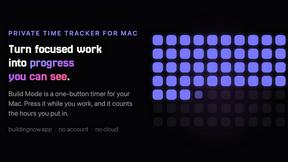
Build Mode for Mac
Build Mode is a Mac app that turns focused sessions into visible progress, so you can see the work adding up before the results arrive.
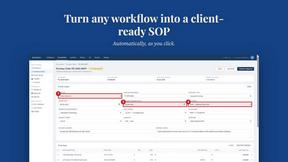
MySOP.guru
Capture any workflow in your browser and export a branded, step-by-step SOP with screenshots. €5 per document, no subscription.

PerPageFax
PerPageFax lets you send a fax online from any browser for a flat $0.50 per page — no account, no subscription, no fax machine.

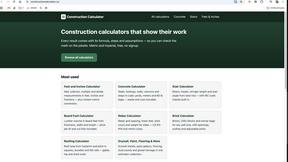
Construction Calculator
Free construction calculators with transparent formulas, steps, assumptions, and metric or imperial units.


Glanced
Follow news, blogs, newsletters, and podcasts in a free RSS reader, with AI summaries, top stories, full-text search, saved searches, and a catalog.
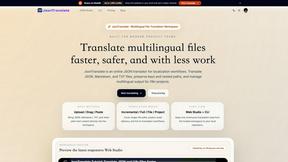
JsonTranslate
Translate JSON, Markdown, and TXT files while preserving keys, paths, and project structure.