

BudgetSheet
BudgetSheet seamlessly imports live bank transactions into Google Sheets, automating your financial tracking.
tool Details
Explore More
Alternatives

About BudgetSheet
BudgetSheet is an innovative tool designed to seamlessly integrate live bank transactions into Google Sheets, providing users with a streamlined way to manage their finances. By eliminating the hassle of manual exports or copying and pasting data from CSV files, BudgetSheet enables users to effortlessly import their financial transaction data directly into their personalized spreadsheets. This solution is ideal for individuals, families, and small business owners who seek to gain a comprehensive overview of their financial health while maintaining full control over their budget. With support for over 10,000 financial institutions, including checking accounts, savings accounts, credit cards, investment accounts, and loans, BudgetSheet is a versatile tool that empowers users to track their expenses and create custom budgets tailored to their unique needs. The use of Plaid for secure connections to financial institutions ensures that users can trust the integrity and safety of their data while enjoying the convenience of automation.
Features
Live Bank Transactions
BudgetSheet allows users to import live bank transactions directly into their Google Sheets. This feature eliminates the need for manual data entry and ensures that users always have the most up-to-date information at their fingertips, enabling accurate budgeting and expense tracking.
Wide Financial Institution Support
With the capability to connect to over 10,000 financial institutions, BudgetSheet offers extensive compatibility for various account types, including checking, savings, credit cards, and loans. Users can easily link their accounts to access all their financial data in one place.
Secure Data Handling
Utilizing Plaid for secure bank connections, BudgetSheet prioritizes user safety by not storing sensitive bank login information. It only retains a read-only access token, ensuring that users' data is protected while still allowing for easy retrieval of transactions.
Custom Automation Capabilities
BudgetSheet empowers users to automate their financial tracking processes. With features like Autofetch, users can schedule nightly updates for their bank transactions, allowing for a hands-off approach to budgeting that saves time and enhances efficiency.
Use Cases
Personal Finance Management
Individuals can use BudgetSheet to manage their personal finances more effectively. By importing their bank transactions into Google Sheets, they can create tailored budgets, track spending patterns, and analyze their financial habits over time.
Family Budgeting
Families can leverage BudgetSheet to collaboratively manage household expenses and savings goals. By consolidating all financial data into one accessible Google Sheet, family members can easily discuss and adjust their budget based on real-time information.
Small Business Expense Tracking
Small business owners can utilize BudgetSheet to keep track of business-related expenses. By importing transactions directly into spreadsheets, they can categorize expenses, prepare for tax season, and gain insights into their business's financial performance.
Financial Planning and Forecasting
BudgetSheet enables users to perform detailed financial planning and forecasting. By having historical transaction data at their disposal, users can analyze trends, set financial goals, and make informed decisions about future investments or savings.
Pricing
Try BudgetSheet for free for 15 days. NO credit card required. No strings attached. After the 15-day free trial, BudgetSheet starts at $59 per year. If you want to upgrade to a paid plan of BudgetSheet, you can upgrade from the BudgetSheet Addon menu. All prices are in USD.
Frequently Asked Questions
How secure is my financial data with BudgetSheet?
BudgetSheet uses Plaid to securely connect to your bank accounts, ensuring that your login information is never stored. Only a read-only access token is retained, which is encrypted for safety.
Can I try BudgetSheet before purchasing?
Yes, BudgetSheet offers a 15-day free trial with no credit card required. This allows users to explore all features and functionalities before committing to a paid plan.
How do I link my bank accounts to BudgetSheet?
Linking your bank accounts is simple. After enabling the BudgetSheet Addon in Google Sheets, navigate to the Extensions menu, select BudgetSheet, and then choose "Link New Account" to begin the process.
What happens to my data after I stop using BudgetSheet?
If you decide to discontinue using BudgetSheet, all your data remains in your Google Sheets, as no transaction data is stored in BudgetSheet's database. Your spreadsheet continues to be the source of truth for your financial information.
Similar to BudgetSheet


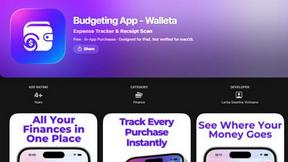
Budgeting App
Walleta is an AI-powered iOS budget planner that scans receipts, sets monthly limits, and tracks expenses on-device.
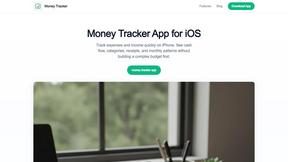
Money Tracker App
Money Tracker App is a private iOS expense tracker using AI receipt scanning and on-device data with no signup or bank link.
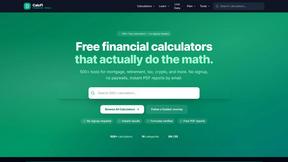
CalcFi
CalcFi provides over 500 cited financial calculators for mortgages, taxes, and retirement with live data and instant PDF reports, no signup required.
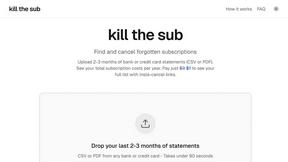
kill the sub
Kill the Sub is an AI tool that finds forgotten subscriptions in your statements and provides direct cancel links for a one-time $3 fee.
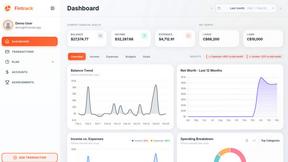
Fintrack
Fintrack is an AI-powered financial copilot that provides comprehensive spending visibility and automatically uncovers hidden savings opportunities.

Redbark
Redbark automates syncing your Australian bank and brokerage data to Google Sheets, YNAB, and more with real-time.