

ExpenseManager
ExpenseManager is an all-in-one app for tracking expenses, splitting bills, scanning receipts, and forecasting cash.
tool Details
Explore More
Alternatives

About ExpenseManager
ExpenseManager is a comprehensive financial management application designed to streamline personal budgeting and facilitate shared expense tracking in a single platform. Unlike competitors, ExpenseManager uniquely combines features for individual users, couples, roommates, and groups traveling together, allowing for seamless management of finances across various scenarios. With its advanced AI-powered Optical Character Recognition (OCR) technology, users can effortlessly snap pictures of receipts to automatically extract essential details such as amount, category, and merchant information. The application allows users to set customizable budgets, receiving alerts at critical thresholds to prevent overspending. Additionally, ExpenseManager offers flexible options for splitting bills among partners, roommates, or travel companions, ensuring clear accountability and automatic debt settlement. This app is ideal for anyone seeking to gain clarity over their spending habits and maintain control over their financial situation, making it an invaluable tool for individuals, couples, and groups alike.
Features
AI-Powered Receipt Scanning
ExpenseManager utilizes cutting-edge AI-powered OCR technology that allows users to capture receipts quickly. By simply taking a photo of a receipt, the app automatically extracts the amount spent, categorizes it, and identifies the merchant, saving users time and effort in manual entry.
Budgeting and Alerts
Users can create personalized budgets within the app, setting specific limits on their spending. ExpenseManager sends alerts when spending reaches 50%, 75%, and 90% of the set budget, helping users stay informed and disciplined in their financial management to avoid overspending.
Bill Splitting Made Easy
The app simplifies the process of splitting expenses, whether for shared household costs or group outings. Users can choose from equal, percentage-based, or custom splits, ensuring fairness and clarity in financial obligations among friends, partners, or roommates.
Multi-Currency Support
ExpenseManager supports over 30 different currencies, making it an excellent choice for travelers managing expenses across borders. Users can track spending in various currencies and easily convert amounts, ensuring they have a clear understanding of their financial situation, regardless of location.
Use Cases
Couples Managing Household Expenses
ExpenseManager is an ideal tool for couples who want to manage their shared finances without conflict. By clearly tracking who paid for what, and automatically calculating outstanding debts, the app fosters transparency and communication in financial matters.
Individuals Tracking Personal Expenses
For individuals looking to monitor their spending habits, ExpenseManager provides a comprehensive overview of personal finances. Users can categorize their expenses, set budgets, and receive insights to help them make informed decisions about saving and spending.
Group Travel Expense Management
Travelers can significantly benefit from ExpenseManager when organizing group trips. The app makes it simple to log shared expenses, split costs equitably among group members, and manage multi-currency transactions, allowing everyone to enjoy the trip without financial confusion.
Roommates Sharing Bills
ExpenseManager helps roommates effectively manage their shared living costs, such as rent and utilities. The app ensures that each person knows exactly what they owe, streamlining the process of bill payments and reducing potential disputes over finances.
Frequently Asked Questions
What is the Founding Member offer?
The Founding Member offer provides the first 100 users with lifetime access to all premium features of ExpenseManager for free. This limited-time opportunity allows users to enjoy the full capabilities of the app without any recurring subscription fees.
What happens if I don't stay active?
If a user does not remain active on the platform, their account may be subject to deactivation. It is advisable to utilize the app occasionally to maintain access to premium features and ensure the account remains in good standing.
Is my financial data secure?
ExpenseManager prioritizes user security with bank-grade encryption (AES-256), ensuring that all financial data is stored and transmitted securely. Users can trust that their sensitive information is protected against unauthorized access.
What platforms are supported?
ExpenseManager is compatible with various platforms, including web and mobile devices, allowing users to access their financial information anytime and anywhere. This flexibility ensures that users can stay on top of their expenses on the go.
Similar to ExpenseManager




IZIPAY
IZIPAY is a virtual and physical crypto card service that lets users top up with digital assets and pay online like with a regular card.
Venduris
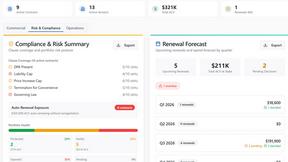
Venduris is a renewal intelligence platform that gives mid-size companies control over SaaS & AI contract renewals before leverage disappears.


Owl Invoices - Create Free Invoices
Owl Invoices lets you create professional invoices, download PDFs, manage billing, and use practical calculators for business, tax, finance, and pay.