

Alternatives to What Time
WhatTime.dev is a comprehensive tool that simplifies time zone comparisons and meeting planning for global teams and remote workers.
Explore 16 alternatives to What Time. Compare features, pricing, and find the best fit for your needs.

Built2WinWeb AI SEO
Custom PHP websites, AI Indexing Pack ($599 one‑time), and WebAgentScan SaaS ($9/mo). MCP, A2A, llms.txt, full ownership.

saasgrow.ai
saasgrow.ai is a curated directory of SaaS growth tools where every listing is screened before it goes live and placement can't be bought.

Huebert
Huebert is a UI color scheme generator that turns your ideas into accessible UI color schemes and beautiful shadcn/ui themes - instantly.
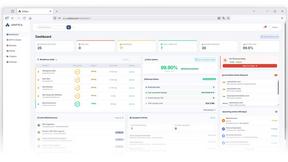
Unifyca
Unifyca is a unified platform for managing, auditing, and backing up client WordPress sites with centralized documentation and credentials.
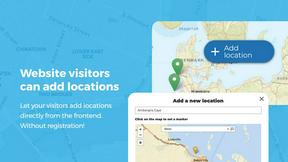
Open User Map
Open User Map is a WordPress plugin that lets visitors submit and edit map locations with approval workflows, categories, and routes without coding.
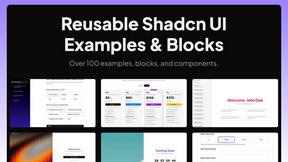
Shadcn Examples
Shadcn Examples offers comprehensive React and Tailwind UI kits with reusable components for building modern web applications efficiently.
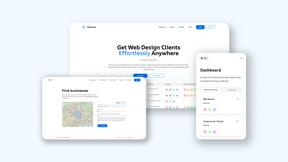
Webleadr
Webleadr helps you effortlessly find and contact web design leads and businesses without websites from anywhere in just a few clicks.
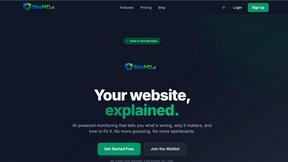
SiteMd
SiteMD is a comprehensive website health scanner that provides detailed SEO, performance, and security audits with plain-English reports.

Idearium
Idearium is a Toronto agency that designs high-performance websites and implements SEO-driven marketing strategies for.
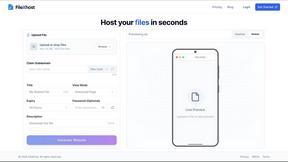
FilexHost
FilexHost lets you effortlessly upload and share files with instant, customizable URLs in just seconds.

Crawlkit
CrawlKit provides a developer-friendly API for seamless web scraping and data extraction from any site or platform.

Best Boilerplates
Compare SaaS boilerplates by features, tech stack, and pricing to launch apps faster.
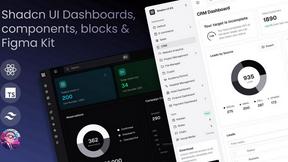
Shadcn UI Kit
Accelerate web development with the Shadcn UI Kit's production-ready templates, components, and admin dashboards.

Clio Websites
Clio Websites builds custom, SEO-optimized websites designed to convert visitors and grow your business.
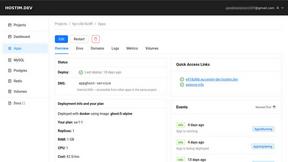
Hostim.dev
Hostim.dev deploys Docker apps with managed databases on GDPR-compliant EU bare-metal servers.
About What Time Alternatives
WhatTime.dev is a modern time zone and meeting planner tool designed specifically for remote teams, freelancers, developers, and businesses operating across multiple countries. This platform simplifies the often complex process of managing time zones, allowing users to quickly compare time zones, check UTC and GMT offsets, and view local times worldwide. As the global workforce increasingly relies on virtual collaboration, the need for an efficient and user-friendly tool like WhatTime.dev becomes paramount. Users often seek alternatives to WhatTime for various reasons, including pricing, feature sets, and specific platform requirements that may not align with their needs. When evaluating alternatives, it is crucial to consider essential factors such as the accuracy of time zone data, the ease of use of the interface, the availability of robust meeting planning tools, and customer support. By focusing on these criteria, users can find a solution that best meets their unique requirements for scheduling and collaboration across different time zones.
FAQs about What Time Alternatives
What is What Time?
WhatTime.dev is a modern tool designed to assist users in managing time zones and planning meetings effectively. It provides features for comparing time zones, checking UTC and GMT offsets, and viewing local times around the globe, catering specifically to remote teams and businesses that operate internationally.
Who is What Time for?
WhatTime.dev is ideal for remote teams, freelancers, developers, and businesses working with clients or partners across different countries. It serves anyone needing to coordinate schedules and meetings across time zones, making it a valuable resource for global collaboration.
Is What Time free?
While the specific pricing structure for WhatTime.dev may vary, users can typically access core features without incurring costs. However, for advanced features or enhanced capabilities, there may be subscription plans or premium options available.
What are the main features of What Time?
Key features of WhatTime.dev include time zone comparison between cities and countries, UTC and GMT offset lookup, and a powerful meeting planner that identifies overlapping working hours. Additionally, the platform offers a fast, mobile-friendly interface and an accurate world clock with daylight saving support, all designed for quick access and usability.