

Playwriter
Playwriter lets AI agents control your existing Chrome browser with full Playwright API access via a simple CLI.
tool Details
Explore More
Alternatives

About Playwriter
Playwriter is a developer-centric tool that provides AI agents with direct, programmatic control over your existing, authenticated Chrome browser session. It solves the fundamental limitation of most browser automation tools for AI, which either spawn a fresh, "clean" browser instance (lacking logins, cookies, and extensions while triggering bot detection) or offer a limited, pre-defined set of actions. Playwriter bridges this gap by exposing the full power of the Playwright automation API to AI agents through a single, unified interface. It operates via a Chrome extension and a local CLI, establishing a WebSocket relay on your machine. This architecture allows agents to execute any Playwright code directly in your browser, leveraging your real sessions, installed extensions, and local settings. Its core value proposition is enabling robust, realistic, and collaborative web automation where the AI handles repetitive tasks within the exact same browser environment a human uses, facilitating seamless human-in-the-loop workflows. It is open-source under the MIT license and integrates with any MCP (Model Context Protocol) client like Cursor, Claude Desktop, and VS Code.
Features
Your Authenticated Browser Session
Playwriter's foundational feature is granting AI agents access to your actual Chrome browser tab, complete with all existing logins, cookies, local storage, and installed extensions. This eliminates the need for agents to navigate authentication flows manually, bypasses bot detection mechanisms triggered by fresh, headless instances, and ensures the browsing context is identical to a human user's. It also avoids the memory overhead of spawning a separate browser process, as the automation occurs within your already-running Chrome instance.
Full Playwright API via a Single Execute Tool
Unlike systems that define dozens of individual tools (e.g., click_element, extract_text), Playwriter provides agents with one powerful execute tool. This tool accepts any valid Playwright code, granting the agent unrestricted access to the entire Playwright API for browser control. This approach minimizes context window bloat from extensive tool schemas and offers maximum flexibility, allowing agents to perform complex sequences, use advanced selectors, handle frames, and manage dialogs without being constrained by a pre-defined wrapper.
Advanced Debugging and Inspection Suite
Playwriter includes a comprehensive suite of debugging and inspection utilities designed for AI-driven development. This includes a debugger with breakpoints to pause execution, live code editing to modify agent scripts on the fly, and network interception to monitor and mock HTTP requests. Furthermore, it generates highly efficient accessibility snapshots (5-20KB) instead of full screenshots, providing the AI with structured DOM and ARIA data in a compact format, and supports full screen recording of agent sessions for playback and analysis.
Local-First Architecture and Collaboration
The entire Playwriter system runs locally on your machine. The Chrome extension connects to a local WebSocket server (default localhost:19988), and all communication—including Chrome DevTools Protocol commands—stays on your computer. This enables real-time collaboration: you can watch the agent interact with websites live, intervene to solve CAPTCHAs or consent modals, manually correct issues, and then re-enable agent control. The session multiplexing allows multiple CLI instances or agents to interact with different browser tabs simultaneously.
Use Cases
AI-Powered Web Research and Data Extraction
Agents can autonomously conduct in-depth research across multiple websites that require login, such as private forums, subscription news services, or web applications. Using your authenticated session, the agent can navigate complex site structures, handle pagination, consent pop-ups with your assistance, and extract structured data using the full Playwright API, all while operating within your real browser context to avoid blocks.
Automated Testing and QA with Real User Conditions
Developers and QA engineers can use Playwriter to instruct AI agents to perform end-to-end testing on web applications under genuine user conditions. Since the agent uses your browser with your specific extensions and cache, tests can cover scenarios like "user is logged in with specific preferences" or "with ad-blocker enabled," providing more accurate and realistic test results than isolated, clean browser environments.
Complex Workflow Automation and Web Task Delegation
Playwriter enables the delegation of tedious, multi-step web tasks to AI agents. This includes activities like filling and submitting complex forms across several pages, managing content in web admin panels (e.g., CMS updates), monitoring dashboards for changes, or orchestrating workflows that involve moving data between different web services that you are already logged into.
AI-Assisted Development and Debugging
Developers can use Playwriter as a pair-programming tool for web development. An AI agent can be instructed to interact with a web application you are building, profile performance, test specific user journeys, set breakpoints in the automation script, intercept network calls to debug API interactions, and generate visual labels or snapshots to help identify UI elements, all within your development browser.
Frequently Asked Questions
How does Playwriter differ from other browser automation MCP servers?
Other MCP solutions typically either launch a new, isolated Chrome instance (lacking your logins and extensions) or provide a limited set of hard-coded tools. Playwriter is unique because it injects automation into your existing, live Chrome session and provides a single, unrestricted execute tool for the full Playwright API. This combines real-world browser context with maximum programming flexibility for the AI agent.
Is my browsing data secure with Playwriter?
Yes. Playwriter operates on a strict local-first principle. The Chrome extension communicates only with a WebSocket server running on localhost (port 19988 by default). All commands and data, including Chrome DevTools Protocol traffic, remain on your machine. No browsing data, cookies, or session information is transmitted to any remote server. The tool is also open-source, allowing for code audit.
What happens if the agent encounters a CAPTCHA or needs a human decision?
This is a key collaborative feature of Playwriter. Since you are sharing your browser, you see the agent's actions in real-time. If a CAPTCHA or a consent wall appears, you can simply solve or click it yourself. You can then temporarily disable the extension on that tab, perform any necessary manual steps, re-enable control, and the agent can continue its automated task from the new state.
Can I use Playwriter with multiple browser tabs or multiple AI agents simultaneously?
Yes. The local WebSocket relay multiplexes sessions. You can attach the Playwriter extension to multiple Chrome tabs, each representing a separate controllable session. Multiple CLI instances or AI agents (via MCP) can connect to the relay and control different tabs independently, allowing for parallel automation tasks within a single browser window.
Similar to Playwriter
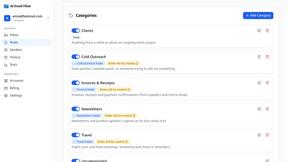
AI Email Filter
AI Email Filter sorts incoming mail into folders using plain-language prompts you write. Works with any IMAP mailbox; bring your own LLM if you want.

Growati
Automate repetitive YouTube publishing work

MetaMuse
MetaMuse video generator and image generator for real creative workflows

amaze.directory
A directory of AI tools where somebody actually used the tool.

benchmark.directory
An independent directory of 145 AI tools across 20 categories. Every listing was paid for, set up and used on real work. No sponsored placements, ever

Tools Network
saasgrow.ai lists SaaS growth tools that founders actually use. Listing is free, screened on submission, and goes live the moment you verify our badge