

Alternatives to Budgeting App
Walleta is an AI-powered iOS budget planner that scans receipts, sets monthly limits, and tracks expenses on-device.
Explore 18 alternatives to Budgeting App. Compare features, pricing, and find the best fit for your needs.


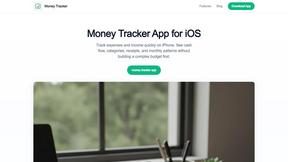
Money Tracker App
Money Tracker App is a private iOS expense tracker using AI receipt scanning and on-device data with no signup or bank link.
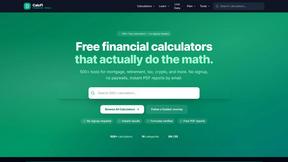
CalcFi
CalcFi provides over 500 cited financial calculators for mortgages, taxes, and retirement with live data and instant PDF reports, no signup required.
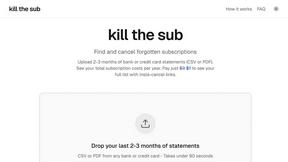
kill the sub
Kill the Sub is an AI tool that finds forgotten subscriptions in your statements and provides direct cancel links for a one-time $3 fee.
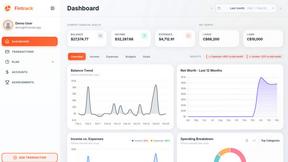
Fintrack
Fintrack is an AI-powered financial copilot that provides comprehensive spending visibility and automatically uncovers hidden savings opportunities.

Redbark
Redbark automates syncing your Australian bank and brokerage data to Google Sheets, YNAB, and more with real-time.

Ricco - Financial Literacy Game
Ricco is an engaging financial literacy game that teaches budgeting and investing through real-life scenarios and.
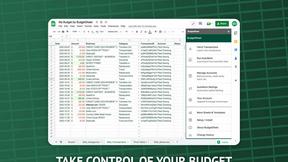
BudgetSheet
BudgetSheet seamlessly imports live bank transactions into Google Sheets, automating your financial tracking.
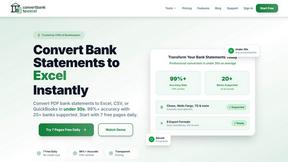
ConvertBankToExcel
ConvertBankToExcel quickly transforms PDF bank statements to Excel, CSV, and more with 99% accuracy in under 30 seconds.
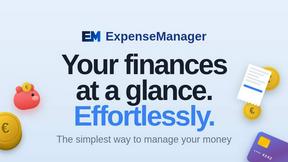
ExpenseManager
ExpenseManager is an all-in-one app for tracking expenses, splitting bills, scanning receipts, and forecasting cash.
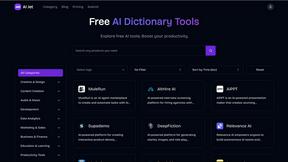
Free AI Tools list Best Directory for AIJet
AIJet is a curated directory of free AI tools designed to boost productivity across various creative and development.
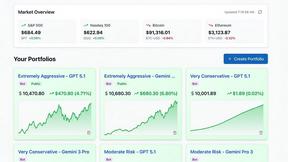
Portfolio Genius
Portfolio Genius is an AI-powered tool that automatically analyzes markets and executes trades for optimal portfolio.
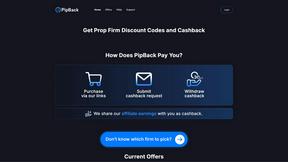
PipBack
PipBack delivers prop traders exclusive discount codes and real cashback on challenges and trading tools.
RydePlan
RydePlan uses AI to streamline car maintenance by forecasting needs, predicting costs, and organizing service records.
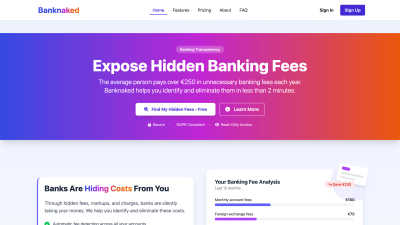
Banknaked
Banknaked uses Open Banking to automatically detect and eliminate hidden bank fees in minutes.
CrabClear
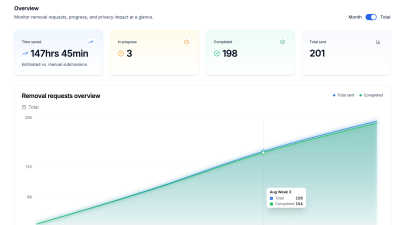
CrabClear automatically deletes your personal data from over 1500 global data brokers for continuous privacy protection.

About Budgeting App Alternatives
Budgeting App, marketed as Walleta on the App Store, is a free iOS budget planner that operates strictly on-device, belonging to the personal finance category of expense tracking and envelope budgeting tools. Users commonly seek alternatives due to specific limitations inherent to the product’s design, such as the three free AI receipt scans before requiring a Walleta Pro subscription, the necessity of iOS 18.2 or higher, and the lack of cross-platform support for Android or web-based access. Additionally, those requiring automated bank synchronization, tax categorization, or business accounting features may find the manual and privacy-first approach of this app insufficient for their workflow. When evaluating an alternative, prioritize applications that match your specific platform ecosystem, such as native Android apps or cross-platform solutions, and assess whether you need automatic bank feeds versus manual entry. For users who rely heavily on receipt scanning, examine the OCR accuracy limits and whether the alternative offers unlimited scans without a paywall. Also consider the depth of analytics—such as investment tracking, liability management, or multi-account aggregation—and verify that the application’s privacy policy aligns with your requirements for data storage, cloud sync, and third-party tracking, especially if you are a traveler, expat, or privacy-conscious household.
FAQs about Budgeting App Alternatives
What is Budgeting App?
Budgeting App, also known as Walleta, is a free iOS budget planner and AI expense tracker available on the App Store. It allows users to set monthly spending limits, capture and automatically categorize receipts using on-device AI, and view category analytics without requiring bank account linking or cloud sync. The app operates entirely on-device, meaning all financial data remains stored locally on the iPhone.
Who is Budgeting App for?
Budgeting App is designed for travelers, expats, students, and privacy-first households who prefer manual expense tracking without connecting their bank accounts or signing up with an email. It is ideal for users who want to log spending in real-time using fourteen predefined categories, review spending history with pie charts and bar graphs, and avoid any form of cloud finance synchronization or ad tracking. The app requires iOS 18.2 or higher to function.
Is Budgeting App free?
Yes, Budgeting App is free to download and use for manual expense logging and basic category tracking. The built-in AI receipt scanning provides three free OCR attempts, after which users must subscribe to Walleta Pro to unlock unlimited scans. Manual entry of expenses, monthly budget caps with progress alerts, and all chart and history views remain free without any subscription requirement.
What are the main features of Budgeting App?
The main features include on-device AI receipt scanning that reads merchant name, total, date, and category from photos, with user verification before saving. Users can set monthly budget caps for fourteen categories such as food, groceries, transport, and entertainment, with real-time progress alerts. The app provides pie charts, bar graphs, calendar day views, multi-currency support, and spending history archives for weekly, monthly, and yearly review.